


Case study · Life insurance · AI website assistant
A multilingual AI support assistant for a life insurer that has to keep its data in the country
A life insurer in a former Soviet country booked a call with us after a new law required customer data to stay in data centres inside the country. Its website chat greeted everyone in one language, its support team answered every question by hand, and two earlier chatbot attempts had failed. In five minutes we built an Ethora assistant from its website that answered in the visitor’s own language.
By the numbers
The demo at a glance
5 min
from the insurer’s website address to a working assistant
150
pages of the insurer’s website indexed as the assistant’s knowledge
3+
languages on the site; the assistant answered in English, Ukrainian and Chinese in testing
2
chatbot projects the insurer had already tried and dropped
A demo built in October 2025 for an insurer evaluating Ethora, first written up on the Ethora community. One of several AI agents on customer websites. The insurer is not named and its brand is blurred in the screenshots.
Overview
A data localisation law, a chat in the wrong language, and two bots that did not work
The trigger. The insurer used a hosted website chat from a vendor based abroad. A new national law required personal data to be stored in data centres inside the country, so a hosted tool in another jurisdiction was no longer an option. The team searched for a chat and AI server they could run themselves and found Ethora.
The visitor experience. The existing chat greeted every visitor in the same language, whether they had chosen English or the local language on the site. For a company with customers in three languages, the first message was already wrong for many of them.
The support load. The support team answered every request by hand, although many of them were the same few questions about products, payments and documents. They had tried chatbots twice. Both times the bot could not answer the questions customers actually asked, and the projects were dropped.
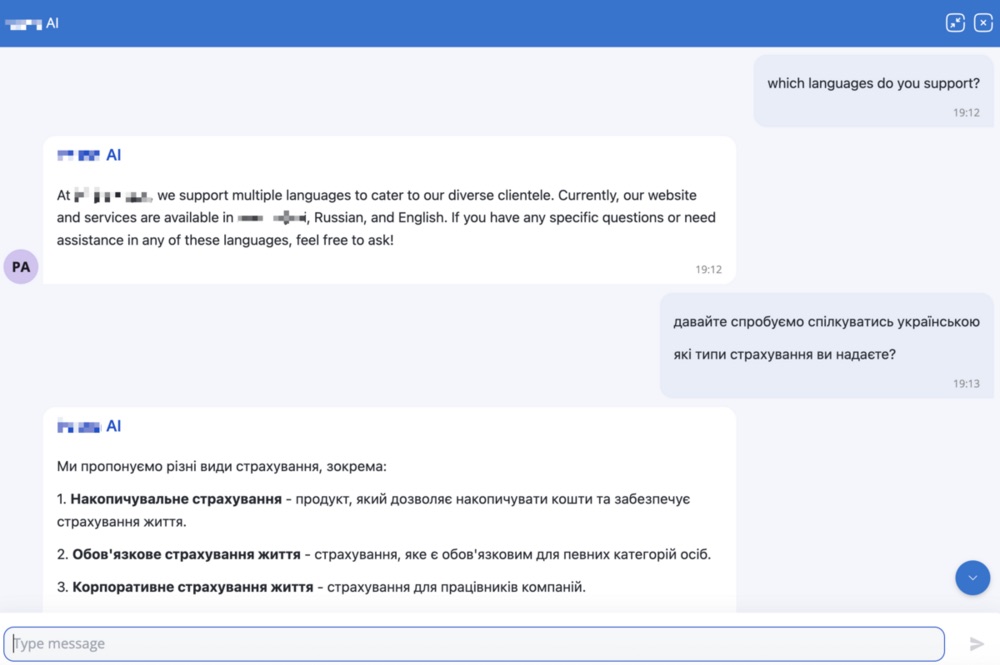
The demo. We gave an Ethora AI agent the insurer’s website address. It crawled and indexed 150 pages in a few minutes, and we added the chat widget to a test page. Then we asked it the questions a customer would ask, in different languages.
Requirements
What the insurer needed, and how Ethora meets it
The demo ran on Ethora cloud. The same agent, knowledge and widget run on an Ethora server installed in the insurer’s own country.
Keep customer data inside the country
Ethora is a chat and AI server the insurer can install in a local data centre or on its own hardware, so conversations, users and files never leave the country. The installer runs on any Linux server, with images on Docker Hub and listings on cloud marketplaces; see Get Ethora and the self-hosted chat server. Where the AI model also has to stay local, the agent can use an open-weight model on the same infrastructure: self-hosted LLM.
Answer each visitor in their own language
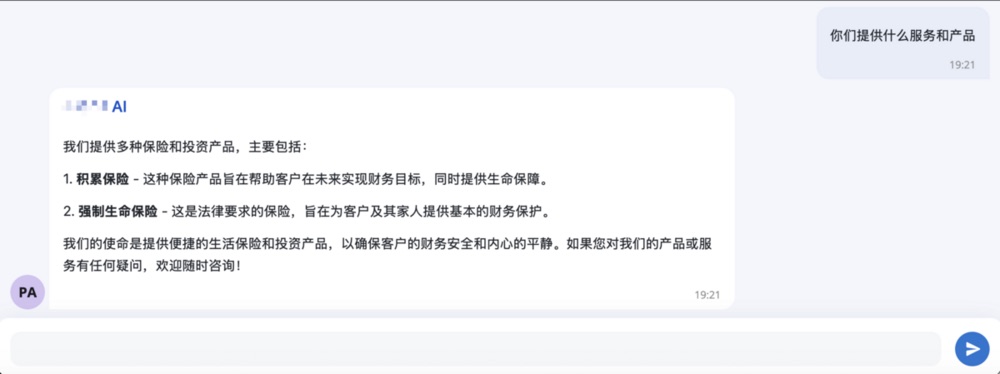
The assistant replies in the language it is asked in, using the same indexed pages. In the demo it answered in English, switched to Ukrainian when the visitor did, and answered in Chinese, without a translated copy of the site. The widget also has a language picker.
Know the insurer’s products, not insurance in general
The two earlier bots failed because they could not answer real questions. An Ethora agent answers from the insurer’s own content: it crawls the website (150 pages here), can take documents such as policy wordings and FAQs, and for each question passes only the most relevant passages to the model, so the answer lists the insurer’s own products. See website crawler and RAG.
Take the repeat questions off the support team
The agent handles the common questions at any hour, and every conversation is visible to the team in the dashboard. Instructions say what the agent may answer and when it should pass the customer to a person, so claims and anything personal still reach a human.
Add it to the existing website
The widget is one script tag on any website, or the WordPress plugin. It replaces the old chat without rebuilding the site; see the embeddable AI agent script.
The outcome
A working answer to “can an AI assistant handle our questions?”, in five minutes
The insurer had tried chatbots twice and stopped both times. Within five minutes of giving us its website, it had an assistant that answered product questions correctly, from its own pages, in the language each visitor used. That changed the conversation from whether AI support could work to where it should run.
The insurer did not go ahead at the time. In 2025 an in-country deployment meant a dedicated server set up and run by our team under an Enterprise plan, a large first step for a company that only wanted to try AI support on its website.
That has changed. The insurer’s own IT team can now install Ethora Core themselves from Docker Hub or the AWS and Azure marketplaces, in minutes, on a small server in a local data centre. They can start with the AI assistant on the website, keep every conversation in the country from day one, and add an Enterprise licence, managed hosting and an SLA only when the project grows. For smaller insurers, brokers and agencies this makes an in-country AI assistant faster to start, easier to approve and much cheaper to try.
An insurer, bank or clinic with a data localisation rule? Start with the insurance chat and AI page, try the no-code AI agent builder on your own website, or see the other AI agents on customer websites.
FAQ
Why do insurance chatbots fail?
Usually because they do not know the company’s own products and rules, so they give general answers or none. An assistant built on the insurer’s own website and documents (RAG) answers from that content, and its instructions limit it to the questions it should handle.
Does the assistant answer in several languages?
Yes. It replies in the language the visitor writes in, from the same knowledge. In this demo it answered in English, Ukrainian and Chinese from a site published in three languages.
Do we need an Enterprise plan to run Ethora on our own server?
No. Your IT team can install Ethora Core on a server in your own data centre or cloud account from Docker Hub or the AWS and Azure marketplaces, and run the AI assistant on it. An Enterprise licence, managed hosting and an SLA can be added later, when the project needs them.
How long does it take to set up?
The demo took five minutes: the website address, a crawl of 150 pages and the widget on a test page. A production setup adds instructions, your documents and testing with the questions your customers really ask.
More case studies
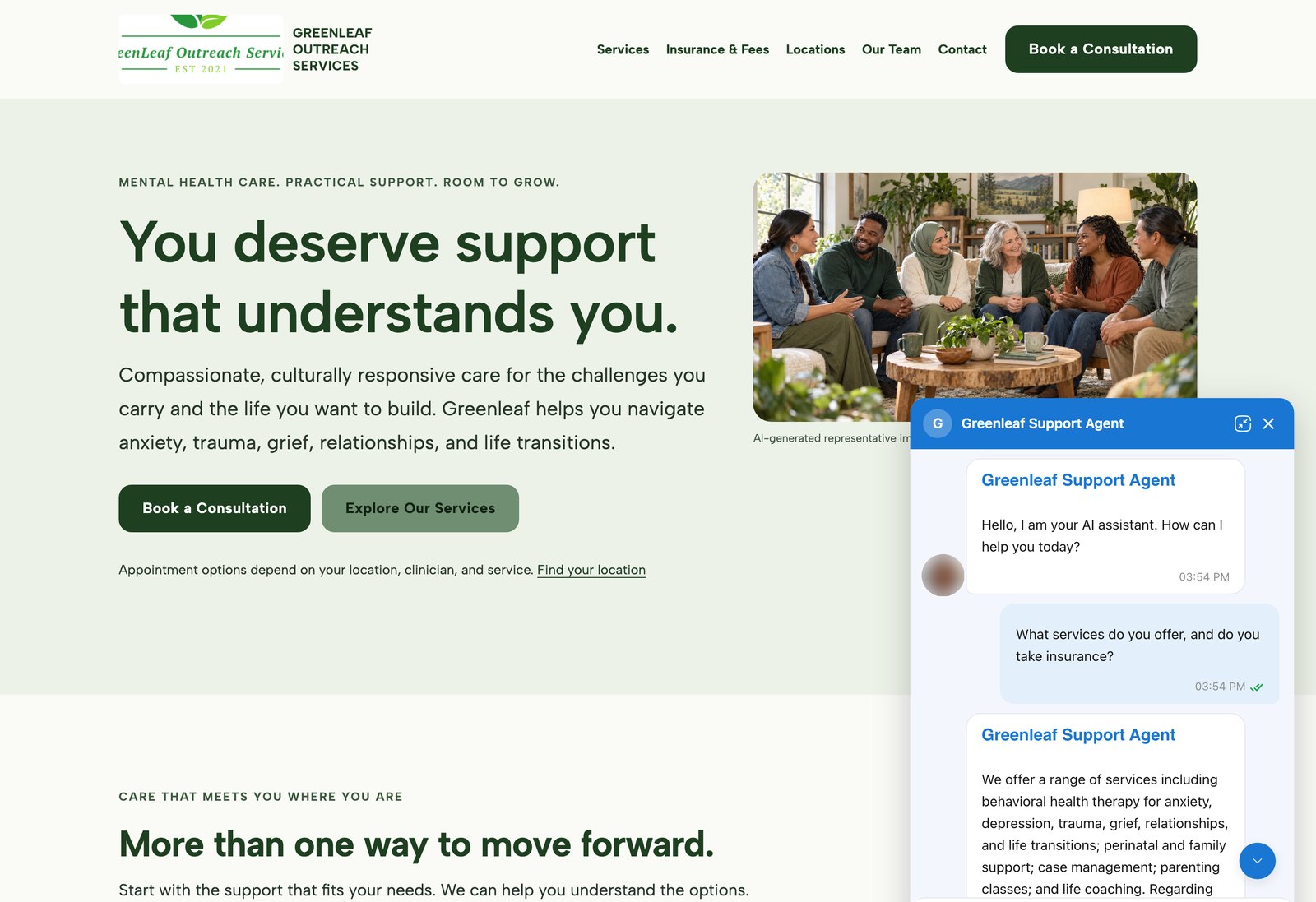
AI agents on customer websites: support, intake and teaching assistants
Clinics, schools and small businesses build AI agents on Ethora themselves and put them on their own websites, often on the day they sign up.
4 examples, from a US mental health provider and a wellness brand to a university pharmacology course.
- WordPress plugin or one script tag
- Answers from the customer’s own pages and documents
- Self-serve, no developer needed
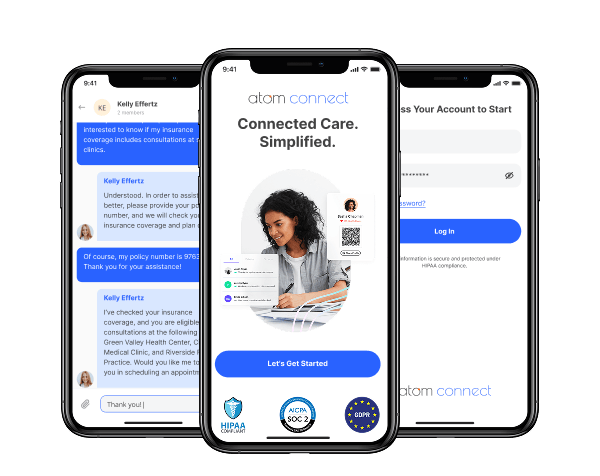

Insurance: in-app chat for a workers’ comp health insurance provider (HIPAA compliant)
Atom Advantage provides workers’ compensation and health insurance solutions in the United States.
On Ethora they built Atom Connect: secure, case-based chat between injured workers, nurses and case managers, embedded in their claims portal and a white-label mobile app. HIPAA and SOC 2 compatible.
Less manual work for case managers and a better experience for injured workers.
- Chat embedded in the case managers’ web portal
- White-label iOS and Android app for injured workers
- One secure room per claim, created automatically by API
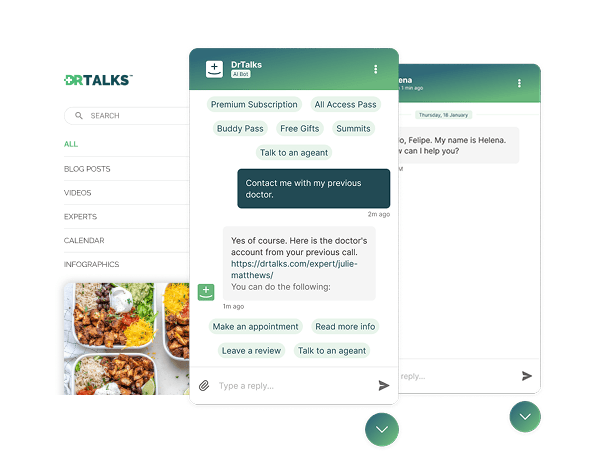

Healthcare: HIPAA-compliant AI assistant (RAG) over a medical video library
Dr. Talks is one of the most prominent organizers of online healthcare conferences and summits.
Ethora enabled them to create a context-aware AI-powered chatbot to help users navigate thousands of pages of medical content, correctly referencing pages, authors, videos and timestamps. 100% secure and HIPAA-compliant.
This assistant enhances user experience by simplifying interaction with the platform and reducing search time.
- 1000+ summits indexed by AI bot
- Instant user engagement
- Vector embeddings enable intelligent domain expert AI responses
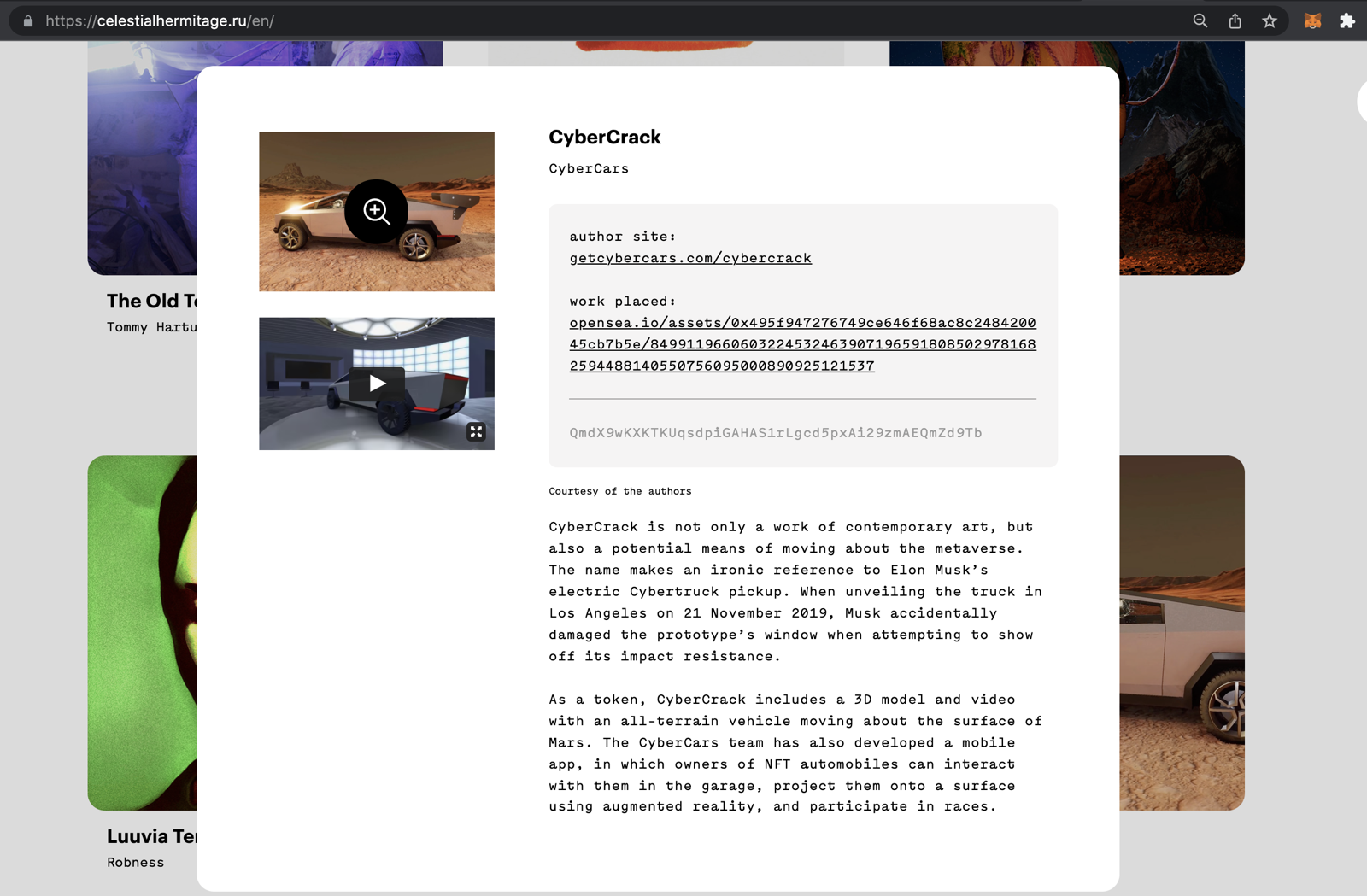

Communities: fan chat app with second-screen rooms and digital collectibles
A cross-platform social app uniting the automotive community around racing events.
Fan rooms for teams and drivers, second-screen events, and collectibles handed out and traded through chat bots.
- Cross-platform iOS and Android app
- Fan rooms and second-screen events
- Collectibles distributed in chat


Energy: dedicated chat server, AI-agent rooms and a React Native app for a procurement platform
Preshent is a US platform for energy-project procurement with AI-driven decision support.
Ethora provides the conversation layer: a chat room per project workspace shared by people and the AI agent, a dedicated chat server in Preshent’s own cloud, push notifications and a React Native app.
- 1,130 chat rooms, one per workspace
- AI agent as a participant in every room
- Dedicated chat server, 99.99%+ uptime
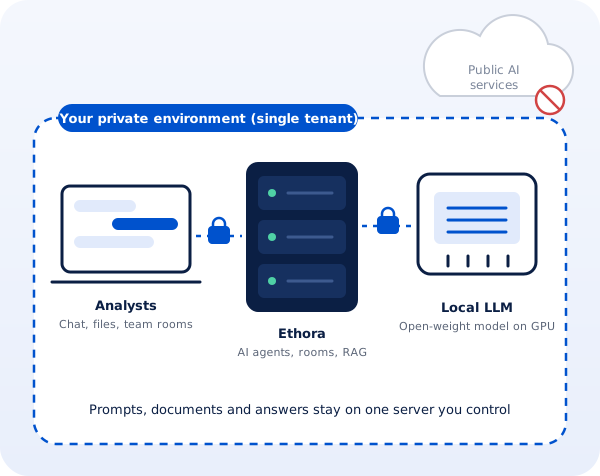
Professional services: a private, self-hosted AI assistant for a corporate intelligence firm
A London corporate intelligence and investigations firm whose analysts could not use public AI assistants on confidential client work.
Ethora designed a private AI assistant: a single-tenant server with AI agents, document search and an open-weight model on the firm’s own GPU, managed by Ethora in a London cloud region or installed on a workstation in the office.
- Local open-weight LLM, no public AI services
- Single-tenant server, UK hosting
- Cloud GPU or on-premise workstation
An AI support assistant that knows your policies and speaks your customers’ languages
Index your website and documents, set what the assistant may answer, and run it on Ethora cloud or on your own server in your country.
