Case studies · AI agents on customer websites

AI agents our customers built and put on their own websites

Clinics, schools and small businesses use Ethora to build an AI agent from their own content and add it to their website themselves, with the WordPress plugin or one script tag. These are real deployments, each with a short write-up of how it was set up.

Build your agent free
Self-serve setup Trained on your own content Any website
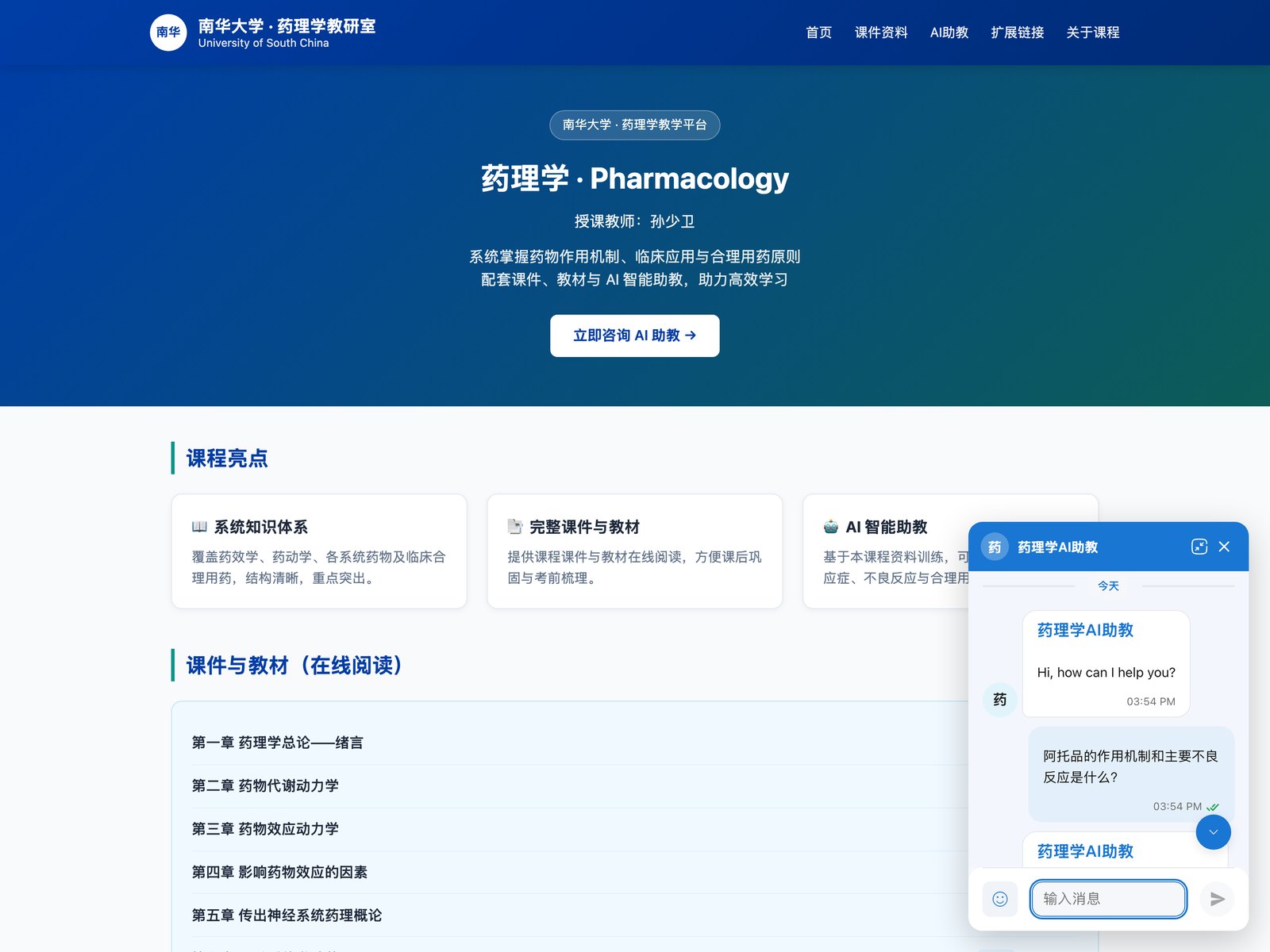
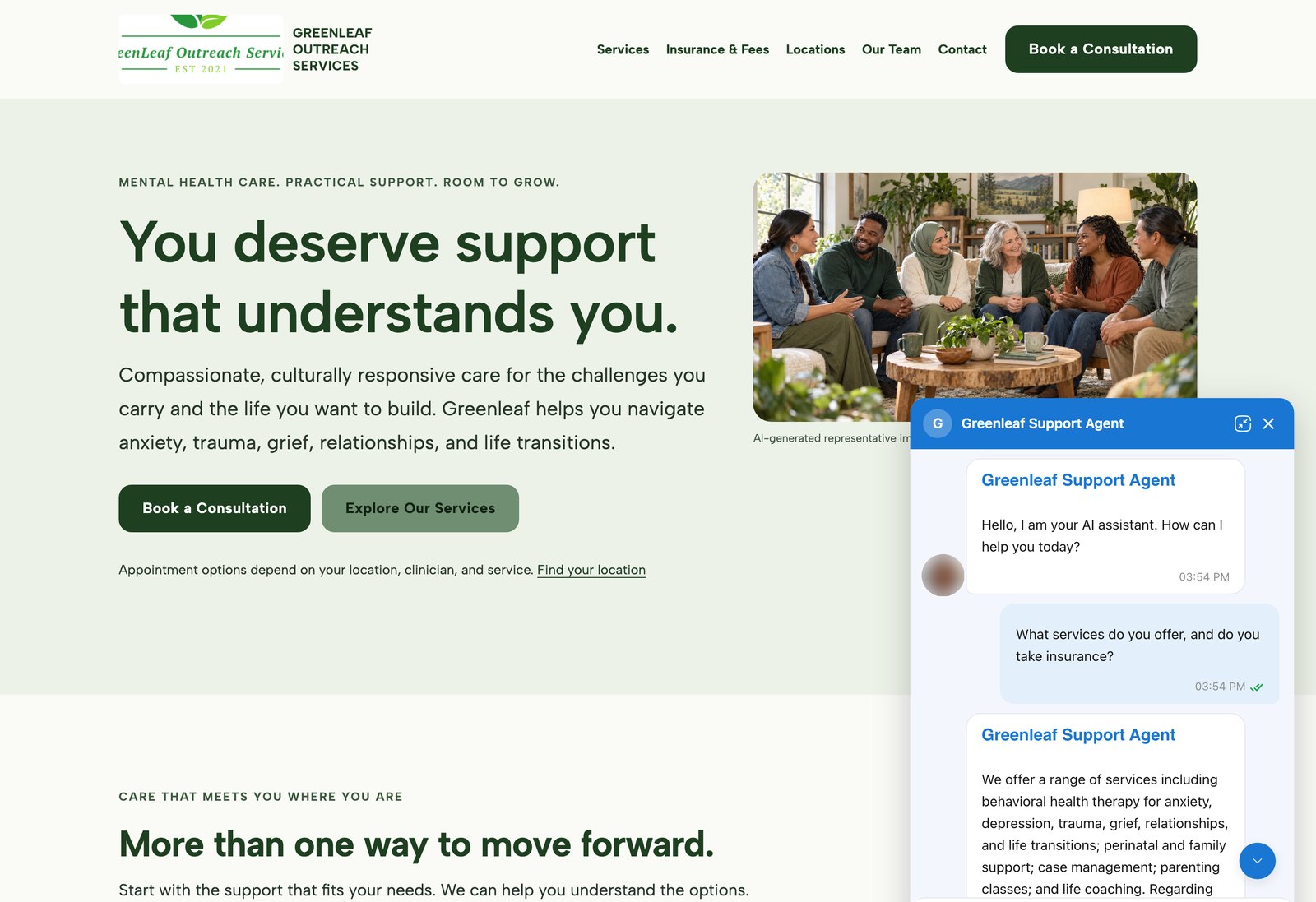
AI agent answering a visitor question on a customer website

Deployments

4 AI agents on customer websites

Each one was built in the Ethora dashboard from the customer’s own content. Most were set up by the customers themselves and run on their sites today; the earliest is a 2025 pilot that shaped how Ethora agents work now.

  • Insurance

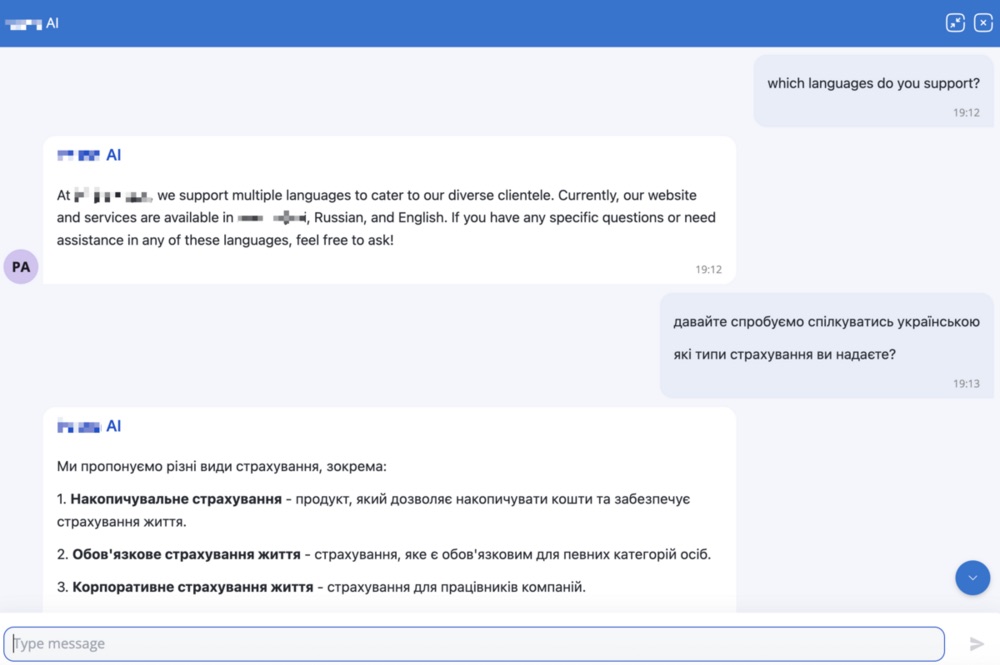
A multilingual AI support assistant for a life insurer with in-country data rules (demo)

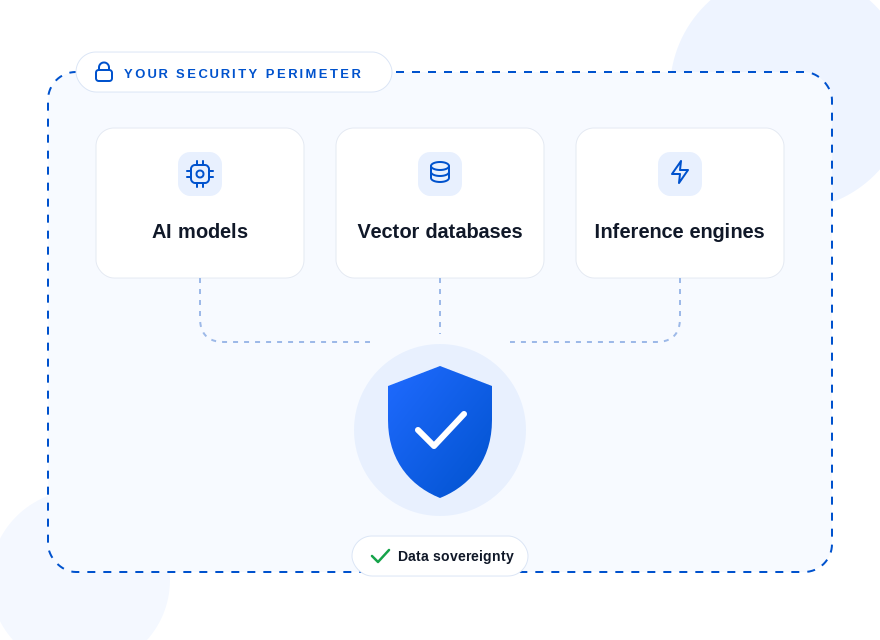
A data localisation law ruled out the insurer’s hosted chat. An Ethora assistant built from its 150-page website answered product questions in the visitor’s own language, five minutes after we started.

  • Can run on an in-country server
  • Answers in the visitor’s language
  • Built in five minutes from the website
Read the case study: A multilingual AI support assistant for a life insurer with in-country data rules (demo)

What they have in common

How these agents were built

The same four steps in every deployment, all in the Ethora dashboard.

1. Create the agent

Start from a template (support agent, assistant, tutor) or a blank agent, give it a name, avatar, greeting and instructions, and optionally scripted flows for fixed paths such as booking. See the no-code AI agent builder.

2. Give it your content

Crawl your website or upload documents (course slides, FAQs, policies). Ethora indexes them and the agent answers from them with retrieval, so it speaks in your words and links to your pages.

3. Add it to your site

Install the Ethora Chat Assistant plugin on WordPress, or paste the embeddable script into any other site. Match colours and greeting in the dashboard.

4. Read the conversations

Every visitor conversation is in your Ethora app. Read what people ask, add missing answers to the knowledge, and move to a dedicated or self-hosted server when conversations carry sensitive data.

Your website next?

Built an agent on Ethora? We’d like to feature it

If your Ethora agent is live on your website and you are happy for us to write it up, get in touch. We send you the draft before anything is published.

Larger projects built on Ethora

Healthcare: HIPAA-compliant AI assistant (RAG) over a medical video library

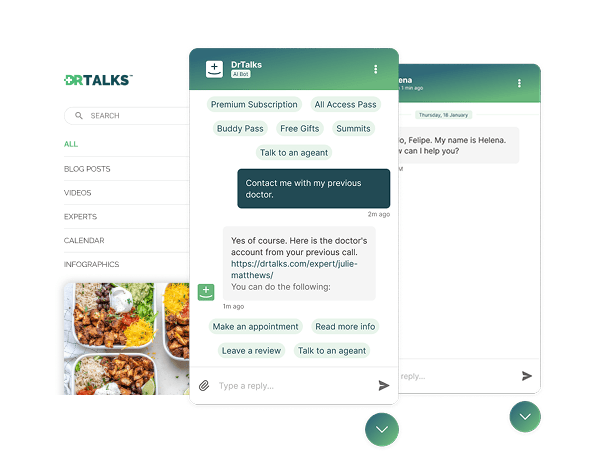
Dr. Talks is one of the most prominent organizers of online healthcare conferences and summits.

Ethora enabled them to create a context-aware AI-powered chatbot to help users navigate thousands of pages of medical content, correctly referencing pages, authors, videos and timestamps. 100% secure and HIPAA-compliant.

This assistant enhances user experience by simplifying interaction with the platform and reducing search time.

  • 1000+ summits indexed by AI bot
  • Instant user engagement
  • Vector embeddings enable intelligent domain expert AI responses
Read the case study: Healthcare: HIPAA-compliant AI assistant (RAG) over a medical video library

Communities: fan chat app with second-screen rooms and digital collectibles

A cross-platform social app uniting the automotive community around racing events.

Fan rooms for teams and drivers, second-screen events, and collectibles handed out and traded through chat bots.

  • Cross-platform iOS and Android app
  • Fan rooms and second-screen events
  • Collectibles distributed in chat
Read the case study: Communities: fan chat app with second-screen rooms and digital collectibles

Energy: dedicated chat server, AI-agent rooms and a React Native app for a procurement platform

Preshent is a US platform for energy-project procurement with AI-driven decision support.

Ethora provides the conversation layer: a chat room per project workspace shared by people and the AI agent, a dedicated chat server in Preshent’s own cloud, push notifications and a React Native app.

  • 1,130 chat rooms, one per workspace
  • AI agent as a participant in every room
  • Dedicated chat server, 99.99%+ uptime
Read the case study: Energy: dedicated chat server, AI-agent rooms and a React Native app for a procurement platform

Professional services: a private, self-hosted AI assistant for a corporate intelligence firm

A London corporate intelligence and investigations firm whose analysts could not use public AI assistants on confidential client work.

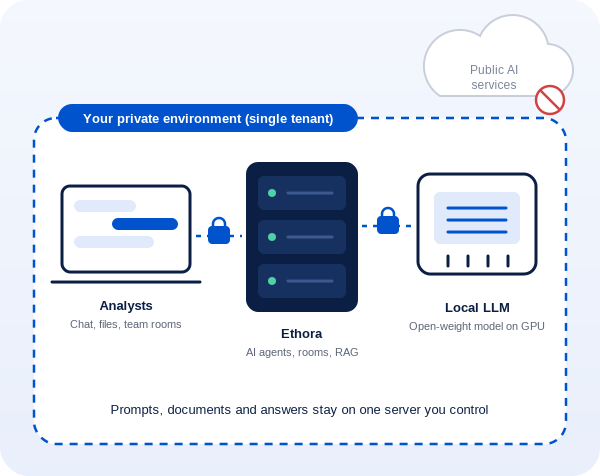
Ethora designed a private AI assistant: a single-tenant server with AI agents, document search and an open-weight model on the firm’s own GPU, managed by Ethora in a London cloud region or installed on a workstation in the office.

  • Local open-weight LLM, no public AI services
  • Single-tenant server, UK hosting
  • Cloud GPU or on-premise workstation
Read the case study: Professional services: a private, self-hosted AI assistant for a corporate intelligence firm

Virtual worlds: a 3D multiplayer world built from a book, with AI characters, in one weekend

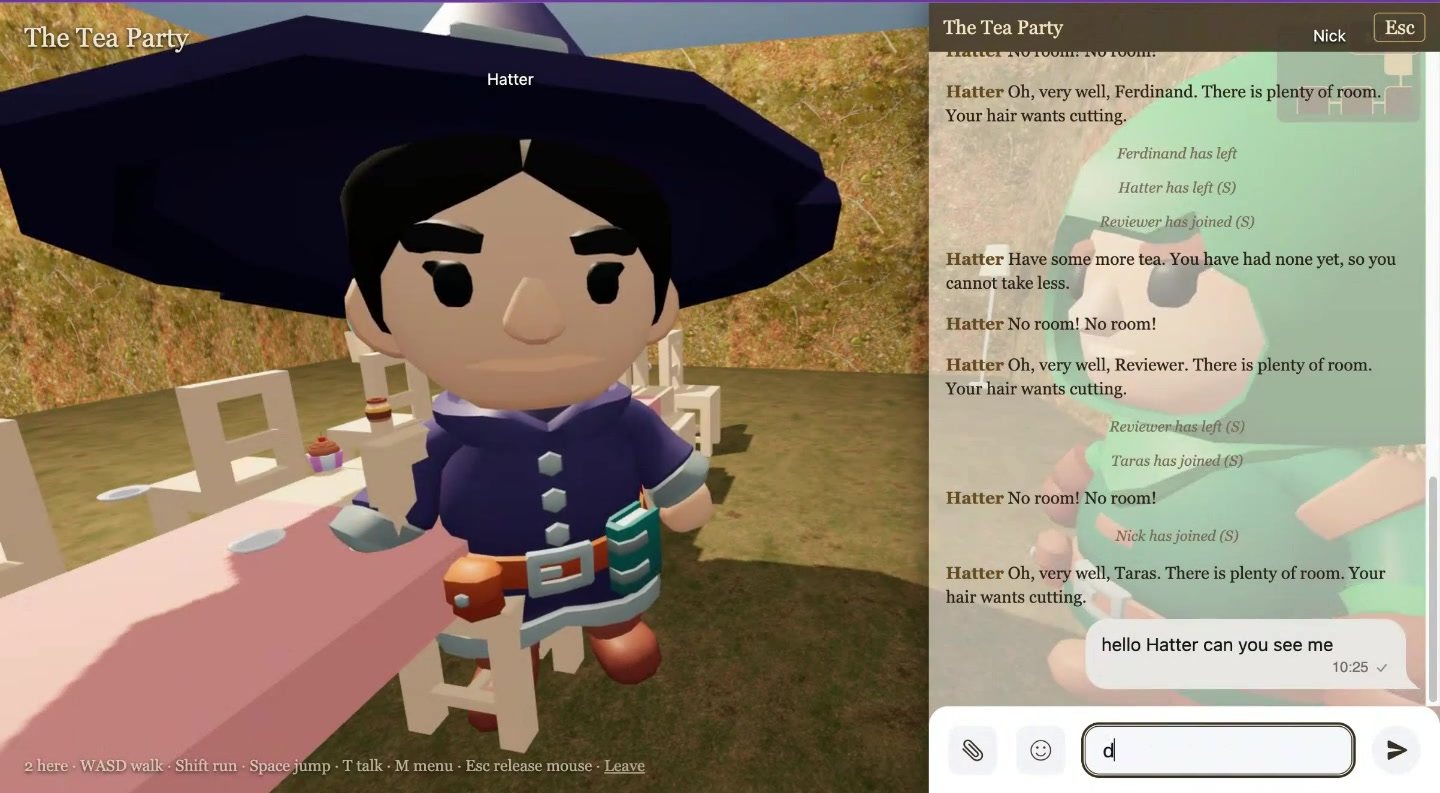
An internal R&D showcase by Ethora’s founder: Alice in Wonderland, The Tempest and A Christmas Carol as 3D worlds you walk through in first person.

Each room is an Ethora chat, each character an Ethora AI agent with the book as its knowledge; a generator and the hosted MCP server build a new world from any book in about four minutes.

  • Built in a weekend on the public SDK, API and MCP
  • Characters answer in character from the text
  • Daily AI budget keeps a public world affordable
Read the case study: Virtual worlds: a 3D multiplayer world built from a book, with AI characters, in one weekend
Get started

Put an AI agent on your website today

Build it from your own pages and documents, add it with the WordPress plugin or one script tag, and answer visitors around the clock.

Start Free
No code Your own content Cloud or self-hosted