

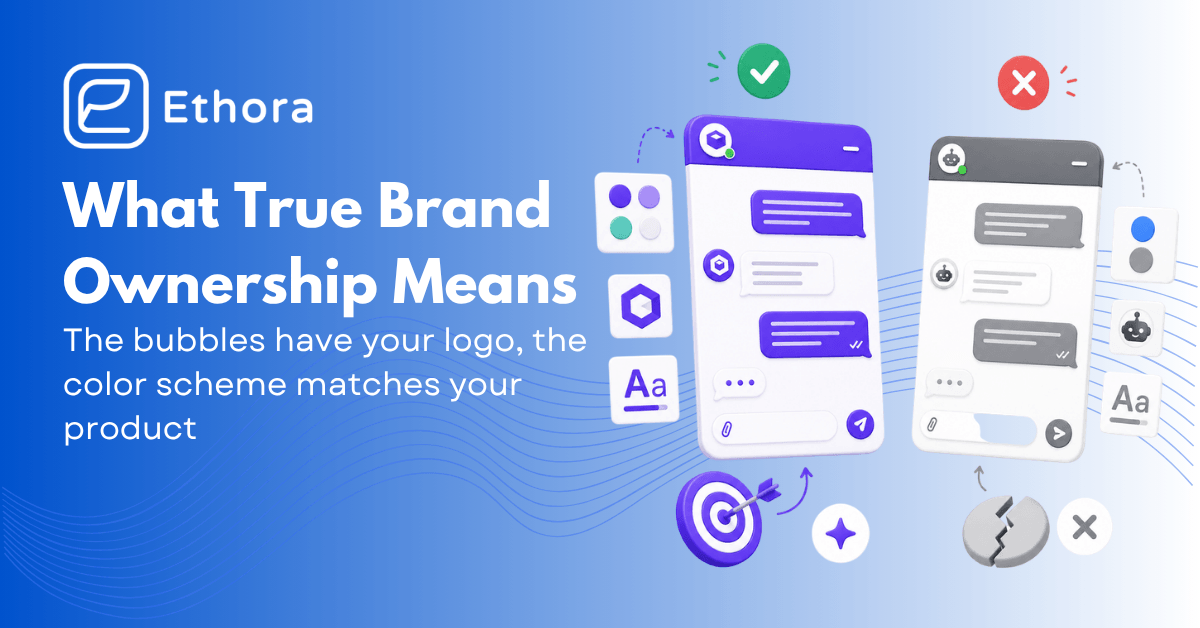
White-label chat demos are always perfect: the bubbles have your logo, the color scheme matches your product – everything looks like you’ve built it yourself. Yet many vendors offer only superficial customization, despite claiming to be white label.
And when you get to production, the picture changes: the bubbles look right, but the login flow says “Powered by”, the webhook domain leaks the vendor, the support links go to the vendor, the SSL cert on push endpoints is the vendor’s, and the on-prem option is only available on the most expensive tier.
This is not what regulated industries, enterprise procurement teams, and brand-conscious product leaders actually need. But the problem is that there’s no clear definition of “white-label”, so as not to choose wrong, you need to know what to look for. In this blog, we’ll define what white-label means, when to use it and when it’s better not to, compare 10 solutions, and give you a 12-point checklist you can run on any vendor before a commercial conversation.
In this guide
- What does white-label actually mean in chat
- Why do teams choose white-label chat
- When white-label is the wrong choice
- The 12-point true white-label checklist
- The 4 main types of white-label chat: 10 providers compared
- Comparison table
- Ethora: full white-label
What “White-Label” Actually Means in Chat
There are three meaningfully different things vendors call white-label applications, and collapsing them into one category is how buyers get surprised six months into a deployment.
Skin-level
You get a theme editor – colors, fonts, maybe a logo swap – applied to a widget that still loads from the vendor’s CDN. Open your browser’s network tab during a chat session, and you’ll see requests going to {vendor}.com. The authentication flow redirects through vendor-owned domains. It looks right in a screenshot and leaks vendor identity in any environment where a user, security auditor, or compliance reviewer looks slightly below the surface.
Component-level
The vendor ships an SDK – a React component library, a native iOS framework, a React Native package – that you compile into your own app bundle. No vendor URL appears in the main user flow, which gets you most of the way there.
The gap is at the infrastructure layer: push notifications may still go through the vendor’s APNs account, webhook payloads may still carry vendor-specific metadata, and the SSL certificates on real-time endpoints may belong to the vendor’s infrastructure rather than yours. Better than skin-level. Not what HIPAA auditors mean when they ask about data handling.
Full white-label
Your servers, your domain on every endpoint, your SSL cert on the real-time and media connections, your APNs and FCM credentials on push notifications. System emails come from your domain. When your support team logs into the admin panel, they see your brand.
When the infrastructure has an issue, the error your users see references your company, not the vendor’s. This level is what regulated industries actually require – and it’s what most of the products in this category don’t provide except at Enterprise pricing.
Figure out which level you need before you make a shortlist. A B2B SaaS tool connecting project stakeholders can usually live at the component level – a vendor name in a webhook payload doesn’t affect anyone’s experience. A telehealth platform going through HIPAA compliance cannot, because “messages route through {vendor}’s infrastructure” is a sentence that doesn’t survive a security review.
Why Teams Choose White-Label Chat
The obvious reason is brand consistency – a branded chat that looks like it belongs to your product. That’s real, but it’s not usually the deciding factor. The more substantive reasons are time and engineering bandwidth.
Building real-time messaging from scratch is a multi-month project. You’re managing WebSocket connections, offline queuing, delivery receipts, push notification routing across APNs and FCM, multi-device sync, and a message persistence layer – before you’ve built a single thing that’s specific to your product. Industry estimates put the full build at 6 to 12 months and $30,000 to $250,000 depending on scope. A white-label SDK compresses that to weeks, and the ongoing maintenance burden stays with the vendor rather than your team.
For regulated industries, there’s a third reason: compliance groundwork. Good vendors have already done the audit cycles and can provide the documentation and certifications your compliance team needs, so you can build a fully GDPR-, HIPAA-, or SOC2-compliant white-label chat. That’s not trivial to replicate independently, especially for a small team going through their first regulated deployment.
When It’s the Wrong Choice
Most comparison guides skip this section. There are legitimate situations where a white-label product is the wrong call.
If you have no budget and chat is incidental to the product – an early-stage MVP, an internal tool, a side project – you can use SDKs that are open-source and free to self-host. The polish is lower, and the ops burden is yours, but the cost floor is essentially just server time, which on a $10/month VPS is negligible.
If your competitive advantage comes from the messaging infrastructure itself, like ultra-low latency, end-to-end encryption protocols, or novel synchronization, then owning the infrastructure can be a source of defensibility. However, infrastructure doesn’t guarantee success – quite often, the main differentiators are features, workflows, community, artificial intelligence, or UX, while relying on a white-label chat solution.
And if you’re in a truly air-gapped or classified environment where even a fully self-hosted SDK represents an unacceptable external dependency, the answer is a fully custom build. Some government and defense requirements are specific enough that no third-party product will clear the security review, regardless of what deployment model it offers.
The 12-Point True White-Label Checklist
Before any commercial conversation, run the white-label chat platform through this list. Score 1 for yes, 0 for no. Under 9 means you’re looking at a branded widget, not a genuine white-label – regardless of what the marketing says.
- Domain control. Can all user-visible URLs – chat endpoints, push payload origins, webhook sender domains — show your domain instead of the vendor’s?
- SSL certificate ownership. Are the TLS certs on real-time connections, media endpoints, and push relay servers issued to your domain, or the vendor’s?
- Push notification credentials. Do push notifications arrive signed with your APNs and FCM credentials, so they appear to come from your app – not the vendor’s developer account?
- Email branding. Are system emails (invite, password reset, notification digests) sent from your domain via your SMTP or an email provider you control?
- Webhook payload cleanliness. When your backend receives webhooks, does the payload metadata contain any vendor branding, vendor-specific identifiers, or vendor domain references?
- SDK package identity. Does the vendor’s name appear in any user-visible context – error messages, crash logs that surface to users, public-facing API endpoints?
- Self-host availability. Can you deploy on your own infrastructure – cloud, on-prem, private cloud, AWS Marketplace – without paying for the enterprise tier?
- Data residency control. Can you specify EU-only or US-only data processing with an explicit guarantee of no cross-region replication?
- UI source access. Do you receive the full component source code to audit and modify – not just a config panel?
- White-label admin dashboard. When your support or moderation team logs in to manage conversations, do they see your brand or the vendor’s?
- Outage messaging. When the vendor has a service disruption, does the error state your users see reference the vendor’s name or yours?
- Contract clause on case studies. Does the contract explicitly prohibit the vendor from using your logo, referencing your product, or publishing case studies without your written permission?
Ask the vendor about each of these explicitly. You need to know what they really can offer, what they don’t have, and what costs extra.
The 4 Main Types of White-Label Chat Solutions
These four categories aren’t equally fast or equally flexible, and the right one depends on how much of the product you want to own versus buy. It also largely determines your ceiling on the 12-point checklist.
Pre-built chat UI
You configure a theme and drop in a widget or a ready-made screen. Fastest to something that looks like a real product – often hours. Deepest vendor dependency. Customization is bounded by whatever configuration API the vendor exposes, which tends to be fine for standard layouts but limits you the moment you need something specific to your product.
Examples: TalkJS, CometChat (entry), MirrorFly, Ethora Chat Widget.
UI building blocks
An SDK ships with component libraries – React, React Native, Flutter, Swift, Kotlin – that you assemble into your own screens. You own the navigation structure and the application architecture; the vendor supplies the data layer and real-time infrastructure underneath. More setup, more flexibility, still a vendor dependency for the messaging backend.
Examples: Sendbird, Stream, CometChat, Ethora UI Kits, QuickBlox.
Headless infrastructure
Sockets, pub/sub channels, and delivery APIs – no UI. You build everything the user sees. Maximum design latitude, highest engineering investment, and the white-label question essentially doesn’t apply the same way because there’s nothing visual to brand.
Examples: PubNub, Pusher, Ably, Twilio Conversations.
Open-source self-hosted
You run the full stack. The vendor relationship ends at installation. No recurring licensing, full data control, maximum white-label score – but also full ops responsibility. Upgrades, monitoring, incident response, all yours. Right for teams with DevOps capacity; wrong for teams that don’t have it.
Examples: Rocket.Chat, Matrix/Element, Mattermost, Chatwoot, Ethora.
10 White-Label Chat Providers Compared
Pricing is at 10K MAU where publicly listed. Verify before procurement – vendors revise tiers regularly, and add-ons frequently aren’t reflected in the advertised monthly number. White-label scores are for cloud-hosted deployment, which is the entry point for most evaluations.
Ethora
Modular Chat & AI SDK; self-host on any tier; flat pricing
Pricing: Free tier → Business ~$149/month (flat, not per-MAU) → Enterprise ($599+)
Strengths: Self-hosted deployment is available at every pricing tier, not gated to Enterprise – which is the practical difference between “we offer self-hosting” and “you can actually get self-hosting.” On the 12-point checklist, self-host means full control over domain, SSL certs, push credentials, data residency, and admin branding. Full React source via UI Kits, not a configuration API. BYO LLM via the AI Bots SDK – OpenAI, Anthropic, local Llama Guard 3 – swap the model by changing one config value. HIPAA, GDPR, SOC 2, CCPA. Flat pricing means the bill doesn’t move when MAU grows.
Weaknesses: Smaller brand recognition than Sendbird or Stream.
Best for: Building a white-label chat for healthcare, fintech, marketplaces – anywhere HIPAA or GDPR is a hard requirement, BYO LLM matters, or per-MAU pricing is a growth liability. White-label score: 12/12 self-hosted. Watch out: this is a developer SDK, not a deployable application – integration requires engineering time.
Sendbird
Enterprise-grade scale; cloud-only; per-MAU pricing
Pricing: $399–499/month at 5K MAU (Starter), with steep escalation at higher MAU counts and add-ons for notifications and moderation.
Strengths: Probably the most battle-tested platform in the category. Hinge, Reddit, and Coupang run on it. Feature breadth – threads, polls, real-time translation, scheduled messages – is genuinely hard to match. The AI chatbot product has matured.
Weaknesses: No self-hosted path, full stop. On the 12-point checklist, cloud-only means you can’t score on domain control, SSL cert ownership, or push credential ownership at the infrastructure level. Infrastructure white-label is Enterprise only – expect a custom pricing conversation. The per-MAU model means every growth milestone increases your bill.
Best for: Funded consumer apps with real scale requirements where the per-MAU cost is acceptable. White-label score: 5-7/12 on cloud. Watch out: run the 12-month TCO at 3× your current MAU before signing.
TalkJS
Pre-built UI; fastest initial ship; JS-only; hosted-only
Pricing: $279/month at 10K MAU (Basic); extra MAUs at $0.04 each; group chats capped at 100 participants on Basic.
Strengths: Genuinely the fastest integration on this list – a working UI in hours, not days. GDPR-compliant. Good customer support. No concurrency hard cap; the soft limit is around 10% of MAU concurrent, and they don’t immediately penalize occasional spikes.
Weaknesses: Hosted-only, so the infrastructure white-label checklist items are entirely inaccessible. No HIPAA or SOC 2. The component system is still maturing – message editing, voice messages, and emoji reactions aren’t available or are limited on lower tiers. JavaScript-first means you’re rebuilding from scratch when native iOS and Android become requirements, and that migration cost has caught teams off guard.
Best for: SaaS products and marketplaces that need a chat UI fast and are comfortable with hosted-only. White-label score: ~5/12. Watch out: the JS-only constraint is a deferred cost, not avoided – if native mobile is on the product roadmap, factor that migration into the initial choice.
Stream
Developer experience first; excellent docs; cloud-only
Pricing: ~$399/month at 10K MAU (Start); moderation, analytics, and video are add-ons.
Strengths: The documentation is great, and that matters more than it might seem – developer productivity on integration is genuinely different when the docs are good. React, React Native, and Flutter SDK parity is strong. AI Moderation product is more mature than many competitors’. Activity Feeds alongside chat is a real differentiator for social product use cases.
Weaknesses: Cloud-only. The add-on pricing model means the effective monthly spend regularly diverges from the sticker price by the time you’ve enabled moderation, analytics, and video. AI is proprietary – you use Stream’s model infrastructure or you build your own integration outside their SDK entirely.
Best for: Engineering teams where developer experience is a first-order priority. White-label score: ~5–6/12. Watch out: price the full feature list you’ll actually use, not just the base tier.
CometChat
Pre-built UI plus building blocks; visual builder; per-MAU ladder
Pricing: ~$299–359/month; Enterprise tier starts at 10K MAU; on-prem and compliance features are gated to higher tiers.
Strengths: Mature React and Flutter UI kits with a visual builder that makes theme iteration fast. Strong documentation. AI agent platform was added in 2024-2025.
Weaknesses: On-prem is an Enterprise conversation – getting to full white-label at the infrastructure level requires a custom pricing negotiation. AI features are proprietary with limited BYO LLM scope. MAU-based pricing compounds with growth. Several features that feel like table stakes sit behind higher tiers.
Best for: Mid-market consumer apps that want a polished UI without a long integration. White-label score: 5–7/12 depending on tier. Watch out: if true infrastructure white-label is a requirement, get what’s included in writing from the Enterprise team before signing anything.
Rocket.Chat
Open-source; fully self-hosted; serious compliance posture
Pricing: Community Edition: free, self-hosted forever. Enterprise Cloud: custom quote.
Strengths: Self-hosted open source means you hit the ceiling of the 12-point checklist – everything from SSL certs to push credentials to admin branding is under your control. ISO 27001, HIPAA, GDPR, CCPA certified. Used by government agencies and defense organizations that can’t afford to compromise on data sovereignty. Handles both internal team chat and omnichannel customer messaging on the same deployment.
Weaknesses: Rocket.Chat is an application, not a developer SDK. Embedding it into a custom product’s UI requires substantially more work than a typical SDK integration – the product was built to be used as-is, not assembled into something else. Resource-hungry on the server side. Requires real DevOps capacity to run reliably over time.
Best for: Government, defense, healthcare, and any organization where data sovereignty is a hard requirement rather than a preference. White-label score: 11-12/12 self-hosted. Watch out: embedding this in a custom product UI is a different project scope from integrating a purpose-built SDK – don’t underestimate it.
MirrorFly
Real self-host; one-time license option; chat + voice + video bundled
Pricing: Custom quote; one-time license model available — no ongoing per-MAU fees once the initial license is paid.
Strengths: One of the few vendors where self-hosted deployment is genuinely available without an enterprise sales conversation. The one-time license makes cost predictable at scale in a way that no per-MAU model can. Bundles chat, voice, and video so you’re not managing separate vendor relationships for different communication features.
Weaknesses: SDK documentation and component polish lag the top tier noticeably. UI components require more custom work to reach production quality. User reports from enterprise engagements mention variable support response times. Pricing is opaque until you’re in a sales conversation.
Best for: Regulated and sovereignty-sensitive deployments – telecom, government – where capex is preferable to recurring fees. White-label score: 10-12/12 self-hosted. Watch out: budget explicitly for integration work; the documentation doesn’t fully reflect the effort.
QuickBlox
Lower price point; HIPAA option; healthcare/finance angle
Pricing: ~$107/month (Starter, 10K MAU); HIPAA and on-prem availability on higher tiers at custom pricing
Strengths: Lower entry cost than most of this list. HIPAA availability. Existing footprint in healthcare and finance use cases.
Weaknesses: Costs escalate substantially when moving to compliance tiers or custom features. Documentation is thinner than the top-tier vendors. Integration complexity is a repeated theme in user reports, and enterprise support responsiveness has been inconsistent.
Best for: Cost-sensitive teams in healthcare or finance with straightforward requirements and no need for advanced customization. White-label score: varies by tier – verify specifically what’s included before committing.
Twilio Conversations
Chat as one channel in Twilio’s CPaaS suite
Pricing: ~$0.05 per active user per month; additional charges for media storage
Strengths: If your product already routes SMS, WhatsApp, or voice through Twilio, adding in-app chat as a channel is genuinely low-friction – one vendor relationship, one set of credentials, one bill. The enterprise compliance story is solid. HIPAA and GDPR support is real.
Weaknesses: Chat as a standalone product is thinner than dedicated chat SDKs – no native UI kits, limited moderation, more complex setup for non-standard cases. And Twilio Video was sunset in December 2024. If you were evaluating Twilio for combined chat and video, that product is gone, and you need to find a separate video provider.
Best for: Teams already deep in Twilio for SMS and voice who need an in-app chat layer alongside those channels. Not for: anyone starting fresh with chat as the primary requirement or anyone who needs Twilio Video.
Side-by-side detail in the Twilio Conversations alternative comparison.
Pusher Channels and PubNub
Real-time messaging infrastructure; no chat UI
If you are building chat on Pusher Channels, or replacing the retired Chatkit, the Pusher alternative comparison covers what a transport leaves you to build.
Pricing: Pusher: ~$49/month (Startup); PubNub: free (200 MAU), ~$98/month (Starter). Both escalate with message volume and connections.
Strengths: Extremely reliable real-time backbone. PubNub, in particular, has genuinely strong global edge coverage and delivery guarantees. Flexible beyond chat – if your product needs IoT data streaming, live dashboards, and GPS tracking alongside messaging, these handle all of them from the same infrastructure.
Weaknesses: No chat UI at any tier. You build the complete frontend yourself, which makes the white-label framing almost inapplicable – there’s no vendor-branded UI to hide, but there’s also nothing to start from. This is a much larger development investment than an SDK-based approach, and costs escalate meaningfully at volume.
Best for: Teams building heavily custom real-time products where chat is one of several data channels and a standard SDK’s opinionated structure would get in the way. Watch out: model both message-volume and connection-based pricing at your expected traffic before committing.
| Vendor | Type | ~10K MAU price | Self-host | White-label score | Best fit |
|---|---|---|---|---|---|
| Sendbird | Building blocks | $399–499/mo | ❌ cloud only | 5–7/12 | Funded consumer at scale |
| TalkJS | Pre-built UI | $279/mo | ❌ hosted only | 5/12 | SaaS / marketplaces, fast UI |
| Stream | Building blocks | ~$399/mo | ❌ cloud only | 5–6/12 | DX-first, chat + feeds |
| CometChat | Pre-built + blocks | ~$299–359/mo | ⚠️ Enterprise only | 5–7/12 | Mid-market consumer |
| Rocket.Chat | Open-source app | Free (self-host) | ✅ | 11–12/12 | Gov, defense, sovereignty |
| MirrorFly | Pre-built + CPaaS | Custom quote | ✅ one-time license | 10–12/12 | Telecom, gov, regulated |
| Ethora | Modular SDK | $149/mo (flat) | ✅ all tiers | 12/12 (self-hosted) | Healthcare, fintech, AI |
| QuickBlox | Building blocks | ~$107/mo | ⚠️ higher tiers | varies by tier | Cost-sensitive healthcare |
| Twilio Conv. | Infrastructure | ~$0.05/MAU | ❌ | moderate | Existing Twilio shops |
| Pusher / PubNub | Infra only | $49-98/mo | ❌ | N/A (no vendor UI) | Custom real-time builds |
✅ = available on standard tiers ⚠️ = available on higher or enterprise tiers only ❌ = not available. Pricing verified against vendor pages June 2026. Verify before procurement — vendors change pricing frequently and add-ons alter effective cost significantly.
True White-Label Chat with Ethora
Looking for the product, not the comparison? See the Ethora white-label chat SDK: your brand across app, web, emails, and push, self-hosted or hosted by us, with reseller licensing for agencies and SaaS platforms.
Most of the products on this list score reasonably on the checklist items that are easy to verify in a demo – custom colors, logo, branded copy. The items that fail quietly are push notification credentials, SSL cert ownership, and data residency control. Those are the ones you find out about during a security review or a compliance audit, not during the sales process.
The practical difference with Ethora is that self-hosting is available at every tier. Not gated to Enterprise, not requiring a custom pricing conversation – available on the free tier if you want it. That’s the thing that unlocks the full 12/12 checklist score: when you run Ethora on your own infrastructure, your domain is on every endpoint, your APNs and FCM credentials sign every push notification, and your data residency choice is yours to make without asking a vendor for a region option. The white-label chat SDK ships as React UI Kits with full component source, so customization isn’t bound by a configuration API – you modify the code directly, or you don’t touch it at all.
If you need a white-label chat solution that will match your brand 100%, start building messaging with Ethora. Drop us a line to learn more about how Ethora can simplify your development process while ensuring your complete control over data and customization.

Share with your community


More Articles

Development
Oct 5, 2026
Cross-Platform App Development Frameworks in 2026: 10 Options Compared, Real Trade-offs, and Chat + AI SDK Fit
In 2026, evaluating cross-platform frameworks is a complex matter. There are many practical questions: Which ones have solid chat and AI SDK support today? Which ones won’t force a painful migration when the next major OS version drops? And what are the real engineering trade-offs once you move past the marketing claims? We’ll look at […]


Healthcare
Oct 1, 2026
HIPAA-Compliant Video API in 2026: What Actually Makes One, Vendor Comparison, and Twilio Video Migration
Consultations, psychiatry meetings, medication management, triage, and other medical encounters often do not require physical presence. Adding video to your healthcare app or platform can be a great idea, as it allows you to hold sessions online without losing the human touch. Using a messaging API to incorporate video into your application makes the whole […]

Try Out Ethora in Action
Experience Ethora's messaging with a dedicated demo from our CEO or start building your App right now!
