


Case study · Digital health · Canada
Self-hosted patient-practitioner messaging for a multi-clinic digital health platform in Canada
A Canadian digital health platform serving hospitals, clinics and private practices needed secure messaging between patients and their care teams, in its own cloud account and inside Canada. Ethora runs as a self-hosted chat server in the customer’s AWS account, with one isolated tenant per clinic, chat in the practitioner web portal and in native patient apps.
By the numbers
The project at a glance
1 App
per clinic: an isolated tenant, created and removed by the customer’s backend
5 SDKs
web, iOS, Android, React Native and the Node.js backend SDK in one project
7 days
from the signed agreement to the first Ethora server live in the customer’s AWS account
Same day
typical turnaround on integration issues; admin MFA built within an hour of the request
Overview
Care-team messaging where every message may carry health information

VITALL is a Canadian digital health company. Its platform gathers health information into one place for patients, providers and caregivers, and is sold to hospitals, clinics and private practices. Each client organisation is a separate account with its own practitioners and patients.
The challenge. VITALL wanted patients to message their care team, and the care team to reach patients, inside its own products: two practitioner web dashboards and native patient apps. The rules were strict. One patient talks to several practitioners (typically four or five per conversation). Patients never message each other, practitioners do not chat among themselves in this product, and no conversation may cross from one clinic to another. Messages may contain personal health information, clients have data-residency requirements, and records must be kept for many years and purged on request. VITALL also wanted fewer vendors handling patient data, not one more.
The approach. Instead of a hosted chat API, VITALL licensed Ethora as a self-hosted chat server that runs in its own AWS account in Canada. VITALL’s backend provisions clinics, users and rooms through Ethora’s server-to-server API, and its apps use the standard Ethora chat SDKs. Ethora also signed a sub-processor data processing agreement: the software runs inside the customer’s infrastructure, and patient data is not exposed to Ethora or stored on Ethora systems. See how the same engine serves other healthcare chat projects.
Requirements
What the project needed, and how Ethora met it
Several capabilities were added to Ethora during this project and are now part of the standard product for every customer. They are tagged below.
Many clinics on one platform, with no way to cross between them
VITALL creates one Ethora App per clinic account, and creates, renames, recolours or deletes it through the API whenever a clinic changes in its own system. Every user and room identifier carries its App’s ID, so a patient or practitioner cannot join a conversation in another clinic, at the protocol level. A parent App with its own server token provisions the clinic Apps, and each clinic’s token only reaches that clinic.
Users and rooms created by the customer’s backend, not by hand
VITALL’s backend (Node.js on AWS Lambda) uses the Ethora Node.js backend SDK and the v2 server-to-server API. For each patient it creates the room, creates the patient’s chat user, finds the clinic’s practitioners and grants them access. Users are created in batches of up to 100 with job polling, and profile names and photos are kept in sync. A clinic sync job provisioned 19 clinic Apps, 138 rooms and their users in about four minutes on a test environment. Endpoints to list a user’s chats, rename rooms and add or remove members were added at VITALL’s request.
Chat inside the practitioner web portal, without a second login
The Ethora React chat component is embedded as a tab in the patient profile of VITALL’s React practitioner dashboards. Users sign in with a JWT issued by VITALL, so no Ethora login screen is ever shown. Component settings switch off new-chat buttons, room settings and profile browsing for this workflow, and apply VITALL’s colours, fonts and icons.
Native patient apps on iOS and Android
The patient apps use Ethora’s native iOS (Swift) and Android (Kotlin) SDKs, and later the React Native chat component as VITALL moved its apps to React Native. Patients see a single conversation with their care team, with text, images, files, unread counts, offline history and a retry for messages that failed to send. All ten acceptance tests passed on both native platforms in April 2026, and items from VITALL’s React Native test list were typically fixed within one to five days.
Clinic-wide announcements
A broadcast API and admin-panel screen let a clinic send a system message to every patient room or to a selected set, under a custom sender name per clinic. Broadcasts run as background jobs that the backend can poll.
Retention and deletion controlled by the customer
When a patient leaves, the room is archived: read-only for practitioners and hidden from the patient. Deletion follows VITALL’s own workflow, where an account is scheduled for deletion, archived, then purged after a period VITALL decides. Ethora provides soft delete, restore and a cascade hard delete for clinics, users and rooms, and keeps no retention timer of its own, because the period can be fixed at client setup or only at deletion time.
Messages in the patient’s language
Ethora’s standard message translation was tested in Canadian English, Canadian French and US Spanish, showing the original and the translation side by side. On this deployment the translation service runs inside the customer’s own environment, so message text does not leave it.
Extra security on the production admin panel
When VITALL asked for “extra layers of security in the prod server”, Ethora added TOTP two-step verification with an option to require it for all admins, password change in the panel, and a Users page showing every admin with their role and MFA status and a way to remove access. MFA was built and verified within about an hour of the request. Attachments use secure, membership-gated file links: no token returns 401 and a non-member gets 403.
Deployment
Ethora servers in the customer’s own AWS account, in Canada
Each environment is a single-host Ethora Enterprise install in VITALL’s AWS account in Canada, with the AI and blockchain modules switched off. Releases move through two development environments before production, and production is operated by VITALL’s own team. The same stack can be self-hosted on AWS or installed from a marketplace.
Where this stack runs
Security and data residency
Compliance through self-hosting and the customer’s own configuration
Patient data never reaches Ethora: the servers run in VITALL’s AWS account in Canada, and Ethora works under a sub-processor data processing agreement. Ethora is HIPAA and SOC 2 compatible; compliance for any specific project depends on its configuration and hosting. More on compliant chat.
Data stays in Canada
All environments run in the customer’s own AWS account in a Canadian region. Central monitoring is off, so the production server does not report to Ethora or send data outside its region.
Clinic isolation
One Ethora App per clinic, with App-scoped identifiers and server tokens. Users cannot join rooms in another clinic, by design of the protocol layer.
Admin access control
TOTP MFA required for admins, an admin list with roles and MFA status, membership-gated attachments, rate-limited sign-in, and no social sign-on.
Retention in the customer’s hands
Archive, restore and cascade purge through the API, driven by the customer’s own retention workflow, with per-request API logs for audit.
How we worked
An enterprise rollout, one environment at a time
- Hosted trial first. VITALL’s developers integrated against Ethora’s shared cloud while the agreement was finalised, so no work was lost when the code moved to their own servers.
- First server in a week. The first Ethora server went live in VITALL’s AWS account seven days after the agreement was signed, installed with Ethora’s automated installer and on the customer’s own domain.
- A release path the customer controls. Every release goes to a development environment, then a stable QA environment, then production, in VITALL’s chosen order. VITALL stayed on the release it had tested most thoroughly while Ethora’s own cloud moved ahead.
- Upgrades with a safety net. Before each upgrade the databases, files and configuration are backed up and verified; the uptime service on each server runs ten critical checks plus synthetic journeys through the API after every change.
- An audit trail that answers questions. When an automated call removed a clinic App on a test environment, Ethora’s API logs identified the credential and source within an hour and the App was restored in place with its users, rooms and history intact. The incident led to the soft-delete and restore features above.
The outcome
Secure care-team messaging in production, on the customer’s own servers
VITALL launched to production with patient-practitioner messaging across its practitioner portals and patient apps, running entirely in its own AWS account in Canada. Clinics are added, renamed and removed by its own backend, and each one is isolated by design.
Broadcasts, archive and cascade delete, the new server-to-server endpoints and admin MFA were built during this project and are now standard in Ethora for every customer with similar needs.
FAQ
How do you keep each clinic’s patients and staff separate?
Each clinic gets its own Ethora App. Users and rooms are scoped to that App, and each clinic’s server token only reaches its own App, so a user cannot join a room in another clinic.
Can our backend create users and chat rooms automatically?
Yes. The server-to-server API and the Node.js backend SDK let your backend create Apps, users (in batches of up to 100), rooms and memberships, and send broadcasts, without anyone using the admin panel.
Which client platforms are supported?
A React chat component for web portals, native iOS (Swift) and Android (Kotlin) SDKs, and a React Native chat component. This project used all of them, plus the Node.js backend SDK.
Does a self-hosted Ethora server meet health-data and data-residency requirements?
Self-hosting keeps patient data in your own infrastructure and region, and Ethora can sign a sub-processor data processing agreement. Ethora is HIPAA and SOC 2 compatible; compliance for a specific project depends on its configuration and hosting.
Can conversations be archived, retained and deleted on request?
Yes. Rooms can be archived (read-only for staff, hidden from the patient), restored, or purged with a cascade delete through the API, so your own retention workflow decides when data is removed.
More case studies
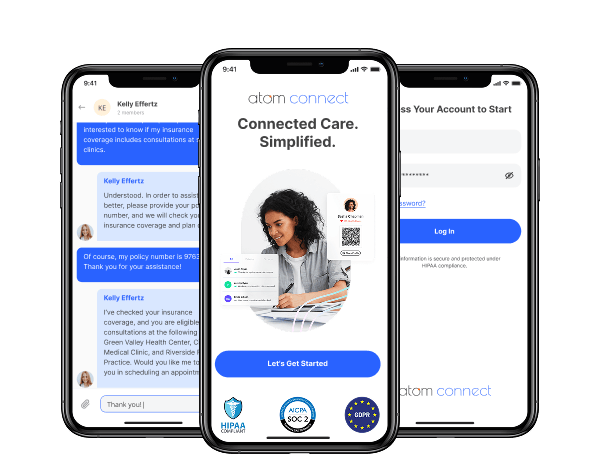

Insurance: in-app chat for a workers’ comp health insurance provider (HIPAA compliant)
Atom Advantage provides workers’ compensation and health insurance solutions in the United States.
On Ethora they built Atom Connect: secure, case-based chat between injured workers, nurses and case managers, embedded in their claims portal and a white-label mobile app. HIPAA and SOC 2 compatible.
Less manual work for case managers and a better experience for injured workers.
- Chat embedded in the case managers’ web portal
- White-label iOS and Android app for injured workers
- One secure room per claim, created automatically by API
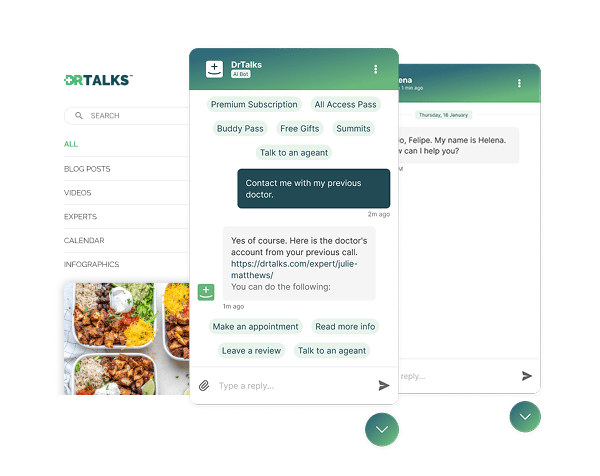

Healthcare: HIPAA-compliant AI assistant (RAG) over a medical video library
Dr. Talks is one of the most prominent organizers of online healthcare conferences and summits.
Ethora enabled them to create a context-aware AI-powered chatbot to help users navigate thousands of pages of medical content, correctly referencing pages, authors, videos and timestamps. 100% secure and HIPAA-compliant.
This assistant enhances user experience by simplifying interaction with the platform and reducing search time.
- 1000+ summits indexed by AI bot
- Instant user engagement
- Vector embeddings enable intelligent domain expert AI responses

Energy: dedicated chat server, AI-agent rooms and a React Native app for a procurement platform
Preshent is a US platform for energy-project procurement with AI-driven decision support.
Ethora provides the conversation layer: a chat room per project workspace shared by people and the AI agent, a dedicated chat server in Preshent’s own cloud, push notifications and a React Native app.
- 1,130 chat rooms, one per workspace
- AI agent as a participant in every room
- Dedicated chat server, 99.99%+ uptime
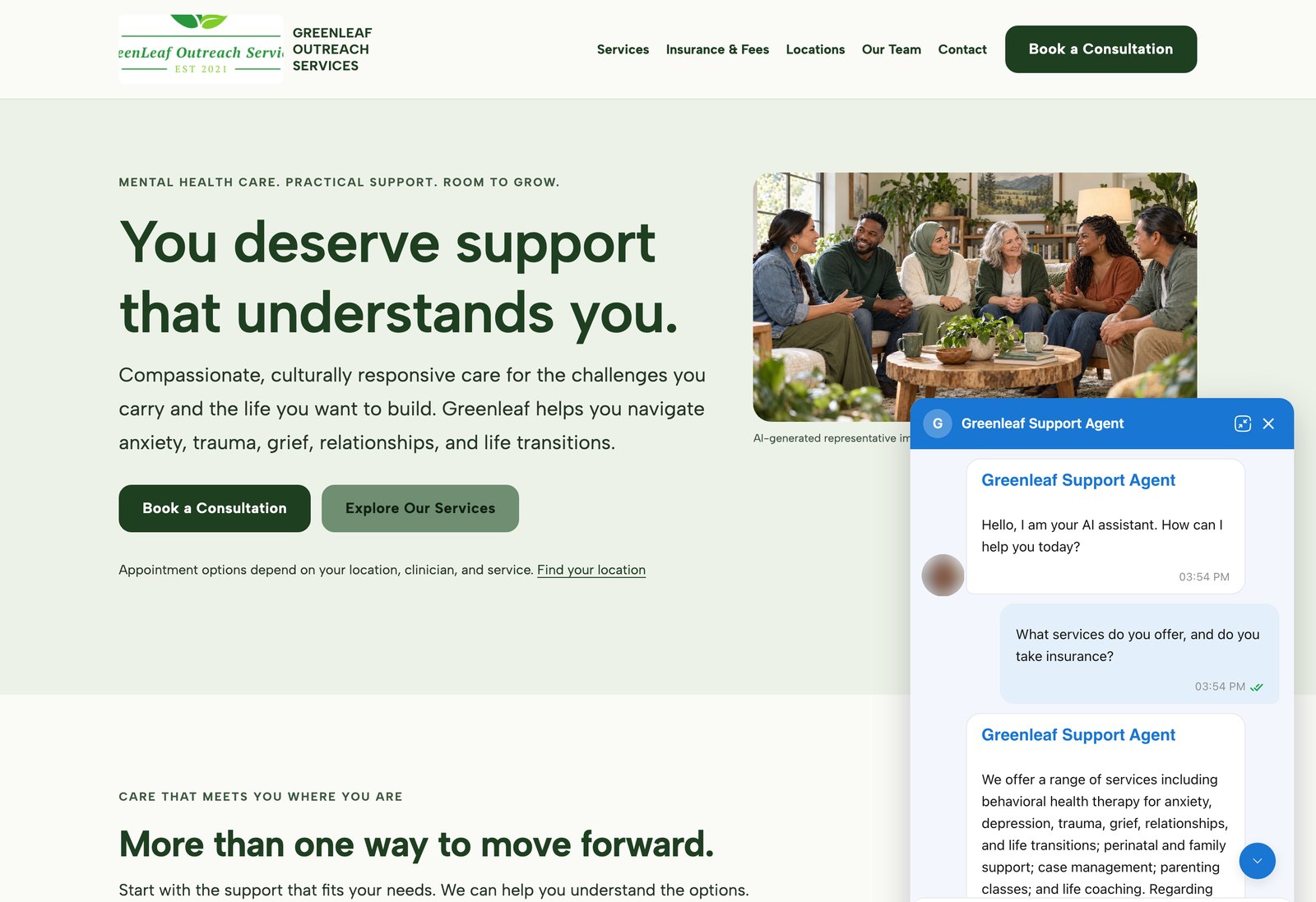
AI agents on customer websites: support, intake and teaching assistants
Clinics, schools and small businesses build AI agents on Ethora themselves and put them on their own websites, often on the day they sign up.
2 live examples, from a US mental health provider to a university pharmacology course.
- WordPress plugin or one script tag
- Answers from the customer’s own pages and documents
- Self-serve, no developer needed


Education: CRM-integrated member community app for an international honour society
Golden Key International Honour Society recognises high-achieving university students through chapters around the world. Its member app connects them across chapters and countries.
Social sign-on is bridged to existing CRM membership records, with verified email account linking and a verifiable trail for educational certificates.
- Cross-platform iOS and Android app
- CRM-linked member sign-in
- Verified email account linking

Communities: fan chat app with second-screen rooms and digital collectibles
A cross-platform social app uniting the automotive community around racing events.
Fan rooms for teams and drivers, second-screen events, and collectibles handed out and traded through chat bots.
- Cross-platform iOS and Android app
- Fan rooms and second-screen events
- Collectibles distributed in chat
Add self-hosted patient messaging to your health platform
One isolated tenant per clinic, chat in your web portal and mobile apps, on servers in your own cloud and region.
