

React Native
Mobile App MVP in 30 Days: Scope, Stack, and What to Skip
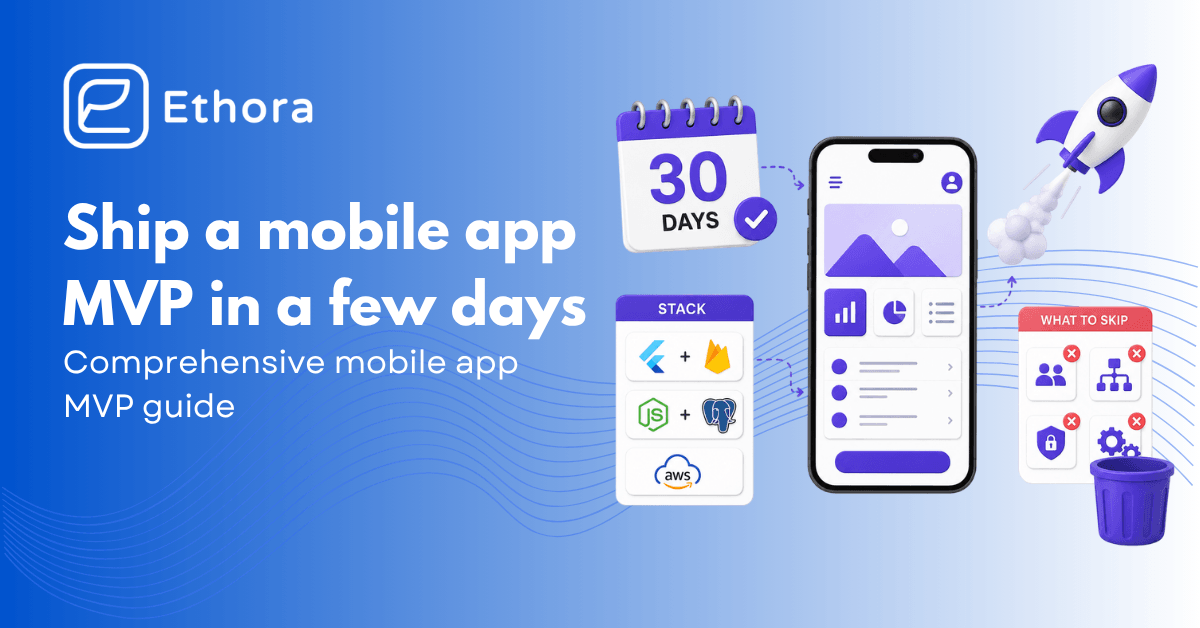
Most MVPs that miss their launch date don’t die from a hard technical problem. They die from scope. A founder falls in love with a feature, the feature needs three more features to make sense, and four weeks later, there’s a beautiful app that still hasn’t tested the one thing that mattered. CB Insights data puts “no market need” as the single biggest cause of startup failure, at 42%, and a lot of that 42% built first and never validated.
The founders who ship their app MVP in 30 days do three things differently. They cut features ruthlessly. They buy every component that isn’t their actual differentiator. And they pick a stack they can finish on, not the one that gets the most stars on GitHub.
This is the comprehensive mobile app MVP guide: how to scope so you’re testing one real hypothesis, how to pick a stack honestly, a build-vs-buy verdict on every common MVP feature, a week-by-week calendar, and what to do in the days after you ship – because launching is the easy half.
In this playbook
- What is an MVP?
- The 6-question scoping framework
- No-code, low-code, or code?
- What to build, buy, and skip
- A realistic 30-day timeline
- Launch and measure
- Mistakes that kill MVPs
- Skip the chat build
What is an MVP?
A minimum viable product (MVP) is the smallest version of your product that lets real users test a single hypothesis. That’s the whole definition, and most of the confusion around the term comes from people quietly swapping in a different definition without saying so.
It’s not a polished v1 – it’s supposed to look a little rough, because polish is effort spent on something you haven’t validated yet. It’s not every feature you can picture in your head, because that’s a v3 wearing an MVP’s clothes. It’s not a landing page with a waitlist, either – that tests whether people are curious, which is a different and much weaker signal than whether they’ll actually use the thing. And it’s not a demo you walk someone through. If you’re narrating the experience, you’re not testing it; users have to use it unsupervised for the test to mean anything.
So, the minimum viable product is the very first working version of your mobile app or other solution. The bar is simple, even if hitting it isn’t: build whatever proves people will pay for this, use it, or come back to it. Anything past that line is code you wrote before you knew if it mattered.
Before You Build: The 6-Question Scoping Framework
Do this before you open Figma and start building a design, not after. Every one of these questions has a wrong way to answer it – vague – and the vague answer is exactly what turns a 30-day MVP into a 90-day one.
What problem are you solving?
One sentence. “Help [audience] do [job] without [friction].” If you can’t compress it to one sentence, you don’t have a problem statement yet – you have a feeling, and feelings are hard to scope around.
Who is your ICP?
Your ICP – ideal customer profile – has to be specific enough to picture. “New parents in their first six months” is specific. “Consumers” is not a customer profile – it’s an admission that you haven’t decided yet.
What’s the single hypothesis you’re testing?
One claim, and it has to be measurable. “Users will pay $9/month for this” is a hypothesis. “Users will return three or more times in week one” is a hypothesis. “People will like it” is not – there’s no version of week one where that turns out to be false.
What’s the success metric?
A real number you write down before launch, not a vibe you assess after. “100 signups and 30% week-2 retention” is a metric. “People seemed into it” is what you say when you didn’t define one and now have to make something up.
What feature MUST exist to test the hypothesis?
This is your real scope, and for almost every MVP, it’s smaller than founders want it to be – usually one core flow, auth to get into it, and maybe one supporting screen. If a feature doesn’t touch the hypothesis directly, it’s not on this list, no matter how good the idea is. Whether you’re building an MVP for a mobile app, SaaS, or anything else, you need to know its very first and core feature.
What can you skip without invalidating the test?
Onboarding tutorials, a settings screen, profile editing, dark mode, social sharing, push notifications, and in-app purchases. None of these makes the test more valid. All of them make the test arrive later. They wait.
Stack Decision: No-Code, Low-Code, or Code?
This decision on how to build an MVP gets treated like a religious choice online, and it really isn’t one. It’s a trade-off between speed now and flexibility later, and the right answer depends entirely on whether you’re validating an idea or already know you’re building a real company.
No-code – Bubble, Glide, Adalo, Thunkable
No-code means a drag-and-drop process. There are no engineers, fastest path to something users can touch. Best for idea validation, internal tools, or a founder testing demand before committing to anything.
The trade-offs are real: vendor lock-in that’s genuinely hard to escape later, performance that degrades at scale, integration options that are more limited than you’d like, and some app categories that simply won’t pass App Store review built this way. Pick this if you need to validate in two to four weeks and there’s no engineer on the team.
Low-code – FlutterFlow, Retool, OutSystems
Visual UI building with a real code escape hatch underneath – when you outgrow the visual builder, you drop into Dart, Flutter, or JavaScript and keep going instead of starting over. Better long-term bet than pure no-code for founders who want validation speed but also want a codebase that can actually grow. Still a vendor relationship, and the bill grows as you scale, which is worth knowing going in.
Code – React Native, Flutter, Swift/Kotlin
Full control, an actual product you own outright. React Native with Expo and Flutter are the realistic cross-platform picks in 2026 – native Swift/Kotlin is for teams with a specific reason to need it, not a default. Best for teams with at least one engineer who’s planning to scale past the MVP stage. Slower to a v1, and there are simply more decisions to make along the way.
AI-code – Cursor, v0, Lovable, Bolt
The newest entry in this list: describe what you want, and the artificial intelligence writes real React Native or Flutter code. Sits in an interesting middle spot – faster than hand-coding, but you end up with an actual codebase instead of a vendor’s proprietary format. Best for founders with some engineering literacy who want to own a real codebase without writing every line themselves.
Hybrid — Capacitor, Ionic
Wraps an existing web app as a native shell. Makes sense specifically if you already have a working web product and just need App Store and Play Store presence – not a starting point for something brand new.
What to choose and MVP budget
The decision rule that actually holds up: validating an idea this month with no engineering team – no-code. Already committed and planning to grow – React Native or Flutter, or AI-code your way into one of those. Internal tool only your team will touch – no-code or Retool, and don’t overthink it.
Your decision may also depend on the budget for your MVP – an agency-built MVP may cost up to $150K+, while a no-code MVP costs $0-$500 month.
What to Build, What to Buy, What to Skip
This is the cheatsheet that can save you weeks. For almost every feature on a typical MVP list, someone else has already built it, so you can just take it and integrate it into your app, saving time, effort, and MVP budget.
| Feature | Verdict | Use |
|---|---|---|
| Auth | BUY | Firebase Auth, Supabase Auth, Auth0, Clerk – free tiers cover an MVP entirely |
| Database + backend | BUY | Supabase or Firebase – Postgres, auth, storage, realtime in one setup |
| Payments | BUY | Stripe for one-off payments, RevenueCat for App Store/Play Store subscriptions |
| Push notifications | BUY | OneSignal, Firebase Cloud Messaging (free), Expo Push (free with Expo) |
| Chat/messaging | BUY | A chat SDK (like Ethora) – the classic time-sink, covered below |
| Analytics | BUY | PostHog (free self-host or cloud tier), Mixpanel free, Amplitude free |
| AI features | BUY | OpenAI/Anthropic API directly for prototypes; an AI SDK if it needs to live inside chat or RAG |
| Maps | BUY | Mapbox or the Google Maps SDK |
| BUY | Resend, Postmark, Mailgun — never hand-roll SMTP | |
| Admin dashboard | BUY | Retool free tier — a usable backoffice in hours, not weeks |
| Onboarding tutorials, settings, profile editing | SKIP | Add once retention data tells you they actually matter |
| Dark mode, multi-language, accessibility polish | SKIP | Post-validation work, not pre-validation |
| Social sharing | SKIP | Unless virality is literally your hypothesis |
| Custom design system | SKIP | Use an existing UI kit – Tailwind, NativeBase, React Native Paper, shadcn/ui |
The pattern across every BUY row: none of these are your differentiator. Nobody picked your app because your auth flow was clever or because you wrote your own SMTP server. They picked it for the one thing your hypothesis is testing. Every hour spent on a BUY item is an hour not spent on that.
A Realistic 30-Day MVP Timeline
It’s an MVP development guide. So, if you’re at the point where you’re wondering “how to build an MVP”, we’ll walk you through the process step by step, describing what to do during the month.
Week 1 – Scope and design
Lock the six scoping questions from above before anything else. Sketch five to eight screens in Figma – not more. Pick your stack. Set up the repo and CI. Sign up for every buy-in service you’ve already decided on: Supabase, Stripe, OneSignal, and your analytics tool. This week is entirely decisions, no code that matters yet.
Week 2 – Core flow
Build the one screen that actually tests your hypothesis, and the data model underneath it. Get auth working end-to-end. Everything else waits – if you find yourself building a settings screen this week, stop and ask why.
Week 3 – Supporting flow and integrations
Add the one or two screens that make the core flow feel like a real product instead of a single isolated screen – a list view, a settings stub, payments if your hypothesis involves money changing hands. Wire up the analytics events tied to your actual success metric, not generic page-view tracking.
Week 4 – Polish, beta, ship
Bug-bash. Get it onto TestFlight or the Play Console internal track. Recruit 10 to 30 beta users – friends, a relevant subreddit, your existing network, whatever gets real people on real devices. Instrument the success metric so you’ll actually know the answer on day 30. Ship to the App Store or Play Store by the end of the week, or open the beta wider if review is taking longer than expected.
The reality check
Most teams overshoot by one to two weeks, and it’s rarely because of a hard technical problem. It’s because they couldn’t bring themselves to skip something on the SKIP list. The discipline this whole playbook depends on is the cutting, not the building.
MVP Launch Checklist
Shipping is only a part of the job. What happens in the weeks right after launch decides whether the 30 days were worth it.
- Write down a kill metric before you launch, not after. If you don’t hit X by day 30, you analyze what went wrong and fix it, or you kill it – decide what X is now, while you’re being honest with yourself, not in three weeks when you’re emotionally invested in the number being good enough.
- Track activation, week-1 retention, and the one metric tied to your hypothesis. Skip vanity metrics – downloads and impressions feel good and tell you almost nothing about whether the hypothesis held up.
- Talk to five to ten users in the first two weeks, even if the launch is small. A five-minute call with someone who tried your app and stopped using it on day two will teach you more than another week of dashboard-staring.
- Read your app store reviews. They’re blunt, sometimes unfairly so, but they surface the real friction faster than almost any other channel you have.
- When you find the screen with the worst drop-off, fix that screen. Don’t respond to early flatness by adding more features – that’s the instinct that got plenty of MVPs into trouble in the first place.
- At day 30, make the call: double down, pivot, or kill. You wrote the kill metric in week one specifically so this decision wouldn’t be a feeling.
This is general product and engineering guidance, not legal, financial, or regulatory advice. If your MVP touches health data, payments, or other regulated activity, talk to a professional about your specific compliance obligations before launch.
Mistakes That Kill MVPs
Let’s consider the most common mistakes companies make when building an MVP. Some of them may seem insignificant, but don’t be fooled – they can impact your schedule and overall success.
- Building before scoping. Falling in love with a feature instead of the hypothesis it’s supposed to test.
- Skipping the success metric. “We’ll see what users say” isn’t a metric – it’s a way to avoid being wrong on a specific date.
- Building common features from scratch. Auth, payments, chat, or notifications require weeks of effort, but give you zero differentiation. Additionally, there’s a high risk of bugs that you’ll need to fix on your own.
- Over-designing v1. Pixel-perfect screens before a single real user has touched any of it.
- Picking the wrong stack for the team you actually have. Native Swift and Kotlin for a solo founder trying to validate in four weeks is a stack decision made for a different company than the one you’re running.
- No analytics. Shipping blind means day 30 arrives, and you genuinely can’t tell what happened.
- Ignoring store guidelines until submission. Review rejections on App Store and Google Play are one of the most common reasons MVPs miss their own launch date, and almost all of them are avoidable with an hour of reading beforehand.
Use this MVP checklist for founders when building your solution. It will help you avoid mistakes and stay on schedule. Now, let’s look at how you can quickly build one of the most needed features for your MVP – in-app chat.
Skip the Chat Build, Use Ethora
Chat is the feature founders most consistently underestimate. It looks like “add a messages screen” and turns into weeks of work on sockets, message persistence, push notifications for new messages, and read receipts – none of which is what your MVP is actually testing.
If your MVP has any social or AI angle – community discussion, user-to-user messaging, an AI assistant, marketplace conversations between buyers and sellers – Ethora’s chat SDK drops in with a single config and removes two to six weeks of plumbing you wouldn’t learn anything from building. The 5-minute chat widget covers a web MVP in an afternoon; the full SDK for React Native is closer to a day of integration work.
There’s no per-MAU pricing that surprises you after you’ve actually gotten traction, which matters specifically because traction is the outcome you’re hoping for. If your MVP has an AI feature, the AI Bots SDK for MVPs is BYO-LLM – OpenAI, Anthropic, or a local model – so you’re not locked into one vendor’s AI pricing before you even know if the feature matters to users. And if the MVP touches health, fintech, or a regulated category, the compliance groundwork is already there instead of rebuilding it later.
For commerce-flavored MVPs specifically, the marketplace chat SDK handles buyer-seller messaging with Shopify, WooCommerce, or Magento out of the box – the kind of integration that otherwise eats a surprising chunk of week three. And the React Native chat SDK means your mobile and web MVP share the same integration, instead of you maintaining two.
By the way, Ethora’s free version is completely suitable for building a fully-functional chat for MVP. It also includes AI features. The simple chat can be ready in a day, more complicated solution in a few days. You can start building right now. If you have any questions left, feel free to reach out to us, we’ll be happy to answer them.

Share with your community


More Articles

Development
Oct 5, 2026
Cross-Platform App Development Frameworks in 2026: 10 Options Compared, Real Trade-offs, and Chat + AI SDK Fit
In 2026, evaluating cross-platform frameworks is a complex matter. There are many practical questions: Which ones have solid chat and AI SDK support today? Which ones won’t force a painful migration when the next major OS version drops? And what are the real engineering trade-offs once you move past the marketing claims? We’ll look at […]


Healthcare
Oct 1, 2026
HIPAA-Compliant Video API in 2026: What Actually Makes One, Vendor Comparison, and Twilio Video Migration
Consultations, psychiatry meetings, medication management, triage, and other medical encounters often do not require physical presence. Adding video to your healthcare app or platform can be a great idea, as it allows you to hold sessions online without losing the human touch. Using a messaging API to incorporate video into your application makes the whole […]

Try Out Ethora in Action
Experience Ethora's messaging with a dedicated demo from our CEO or start building your App right now!
