


AI chatbot for small business
An AI Chatbot for Your Small Business Website
Most of the messages a small business gets are the same twenty questions: opening hours, prices, what you offer, how to book. An AI chatbot answers them on your website day and night, from your own pages, takes down the details of anyone who wants to hear back, and passes the conversation to you when it should. With Ethora you can set one up in about 15 minutes without writing code, and start on the free plan.
The short answer
What an AI chatbot does for a small business
An AI chatbot for a small business website is a chat window that answers visitors' questions using your own website pages and documents, at any hour. It handles the repeat questions, collects a name and contact details when someone wants a call back, points people to your booking page or products, and hands the conversation to a person when the question needs one.
With Ethora you start on the free plan: $0 a month, no credit card, 1,000 monthly active users and all chat and AI features with community support. When you need more, the Small Business plan is $149 a month and adds 5,000 monthly active users, tech support, a 99.9% SLA, an AI allowance and your own custom domain.
Ethora is probably not the right fit if
- You only want a contact form or a live chat box with no AI in it
- You need a ready-made app inside the Shopify, Wix or Squarespace app stores
- You want a chatbot that fully runs your booking calendar with no setup
Ethora fits if
- You want answers based on your own website and documents, not a generic AI
- You want to read every conversation and step in yourself
- You want to start free and pay only when you grow
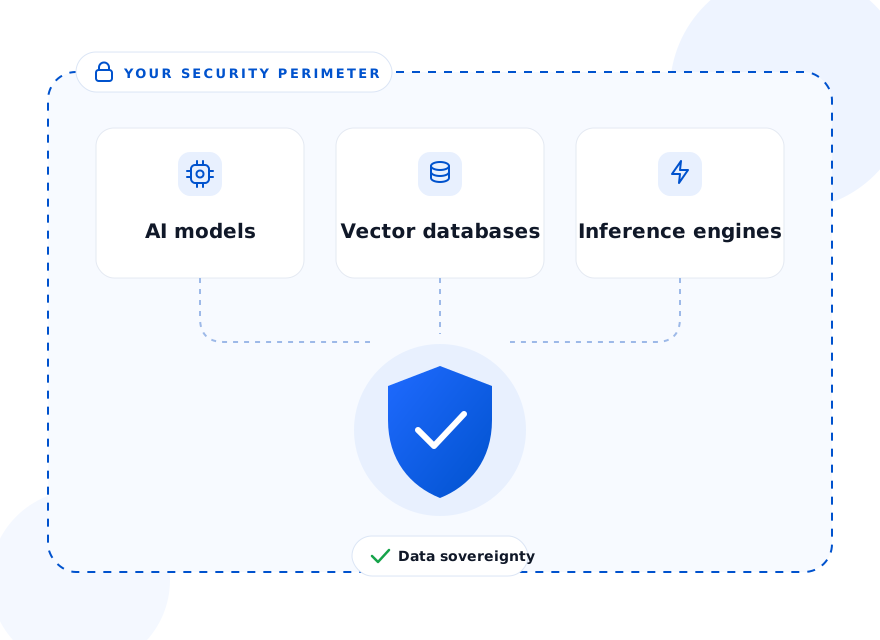
- You may later need a private or self-hosted setup, for example in healthcare
Best for: clinics, shops, firms, local services and course providers that want fewer repeat emails and calls, without hiring a developer.
Setup
Set it up in about 15 minutes, no code
You do not need a developer. If you can edit your website, you can do this.
Sign up free
Create an account at app.chat.ethora.com. No credit card. You get an admin panel where you build and manage your chatbot.
Create your agent from a template
Pick a template such as a support agent, then give it a name, a picture, a greeting and a few lines of instructions, for example "be friendly, keep answers short, offer a call back when unsure". The no-code AI agent builder walks you through it.
Add your website and documents
Enter your website address and Ethora reads your pages. Add price lists, FAQs or brochures as PDF files. Then ask it questions in the test chat, which shows which page each answer came from.
Put it on your site
On WordPress, install the Ethora WordPress plugin. On any other site, paste one line of code before the closing body tag. Pick colours and position with a live preview. Details on the AI chat widget for your website page.
Everything on one settings page
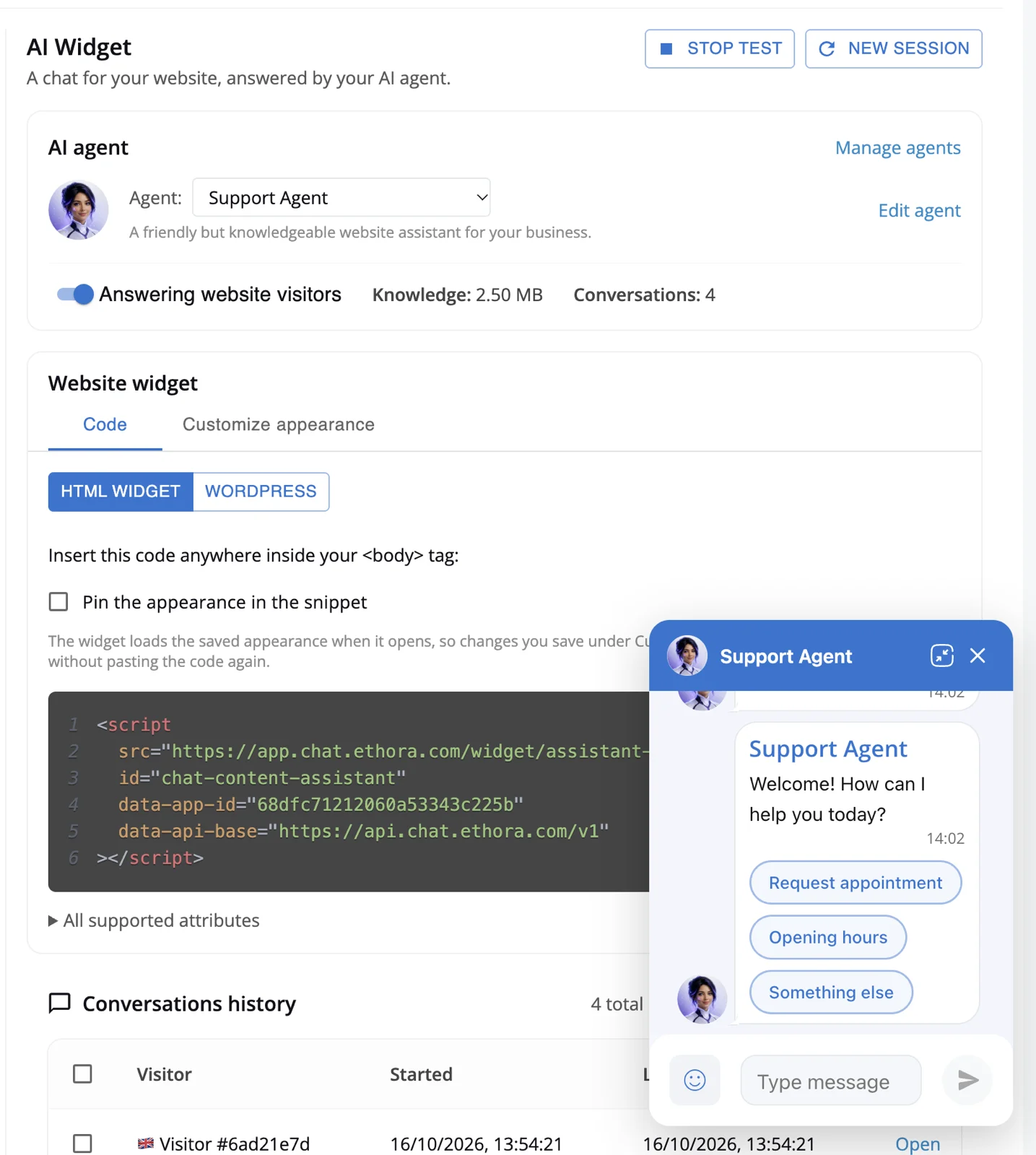
Your chatbot lives under AI Widget in your app settings. There you switch the agent on for website visitors, see how much knowledge it has and how many conversations it has handled, copy the code for your site (plain HTML or WordPress) and try the widget in a live preview before your visitors do.
Below that, every conversation from your website is listed so you can read what people asked and step in yourself.
Real small businesses
Live the same day, on a real website
Greenleaf Outreach Services, a community mental health provider in Georgia, US, built its agent from its own service pages, installed the WordPress plugin and had it answering visitors about services, insurance and booking on the day it signed up. Read the mental health provider case study.
For ExtraDetox-Box, a wellness brand selling online, a pilot assistant trained on the brand's own website quoted the real price, delivery and payment options, where a general AI chatbot had made up the price. Read the e-commerce pilot.
- Trained on the business's own pages, not the open internet
- No developer involved in the setup
- The owner can read every conversation
More examples, including a university course assistant that answers in Chinese, in the AI agents on customer websites collection.
Use cases
What a small business chatbot does in your line of work
The setup is the same for every business. What changes is what you feed it and where you want it to send people.
Clinics and practices
Opening hours, services, which insurance you accept, how to get there and how to book. Keep it to general questions: if visitors will share health details, use a HIPAA compliant chatbot setup instead.
Online shops
Product questions, sizes, ingredients, delivery times, returns and payment options, answered from your own product pages so the price it quotes is your price.
See the shop pilotProfessional services
Accountants, lawyers, consultants: what you do, who you work with, your fees policy and what to prepare for a first meeting. It takes down enquiry details for you to follow up.
Local services
Trades, salons, cleaners, repair shops: areas you cover, price ranges, availability questions and a link to book or request a quote, even while you are on a job.
Courses and education
Course content, schedules, enrolment and the same student questions every term, answered from your course pages and documents, in the student's language when the model supports it.
See examplesAgencies serving clients
Build a separate chatbot for each client site, each with its own knowledge, name, avatar and colours, and offer it as part of your website or marketing service.
No-code builderTake appointment requests with a few taps
Some questions are better answered with buttons than with free text. Flows let your chatbot run a short scripted conversation, such as an appointment request, a lead capture form or a feedback survey. Visitors tap their choices, type only what is needed, and you get the details to confirm the visit yourself.
Start from a ready-made template (Appointment request, Lead capture or Feedback survey) and edit the questions and buttons to match your business.
Buyer checklist
What to check before you pick any chatbot
Whichever tool you choose, ask these six questions. Here is how Ethora answers each one.
Is it trained on your content?
A general AI will guess your prices and hours. Ethora reads your website and the files you upload, and looks up the right passage before it answers. In plain terms, it checks your own material first. More on how that works on the RAG chatbot page.
Can it say "I don't know"?
You write its instructions, so you can tell it to say when the answer is not in your material and offer a call back instead of guessing. Test it before you go live: the test chat shows which sources each answer used.
Does it hand off to a human?
A person can join the same conversation, so the visitor does not have to start again by email. See the AI receptionist page for how teams use this.
Can you see the conversations?
Every chat from your website appears in the admin panel with the full message history, so you can see what people ask, spot wrong answers and add the missing information.
Who owns your data?
Ask where conversations are stored, how long they are kept and whether you can delete a person's data. Ethora encrypts data in transit and at rest, lets you set retention and erase a user's data, and has an open-source core you can also run on your own server.
What does it cost as you grow?
Some chatbots charge per message or per AI answer, which adds up in a busy month. Ethora publishes its prices: free to start, then $149 a month for Small Business and $599+ for Enterprise. See pricing.
Comparing options
Looking at other chatbots too?
Comparing options is sensible. These pages set Ethora next to two tools small businesses often look at, with an honest note on when each one is the better pick.
Chatbase alternative
Ethora compared with Chatbase for AI chatbots trained on your own content.
CompareTidio alternative
Ethora compared with Tidio for website chat with an AI agent and human handoff.
ComparePricing
Free, Small Business and Enterprise plans side by side, with what each includes.
See pricingCase studies: AI agents on real websites
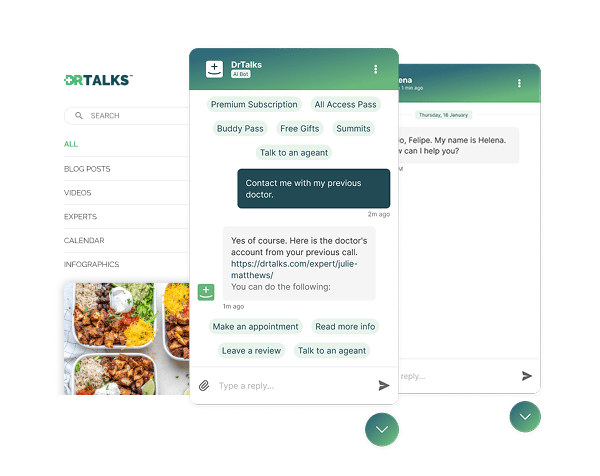

Healthcare: HIPAA-compliant AI assistant (RAG) over a medical video library
Dr. Talks is one of the most prominent organizers of online healthcare conferences and summits.
Ethora enabled them to create a context-aware AI-powered chatbot to help users navigate thousands of pages of medical content, correctly referencing pages, authors, videos and timestamps. 100% secure and HIPAA-compliant.
This assistant enhances user experience by simplifying interaction with the platform and reducing search time.
- 1000+ summits indexed by AI bot
- Instant user engagement
- Vector embeddings enable intelligent domain expert AI responses
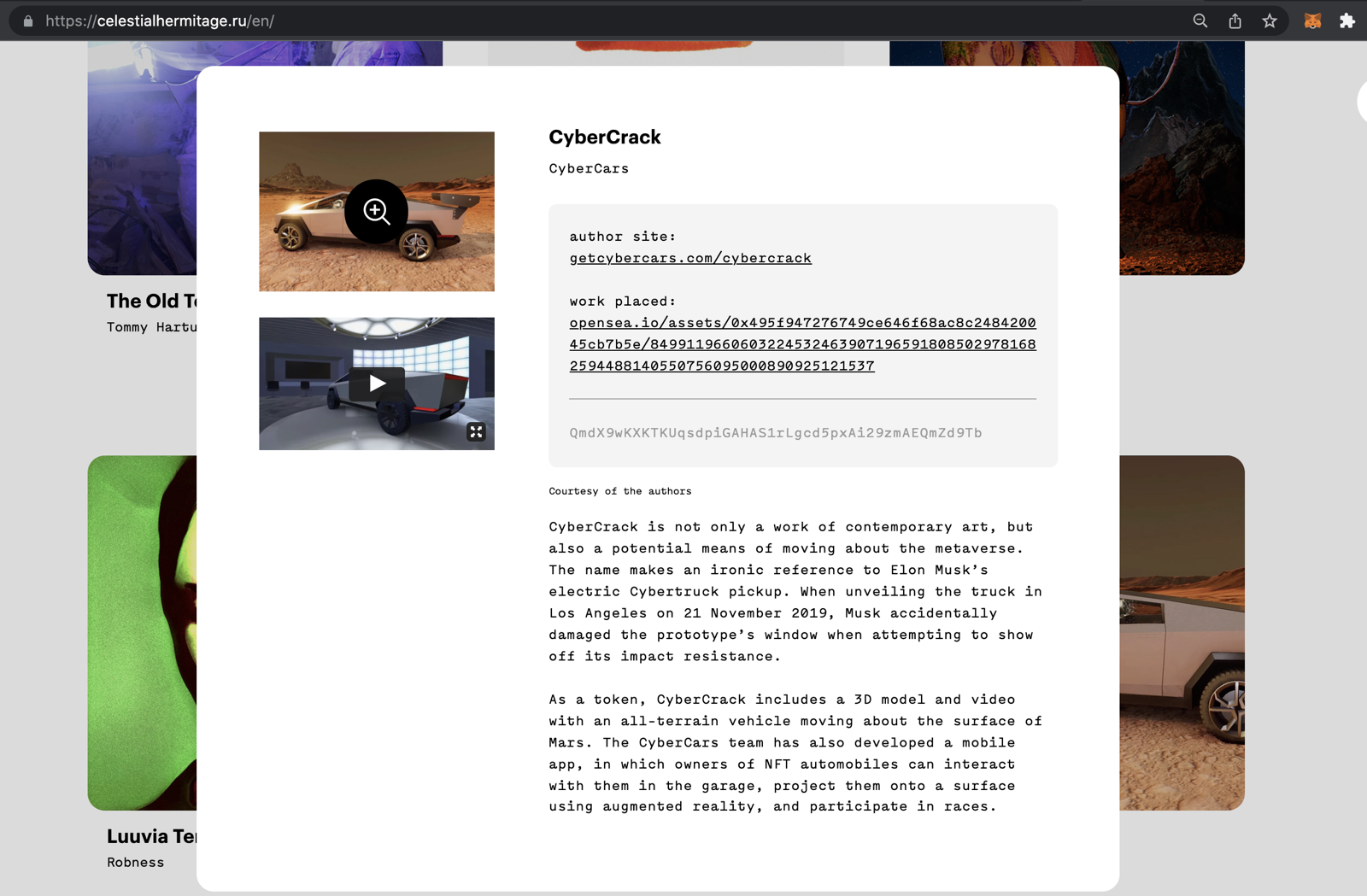

Communities: fan chat app with second-screen rooms and digital collectibles
A cross-platform social app uniting the automotive community around racing events.
Fan rooms for teams and drivers, second-screen events, and collectibles handed out and traded through chat bots.
- Cross-platform iOS and Android app
- Fan rooms and second-screen events
- Collectibles distributed in chat

Energy: dedicated chat server, AI-agent rooms and a React Native app for a procurement platform
Preshent is a US platform for energy-project procurement with AI-driven decision support.
Ethora provides the conversation layer: a chat room per project workspace shared by people and the AI agent, a dedicated chat server in Preshent’s own cloud, push notifications and a React Native app.
- 1,130 chat rooms, one per workspace
- AI agent as a participant in every room
- Dedicated chat server, 99.99%+ uptime
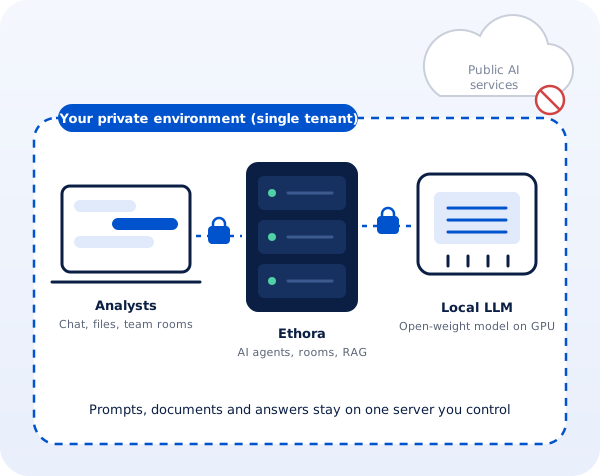
Professional services: a private, self-hosted AI assistant for a corporate intelligence firm
A London corporate intelligence and investigations firm whose analysts could not use public AI assistants on confidential client work.
Ethora designed a private AI assistant: a single-tenant server with AI agents, document search and an open-weight model on the firm’s own GPU, managed by Ethora in a London cloud region or installed on a workstation in the office.
- Local open-weight LLM, no public AI services
- Single-tenant server, UK hosting
- Cloud GPU or on-premise workstation
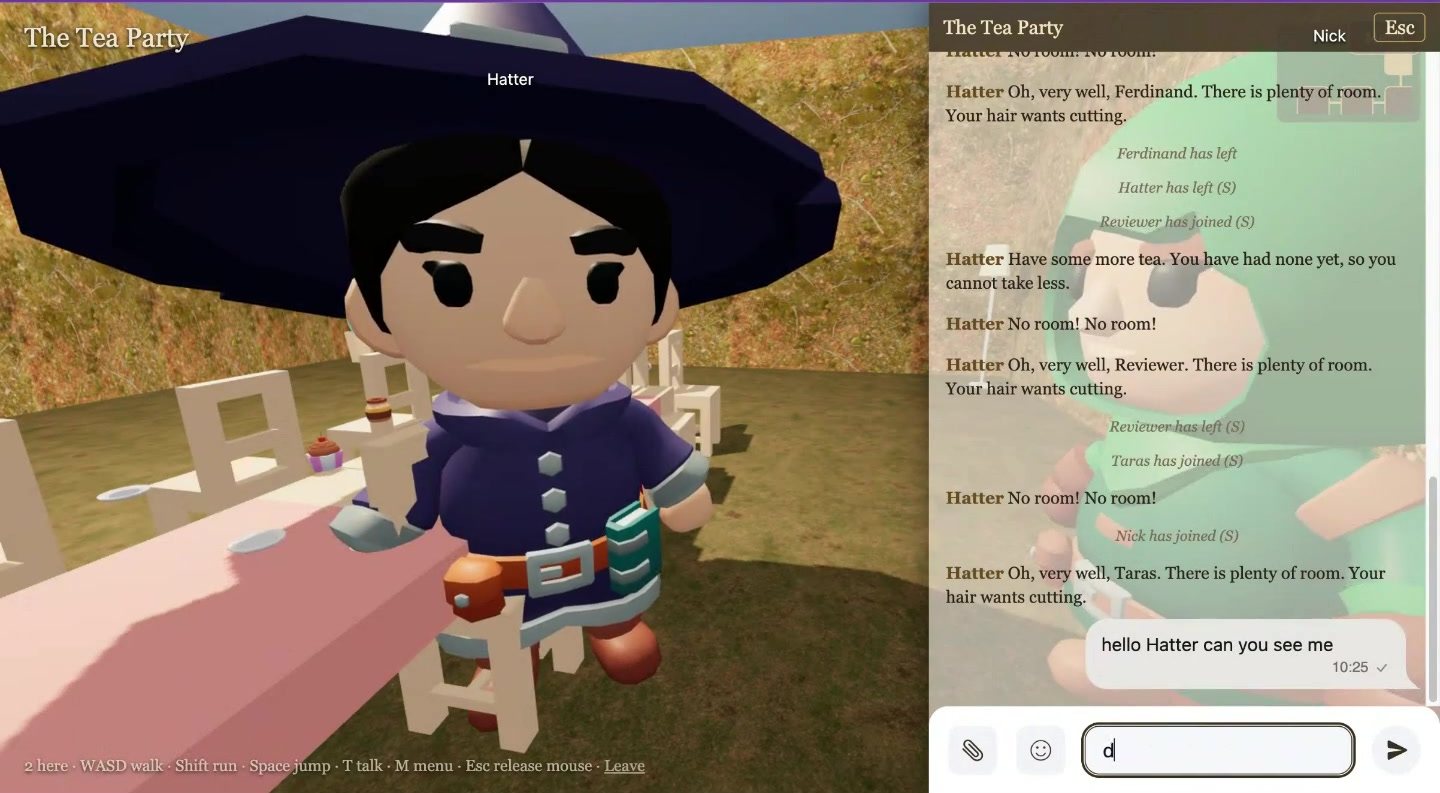
Virtual worlds: a 3D multiplayer world built from a book, with AI characters, in one weekend
An internal R&D showcase by Ethora’s founder: Alice in Wonderland, The Tempest and A Christmas Carol as 3D worlds you walk through in first person.
Each room is an Ethora chat, each character an Ethora AI agent with the book as its knowledge; a generator and the hosted MCP server build a new world from any book in about four minutes.
- Built in a weekend on the public SDK, API and MCP
- Characters answer in character from the text
- Daily AI budget keeps a public world affordable
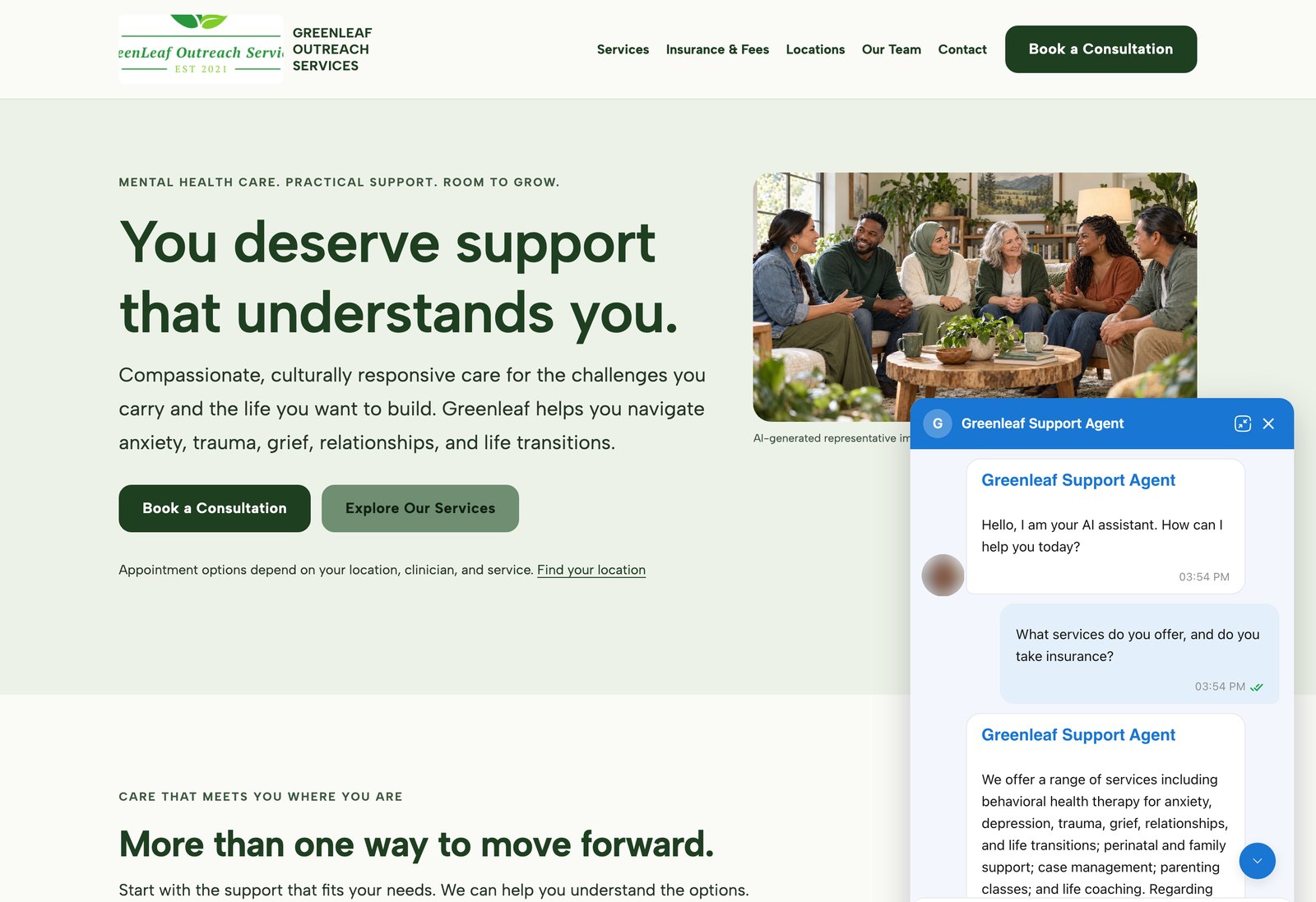
AI agents on customer websites: support, intake and teaching assistants
Clinics, schools and small businesses build AI agents on Ethora themselves and put them on their own websites, often on the day they sign up.
3 examples, from a US mental health provider and a wellness brand to a university pharmacology course.
- WordPress plugin or one script tag
- Answers from the customer’s own pages and documents
- Self-serve, no developer needed
AI chatbot for small business: FAQ
Do I need a developer to set it up?
No. You sign up, create an agent from a template, add your website address and any documents, and then install the WordPress plugin or paste one line of code into your site. Most people finish in about 15 minutes. A developer only helps if you later want deeper connections to your own systems.
Will the chatbot make things up?
It answers from your own pages and documents first, which removes most of the guessing a general AI does about your prices and hours. No AI is perfect, so test it in the built-in test chat (it shows which source each answer used), tell it in its instructions to say when it does not know and offer a call back, and read the conversations in the first weeks to fill any gaps.
Can I see the chats and reply myself?
Yes. Every website conversation is listed in the admin panel with the full message history. When a question needs a person, you or a colleague can join the same conversation.
Can it book appointments?
Out of the box it can answer questions about booking and point visitors to your booking page or calendar link. With Flows it can also collect an appointment request, such as the service, a preferred date and a phone number, for you to confirm. Booking directly into your calendar or practice system is possible through tool calling and the API, which usually needs a developer to connect.
Which website builders does it work with?
On WordPress, use the free Ethora WordPress plugin. On other builders, such as Shopify, Webflow, Wix or Squarespace, paste the one-line script into the custom code or footer area (some builders only allow custom code on paid plans). There are no separate Shopify, Wix or Squarespace apps. See the AI chat widget page for the code.
Put an AI chatbot on your website today
Free plan, no credit card, about 15 minutes to set up. If you would rather talk it through first, book a short call with our team.
