

Ethora: The JivoChat Alternative for a Multilingual AI Chat Agent
For businesses that serve customers across countries and languages. An AI agent answers website visitors from your own knowledge, in their language when the model supports it, and a person can join the same conversation. Choose the model, keep the data in the region you pick or on your own servers, and start on a free plan with 1,000 monthly active users.

The honest short answer
Ethora vs JivoChat: the honest short answer
JivoChat is an all-in-one customer service platform: website live chat, WhatsApp, Instagram, Facebook, Telegram, email and phone calls in one app, with an AI Agent powered by OpenAI technologies sold as an add-on. Ethora is an open-source chat and AI platform: an AI agent trained on your website and documents that you embed with one line, answering in your visitor’s language when the model supports it, on the model you choose, in the region you choose, with SDKs to put the same chat inside your own apps.
Stay with JivoChat if
- Your team answers phone calls, WhatsApp, Instagram, Facebook and Telegram from one inbox
- You want a call-back button and telephony next to the website chat
- Your operators do most of the talking and the AI is a helper
Choose Ethora if
- Your site serves visitors in several languages and you want one AI agent to answer each of them in theirs
- You need to decide where conversation data lives: a cloud region you pick, or your own servers
- You want to choose the model per agent, including one you host, and build on it with SDKs and an API
Best for: JivoChat for a support team that lives in messaging apps and phone calls; Ethora for an AI website agent you own, on the model and in the region you choose.
Side by side
Ethora vs JivoChat: capabilities at a glance
The ten questions international businesses ask most when choosing an AI chat agent for their website. JivoChat facts come from its public website, pricing page and AI Agent page.
 Ethora
How to read this table
JivoChat facts are taken from jivochat.com, its pricing page and its AI Agent page, checked 16 October 2026. JivoChat also runs regional websites, and prices and currencies may differ by country, so check the site for yours. If something here is out of date, tell us and we will correct it.
Why teams switch
Why international teams move from JivoChat to Ethora
Teams rarely leave JivoChat for its live chat. They look further when the AI agent becomes the first reply on the website, and they need a say in the languages it serves, the model behind it and where the data is kept.
JivoChat
Omnichannel live chat with an AI add-on
Ethora
Open-source chat and AI platform
data-locale attribute, and the chat SDK translates messages per user in real time.
One widget for visitors from every country
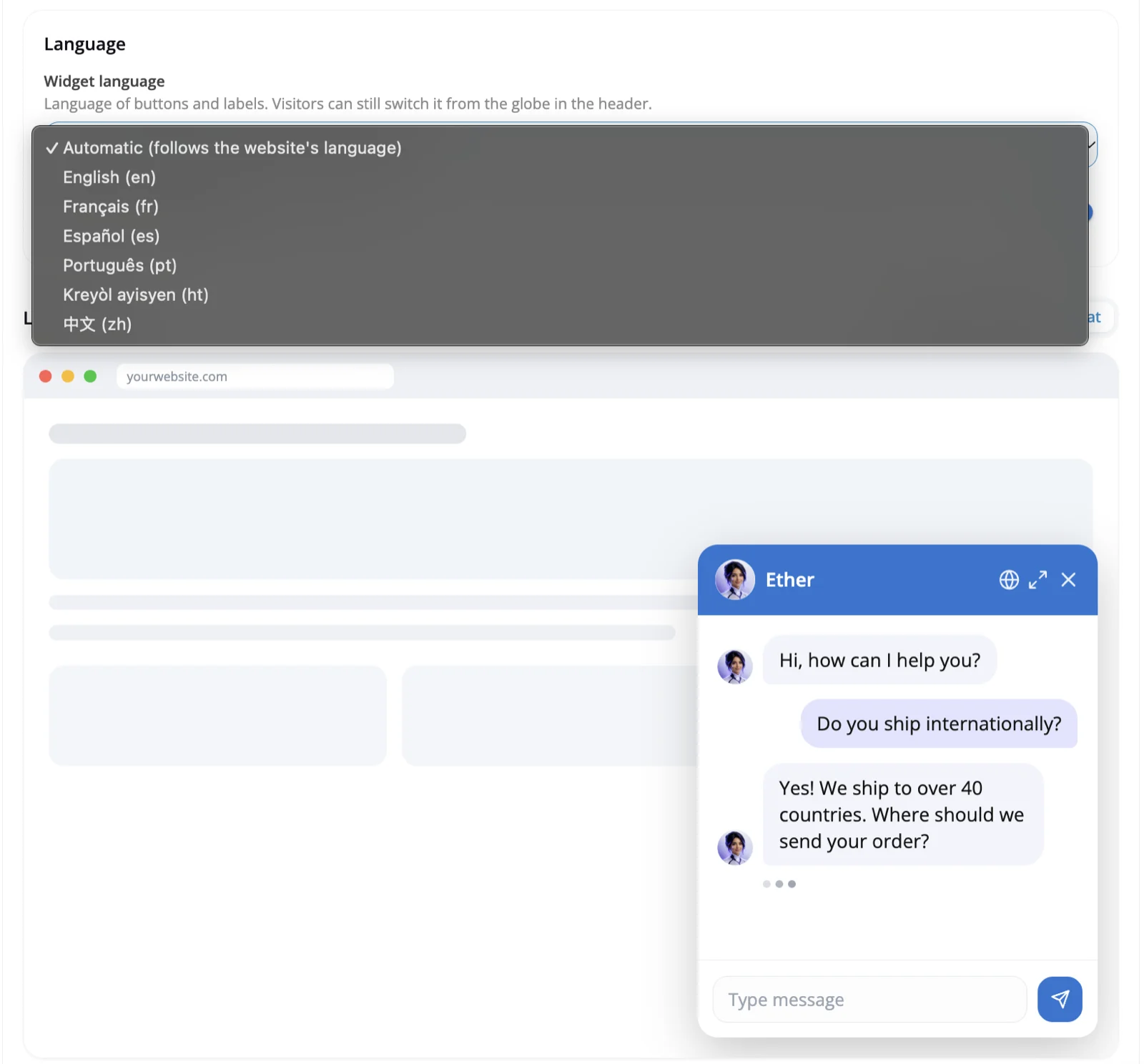
In the AI Widget settings, leave the widget language on Automatic to follow your website’s language, or fix it to English, French, Spanish, Portuguese, Haitian Creole or Chinese for the buttons and labels. Visitors can switch language from the globe icon in the chat header, and the preview shows the result before you save.
The AI agent answers in the language the visitor writes in when the model supports it, so one agent can serve each language version of your site.
An honest view
When JivoChat is the better choice
Ethora is not an omnichannel contact centre. If these describe you, JivoChat is likely the better fit, and some teams use both: JivoChat for phone and messaging apps, Ethora for the AI agent on the website.
Phone calls next to chat
JivoChat offers call-back, telephony and a business phone in the same app as the chat. Ethora has in-app voice and video calls, but no phone line.
Messaging apps in one inbox
If most of your customers write on WhatsApp, Instagram, Facebook, Telegram or Viber, JivoChat brings those channels into one inbox. Ethora does not connect to them.
A team of live operators
Proactive invitations, visitor monitoring, a built-in CRM and chat routing are made for teams where people handle most conversations.
Build it on Ethora
Everything you need to replace JivoChat’s AI agent
The pieces most teams use when they move their website AI agent to Ethora.
AI chat widget for your website
One script tag adds a floating AI chat widget to any site, with the language set by one attribute. Visitors chat without signing in.
See the AI chat widgetRAG chatbot on your own content
Crawl your website in every language you publish, upload price lists and policies, and see which sources each answer used.
How the RAG chatbot worksRun it in your region or on your servers
Install the open-source core with Docker Compose, Helm or the AWS and Azure Marketplace images, or have Ethora run a dedicated server in your cloud account.
Get EthoraPricing
Free plan with 1,000 monthly active users and no credit card, then Small Business at $149/mo and Enterprise from $599/mo.
Compare plansAlso comparing tawk.to?
If you are weighing free live chat with AI add-ons, see how Ethora compares with tawk.to.
Ethora vs tawk.toAlso comparing Crisp?
If you are looking at an AI-first support suite, see how Ethora compares with Crisp.
Ethora vs CrispAI agents on customer websites, built with Ethora
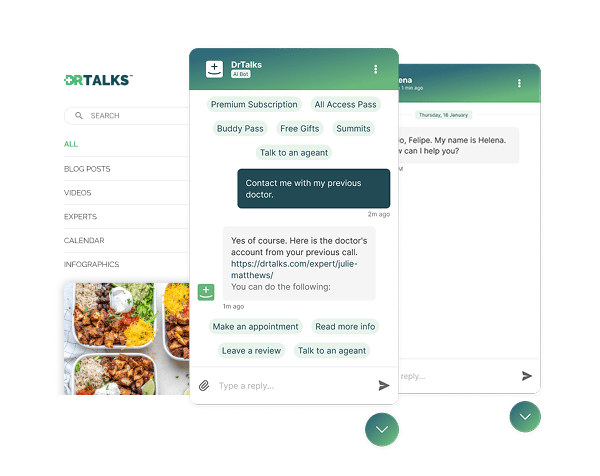

Healthcare: HIPAA-compliant AI assistant (RAG) over a medical video library
Dr. Talks is one of the most prominent organizers of online healthcare conferences and summits.
Ethora enabled them to create a context-aware AI-powered chatbot to help users navigate thousands of pages of medical content, correctly referencing pages, authors, videos and timestamps. 100% secure and HIPAA-compliant.
This assistant enhances user experience by simplifying interaction with the platform and reducing search time.
- 1000+ summits indexed by AI bot
- Instant user engagement
- Vector embeddings enable intelligent domain expert AI responses
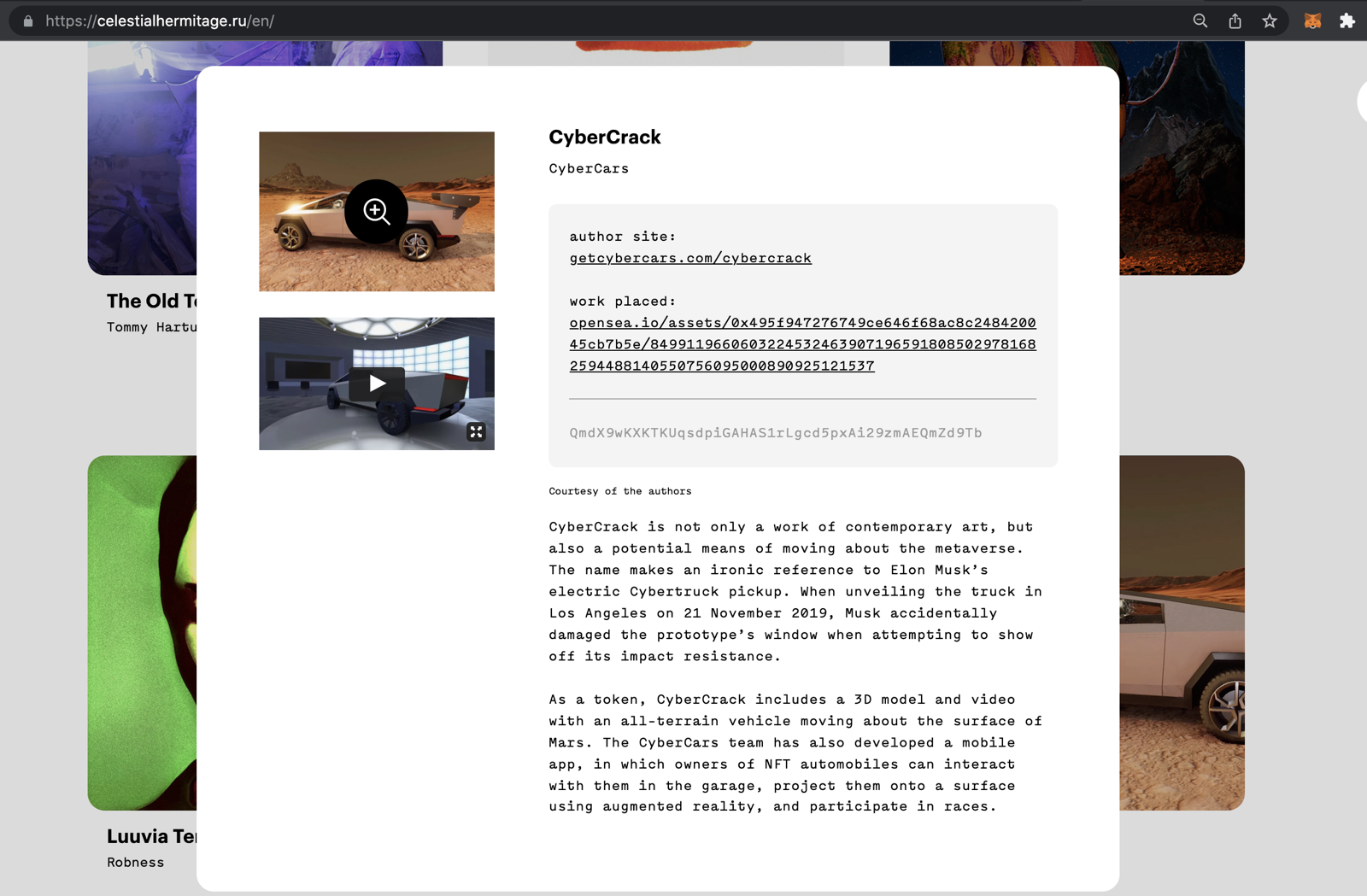

Communities: fan chat app with second-screen rooms and digital collectibles
A cross-platform social app uniting the automotive community around racing events.
Fan rooms for teams and drivers, second-screen events, and collectibles handed out and traded through chat bots.
- Cross-platform iOS and Android app
- Fan rooms and second-screen events
- Collectibles distributed in chat

Energy: dedicated chat server, AI-agent rooms and a React Native app for a procurement platform
Preshent is a US platform for energy-project procurement with AI-driven decision support.
Ethora provides the conversation layer: a chat room per project workspace shared by people and the AI agent, a dedicated chat server in Preshent’s own cloud, push notifications and a React Native app.
- 1,130 chat rooms, one per workspace
- AI agent as a participant in every room
- Dedicated chat server, 99.99%+ uptime
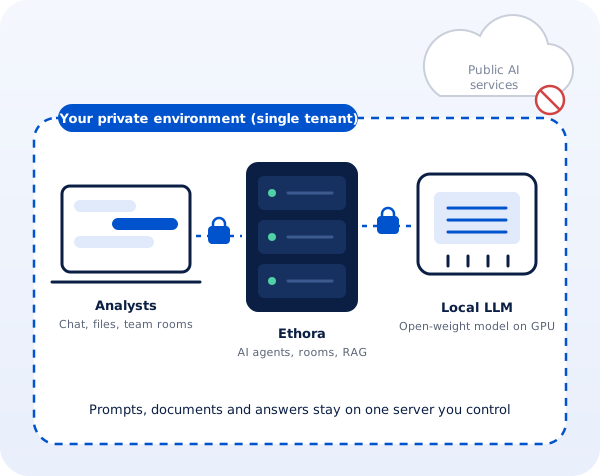
Professional services: a private, self-hosted AI assistant for a corporate intelligence firm
A London corporate intelligence and investigations firm whose analysts could not use public AI assistants on confidential client work.
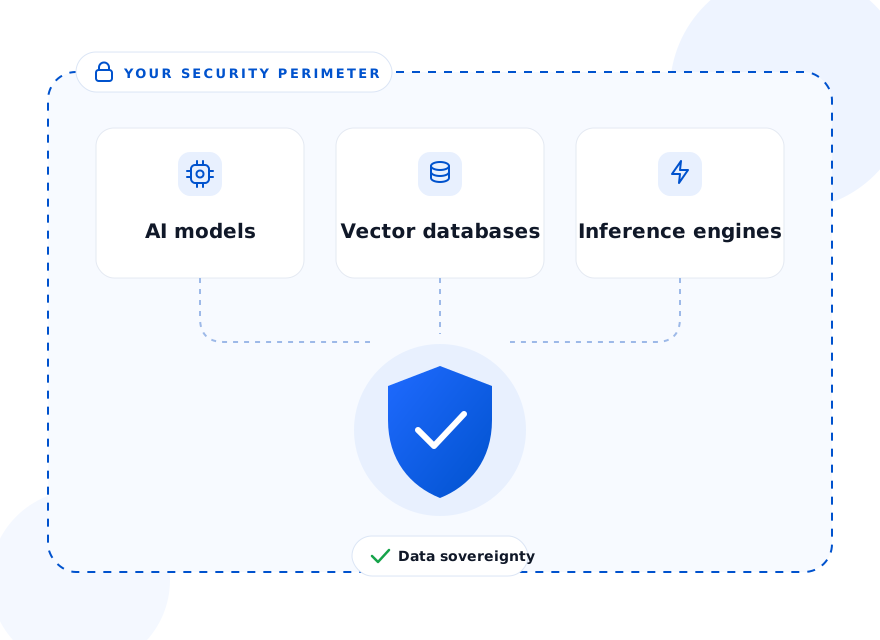
Ethora designed a private AI assistant: a single-tenant server with AI agents, document search and an open-weight model on the firm’s own GPU, managed by Ethora in a London cloud region or installed on a workstation in the office.
- Local open-weight LLM, no public AI services
- Single-tenant server, UK hosting
- Cloud GPU or on-premise workstation
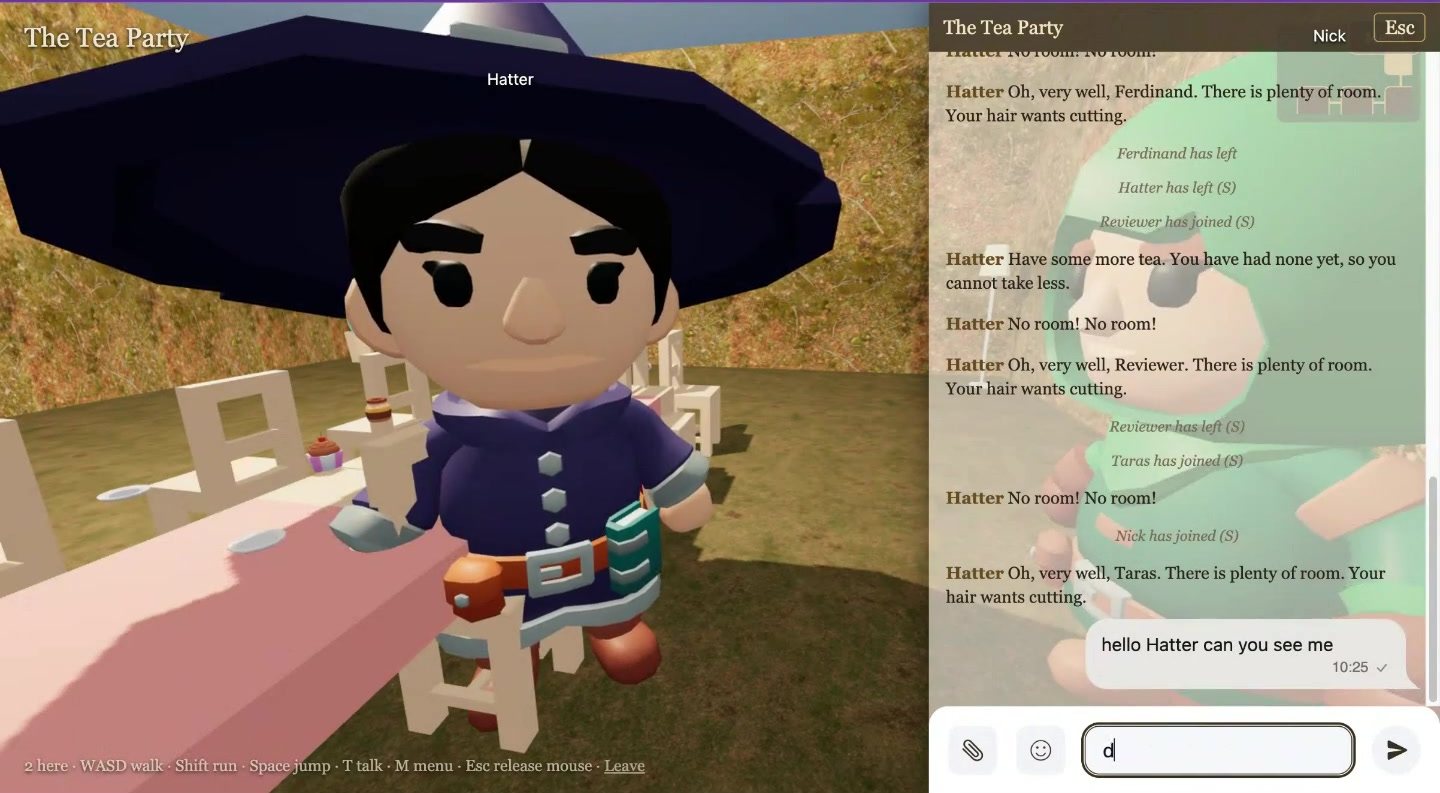
Virtual worlds: a 3D multiplayer world built from a book, with AI characters, in one weekend
An internal R&D showcase by Ethora’s founder: Alice in Wonderland, The Tempest and A Christmas Carol as 3D worlds you walk through in first person.
Each room is an Ethora chat, each character an Ethora AI agent with the book as its knowledge; a generator and the hosted MCP server build a new world from any book in about four minutes.
- Built in a weekend on the public SDK, API and MCP
- Characters answer in character from the text
- Daily AI budget keeps a public world affordable
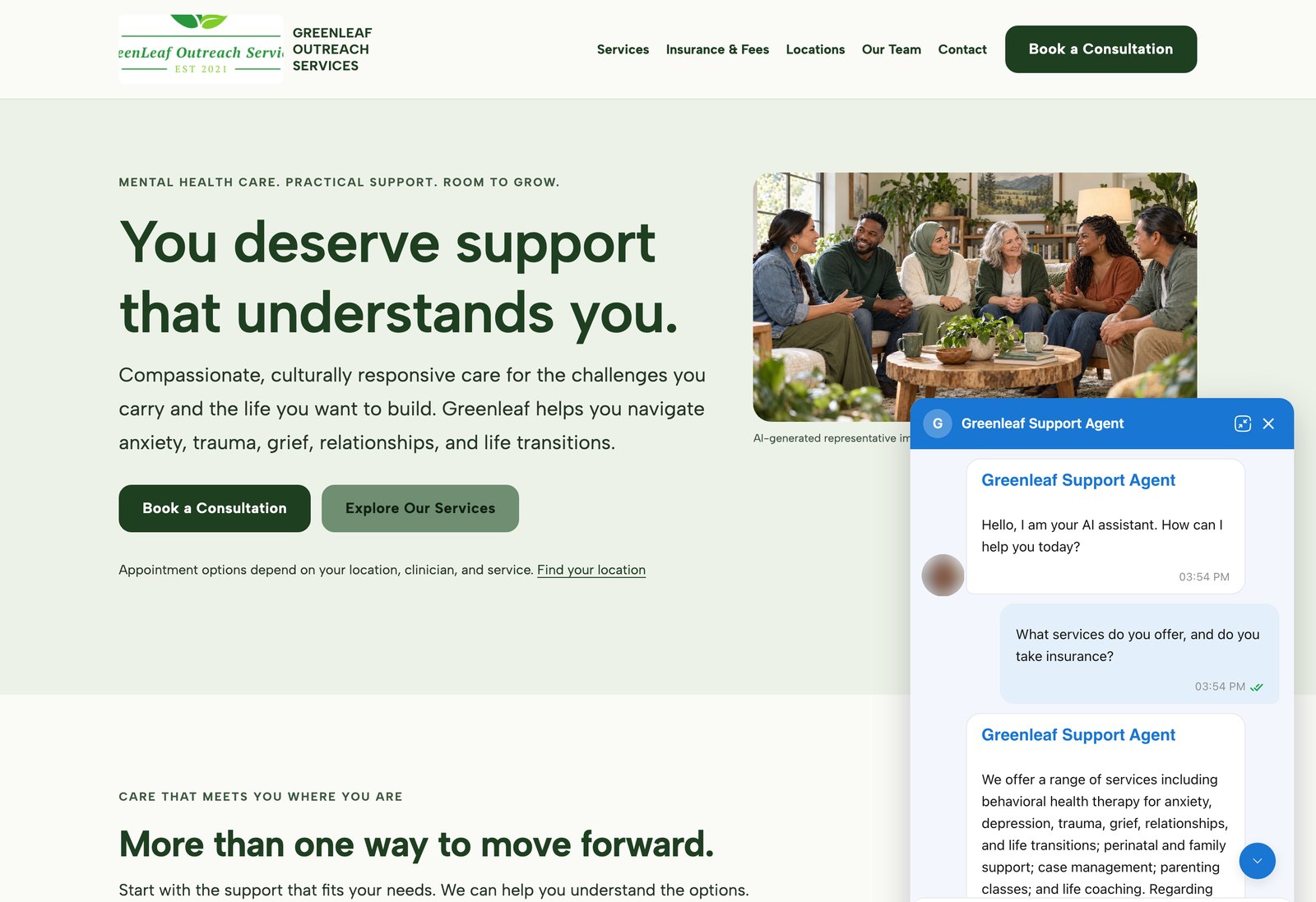
AI agents on customer websites: support, intake and teaching assistants
Clinics, schools and small businesses build AI agents on Ethora themselves and put them on their own websites, often on the day they sign up.
3 examples, from a US mental health provider and a wellness brand to a university pharmacology course.
- WordPress plugin or one script tag
- Answers from the customer’s own pages and documents
- Self-serve, no developer needed
Migration
Moving your website AI agent from JivoChat to Ethora
You can run both for a few days and switch the website chat when the answers match, while JivoChat keeps your phone and messaging channels if you need them. A US mental health provider went live on Ethora the same day it signed up; see the AI website agent case studies.
Collect your knowledge
Gather the knowledge base, price lists and FAQ answers your JivoChat AI Agent uses, plus the URLs of each language version of your site.
Crawl your site in Ethora
Sign up free, create an app and an AI agent (start from the support agent template), crawl your website and upload the documents.
Set the instructions
Write the agent’s system prompt: tone, which language to answer in, what it must not answer, and when to ask for a person. Set its name, avatar, greeting and colours with the live preview.
Swap the embed script
Remove the JivoChat widget code and add
<script src="https://widget.chat.ethora.com/assistant.js" data-app-id="YOUR_APP_ID" data-locale="..."></script>before</body>, or install the Ethora plugin on WordPress.Test in every language
Take real questions from your chat history in each language you serve and run them in the Try it chat. It shows which sources each answer used.
Watch conversations for a week
Read the widget conversations in the admin, add missing knowledge, rebuild, and join the conversations where a person should answer.
JivoChat alternative FAQ
Can Ethora answer visitors in their own language?
Yes. The AI agent replies in the visitor’s language when the model you choose supports it, and a university course uses it to answer students in Chinese. You set the widget’s language with the data-locale attribute, and the chat SDK offers per-user real-time message translation. Test each language you serve before you switch, because answer quality depends on the model.
Does Ethora replace JivoChat’s WhatsApp, social media and phone channels?
No. Ethora covers the chat on your website and inside your own web and mobile apps, including in-app voice and video calls. It does not connect WhatsApp, Instagram, Facebook, Telegram or a phone line. Some teams keep JivoChat for those channels and use Ethora for the website AI agent.
Where is my chat data stored?
On Ethora’s managed cloud, on a dedicated server that Ethora runs in your own cloud account and the region you choose, or on your own servers with the open-source core. Chats are encrypted in transit and at rest by default; end-to-end encrypted rooms are an optional per-app setting that is off by default.
Can the AI agent use my own model?
Yes. Each agent can use a cloud model API such as OpenAI, or a model you host through an OpenAI-compatible endpoint such as Ollama or vLLM, so prompts and answers can stay on your own infrastructure.
How do I add Ethora to my website?
Paste one script tag before the closing body tag of your site, or install the Ethora Chat Assistant plugin on WordPress. On Shopify or another site builder, paste the script into the theme’s custom code or footer area. The widget loads asynchronously and visitors chat without signing in.
An AI chat agent that speaks your visitors’ language
Crawl your site, set the instructions, paste one line. Free to start, on our cloud, in your region or on your own servers, with the model you choose.
