

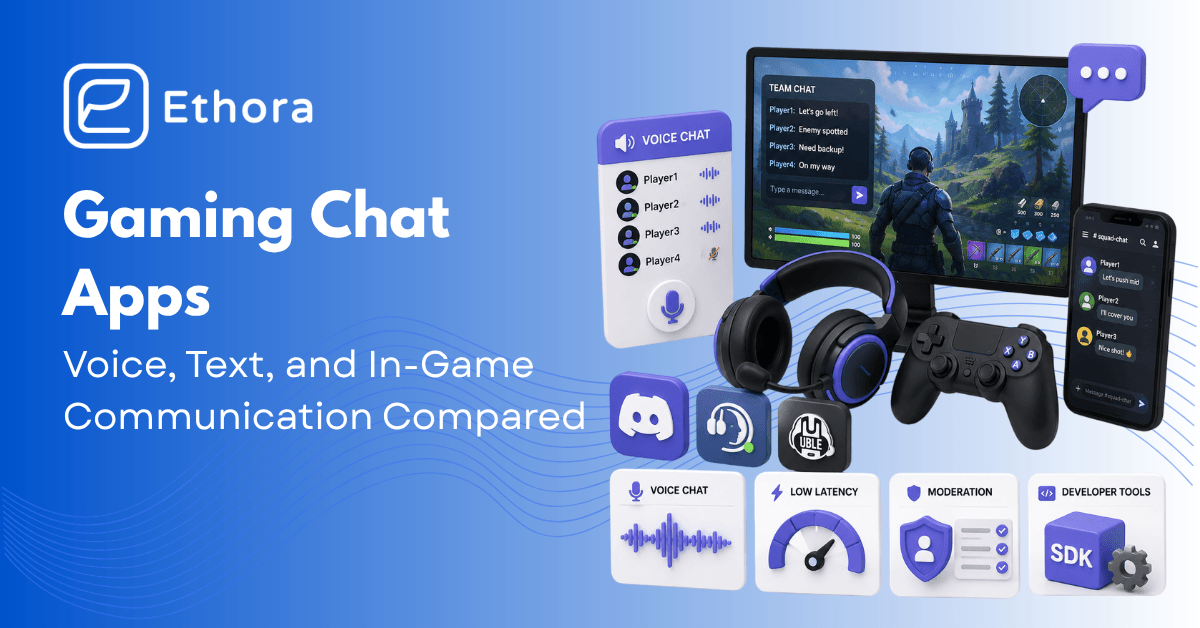
Gaming chat is not the same problem as general chat. Your voice has to be low-latency enough that callouts land before the moment they describe has passed. The overlay can’t steal focus when you’re in a firefight. The moderation problem is harder than almost anywhere else on the internet – toxicity, grooming, cheating, and, in U13 titles, a legal-compliance layer that most developers underestimate until it’s already live.
This article has two halves. The first is for players and esports teams looking for a chat app: ten options with honest free-tier details and real pros and cons. The second is for developers adding chat inside a game – the voice tech stack, latency requirements, moderation architecture, and the SDK landscape.
What Makes Gaming Chat Different
Slack can tolerate a two-second latency spike. A “flash mid” callout or a raid warning cannot – by the time it arrives, the moment has passed. Gaming chat apps have latency requirements that most communication tools weren’t designed around, and the UX constraints are specific enough that general-purpose tools fail in specific, annoying ways.
The voice latency bar is the hardest one to hit: under 150ms one-way for functional coordination, under 80ms for high-stakes competitive play. Above 200ms, teams stop trusting their comms to get them through firefights in time. Push-to-talk discipline matters separately – voice activation works for casual play, but in competitive settings, every mechanical keypress and background sound bleeds into the call. Someone’s uncapped mic in a ranked game is a legitimate team problem.
The overlay question is specific to gaming: you need chat that doesn’t steal focus or obscure the screen while you’re actually playing. Discord’s overlay handles this; most browser-based or mobile-first chat tools don’t. The channel model – raid channel, ranked channel, off-topic, announcements – maps to how gaming communities actually organize themselves in a way that group DMs never have.
And then there’s moderation. Gaming chat produces more harassment reports per user than almost any other chat context, voice toxicity is a distinct and harder problem than text toxicity, and studios with under-13 players face legal compliance obligations that most devs discover later than they should. We’ll get into all of this in the developer section below.
The 10 Best Gaming Chat Apps for Players and Teams
Now, let’s take a look at what applications games actually use, with real free-tier limits and practical trade-offs.
Discord
The default for gaming communities at this point
Unlimited users, unlimited voice and video, screen sharing, file uploads to 25MB, bots, server roles, and channels – all free. Nitro at $9.99/month bumps the file limit to 500MB and adds animated things most people turn off anyway. For almost any gaming community, the free tier is more than enough.
It runs everywhere – Windows, Mac, Linux, iOS, Android, browser – and the in-game overlay lets you see who’s talking without alt-tabbing. Voice latency is generally fine. It’s not consistently sub-100ms, which is why some serious competitive teams still run TeamSpeak alongside it for match comms, but for the vast majority of gaming groups, it’s not a problem you’ll notice.
Moderation is on you. Discord gives server owners AutoMod, timeouts, ban lists, and age-restricted channel flags, but there’s no active moderation from Discord itself unless content reaches a criminal threshold. A large public server with an overworked volunteer mod team is a different product from a private server of 20 people who know each other.
Best for: Basically, for anyone in the industry – no wonder it became the default for communities, friend groups, esports orgs, and guilds. Watch out: public Discord servers can get bad fast. The invite-link model means anyone can join, and toxicity in large public servers is a real problem that the default AutoMod doesn’t fully address.
TeamSpeak
Still the voice quality benchmark
TeamSpeak has been around since 2002 and has spent that time doing exactly one thing well: voice. A properly configured TS server on low-ping hosting beats Discord on call quality – the Opus codec implementation is clean, and the per-user volume controls are genuinely granular. You self-host or rent a server, which typically costs a few dollars a month through game server providers. The software itself is free for non-commercial use.
There’s no screen share, no video, no bot ecosystem, no community discovery. The UI hasn’t changed meaningfully in years and looks it. That’s fine if you’re a competitive team or an old-school clan that cares about call quality and already has a roster – you don’t need any of those things. Plenty of clans have been on the same TS server since 2010 and have no intention of moving. Discord might glitch out mid-raid; TeamSpeak almost never does.
Best for: Competitive teams where voice quality actually matters, and Discord’s occasional hiccups are unacceptable. Old-school clans with existing infrastructure. Watch out: onboarding a new member requires them to download the client, find the server address, and connect – versus a Discord invite link.
Mumble
Open-source, low-latency, positional audio
Mumble is a fully open-source solution, free and self-hosted. What’s special about it is that it offers positional audio on the free tier – no other tool on our list does. For titles that support it – mil-sim games like ArmA and DCS World, and some modded Minecraft setups – voices come from the player’s direction in 3D space. It changes how those games feel in a group.
Outside of the positional audio niche, Mumble is a stripped-down gaming voice chat app. Bare-bones UI, no video, no text features worth speaking of. You run a Murmur server or find a public one. The ArmA and DCS World communities maintain active Mumble servers, but for anything outside that sim-gaming world, there are better options.
Best for: Military-sim communities where positional audio is a genuine gameplay feature. Privacy-conscious players who want self-hosted communication. Watch out: setup is more involved than anything else on this list.
Steam Chat
Built into Steam, free with any account
If you’re a PC gamer, you already have this. Voice calls, text, group chats, screen sharing, game invites – all integrated with the Steam overlay that appears inside games. If you already run the Steam client, that’s enough to use Steam Chat – no need to download anything else.
The only problem with this chat is that it’s for Steam users only. It won’t work if your friends want to use console, or someone doesn’t have a Steam account, or you want a community space that isn’t tied to a storefront.
Best for: PC-only friend groups already in Steam. Watch out: useless for cross-platform or console-primary players.
Xbox Game Bar / Xbox Live Chat
Microsoft’s built-in console and PC chat
Free with an Xbox account. Party chat that works across Xbox consoles and PC, with Game Bar accessible on Windows via Win+G. Tight integration with Xbox crossplay. If your group plays on Xbox and Windows, there’s basically no reason to use anything else – it’s already there, it works, and it’s the only cross-platform option that handles crossplay between Xbox and PC natively.
Best for: Xbox and PC crossplay groups. Watch out: PlayStation players are locked out entirely; no mobile app for voice.
PlayStation Party Chat
Sony’s first-party console voice
Free with a PSN account. Party chat for up to 16 people with good voice quality, screen sharing on PS5, and remote play integration. If your squad is on PlayStation, this is simply what you use – the integration with the platform is tighter than any third-party tool.
PlayStation-only: no PC parity beyond the PlayStation app on mobile for remote chat. No text channels. No community servers.
Best for: PS5-primary groups. Watch out: the moment one person is on PC or Xbox, you need a separate tool.
Element / Matrix
Element is the client that uses the federated and decentralized Matrix protocol, meaning your homeserver talks to other Matrix homeservers without everyone needing an account on the same platform. End-to-end encryption is the default feature. You can self-host a Synapse server and have complete control over the community’s data.
Federation makes this solution unique, as guilds and alliances across different organizations can communicate directly without the need to migrate to one shared server.
Yet, the gaming ecosystem is thin. You won’t find most game communities on Matrix. Discovery works nothing like Discord’s server browser. This is specifically for communities with a principled reason to have their own infrastructure – groups that have had issues with Discord’s moderation decisions, communities with privacy concerns, security-conscious orgs. For everyone else, it’s more complex than the problem requires.
Best for: Privacy-first communities, multi-org alliances, groups that have been burned by centralized platform decisions. Watch out: Synapse requires a lot of resources, federation may add operational complexity, and the gaming ecosystem on Matrix is a fraction of Discord’s.
Revolt
Open-source Discord alternative, picking up Guilded migrants
Since the shutdown of Guilded, Revolt became the most actively developed open-source alternative to Discord. It’s free, self-hosted, and offers a familiar channel-based server structure with text, voice, and video.
Still catching up on features – no built-in tournament brackets or event calendars – but development is active, and the community is growing, mostly from people who want Discord’s UX without Discord’s corporate ownership.
Best for: Communities that want open-source, self-hostable Discord-style chat. Guilded migrants. Watch out: the ecosystem gap with Discord is real and will take time to close.
Ventrilo
Legacy voice tool, still active in some communities
Ventrilo was a fixture of early 2000s MMO raiding – World of Warcraft guilds, EverQuest raids, Guild Wars alliances all ran their comms through it. A handful of long-standing communities still run their original Vent servers.
There is no good reason to start a new Ventrilo server in 2026. The software is unmaintained, the UX is from another era, and anything Ventrilo does, TeamSpeak, or Discord does better.
Best for: Legacy communities on existing servers that see no reason to migrate. Not recommended for anything new.
In-game voice (Fortnite, Apex, Valorant, CS2, etc.)
Convenience for randoms, not enough for premades
Every major competitive title ships with in-game voice. It’s already there, requires no account, and is scoped to the current match or lobby. Valorant’s voice comms are actually decent now; Apex proximity voice changes how the game plays with randoms. For solo queueing with strangers, it’s the right tool – low friction, no setup, gone when the session ends.
For a premade group that plays multiple games together, in-game voice solves the wrong problem. There’s no cross-title persistence, no text channels, no channels at all. You can’t tell your friends you’ll be 10 minutes late or coordinate before the lobby loads. Moderation varies wildly between studios – some games have invested in it, most haven’t. Premade groups always end up back in Discord or TeamSpeak for the layer that in-game voice doesn’t cover.
Best for: Solo queue comms with random teammates. Not a substitute for a persistent voice channel for a group that plays together regularly.
| App | Free tier | Voice quality | Cross-platform | Self-host | Moderation tools |
|---|---|---|---|---|---|
| Discord | Unlimited (25MB files) | Good | Yes | No | AutoMod + owner-managed |
| TeamSpeak | Self-host free | Excellent | PC + mobile | Yes | Basic |
| Mumble | Self-host free | Excellent | PC + mobile | Yes | Minimal |
| Steam Chat | Free w/ Steam | Good | PC only | No | Steam reports |
| Xbox Live | Free w/ Xbox | Good | Xbox + PC | No | Microsoft moderation |
| PSN Party | Free w/ PSN | Good | PS5 + PS App | No | Sony moderation |
| Element | Self-host free | Good (WebRTC) | Yes | Yes | Custom |
| Revolt | Free / self-host | Good | Yes | Yes | Growing |
| Ventrilo | Legacy | Adequate | PC only | Yes | Minimal |
| In-game | Free w/ game | Varies | Game-specific | No | Studio-dependent |
Adding Chat Inside a Game: What It Actually Takes
The rest of this article is for developers – studio engineers, indie devs, and platform leads building chat inside a game or game platform. Let’s consider what’s needed to add an in-game chat to your gaming platform.
Voice tech stack
Opus codec is what everything runs on. Open, royalty-free, algorithmic delay as low as 2.5ms, and it handles the quality-vs-bandwidth tradeoff better than anything comparable at low bitrates – which matters when your players are on mobile data or hotel Wi-Fi. The transport layer is where choices diverge: WebRTC for browser-based and hybrid games, custom UDP with packet loss concealment for AAA titles that need to squeeze out every millisecond, and managed SDKs for studios that don’t want to own the infrastructure. Most studios with fewer than 50 engineers on the project should be on a managed game chat SDK.
For console-shipped titles, the main options with first-party certification are Vivox – deep Unity integration, used across hundreds of shipped titles, including a lot of AAA – and EOS Voice from Epic Online Services, which is free for many studios and handles cross-platform, including console, without cert work on your end. Photon Voice is common in Unity indie titles, but doesn’t have console certs. Building your own on raw Opus and UDP is what the big studios do when they have a dedicated infra team and specific requirements that SDKs can’t meet.
Latency targets
Text chat is forgiving — 500ms round-trip is fine for lobbies and between matches. Voice isn’t. Under 150ms one-way is the threshold where coordination actually works; under 80ms is what serious competitive play needs. Above 200ms and players start second-guessing whether their comms are arriving in time. Getting there globally means regional SFU placement, not one server hoping its reach is good enough. Figure out where your player concentration is and put infrastructure close to it.
Server architecture
Two people talking: peer-to-peer WebRTC is fine. Three or more: you need an SFU. Full-mesh P2P – where everyone sends to everyone – collapses fast; at five participants, each person is uploading four streams simultaneously, and most consumer hardware and connections can’t sustain it. An SFU receives one stream from each participant and routes the relevant ones to each recipient without mixing them. Client performance is manageable; server cost is the trade. For text, a persistent WebSocket per client with server-side fan-out handles most game scenarios. Map your channels to game contexts – lobby, raid, clan, whisper — as separate namespaces at the server level from the start, not retrofitted later.
Mobile and console constraints
iOS background audio needs specific AudioSession entitlements; without them, the audio pipeline cuts out when the app loses focus. Android has its own audio focus rules that can steal your game’s audio or kill your voice unexpectedly. These are implementation problems you will hit, not theoretical concerns.
Console certification is the constraint that catches many web and mobile SDK teams off guard. Xbox Live and PSN have a certification review for in-game voice before a title ships. Nintendo Switch has its own voice infrastructure with its own integration path. Vivox and EOS Voice have done this certification work; if you use anything else for voice on a console title, you either go through first-party cert review yourself or you use the platform’s native infrastructure. Discovery this late in a project has delayed real launches. Check requirements at the start of development, not after the title is feature-complete.
Moderation
Gaming moderation is harder than any other chat context, and the teams that find this out late are the ones building U13 titles. The volume of content is high, the community’s motivation to evade filters is high, and the legal exposure for failure is real. Pre-send hooks that block before the message is visible are better than post-send removal – once it’s on screen, the damage is done. Voice is a different problem entirely from text: you’re transcribing continuous audio, running a classifier on the transcript, and making a decision in under a second. Modulate ToxMod and competitors handle this. Cost per voice-minute adds up; model it at your expected concurrent voice population before you commit.
Slur evasion in gaming is a genuine arms race – players in moderated games develop character substitution and spacing tricks specifically to evade static blocklists, and these patterns evolve. An LLM classifier with an updatable system prompt adapts when you update it, without waiting for a vendor release cycle. That’s the practical argument for BYO-LLM in moderation: your community’s specific evasion patterns differ from everyone else’s, and your policy needs to change faster than vendor update schedules allow.
Grooming detection doesn’t work at the message level. Individual messages often aren’t obviously harmful. The pattern across a conversation is the signal – asks for age, suggests moving to a private platform, asks to keep it quiet, asks for photos. Build session-level detection, not message-level detection. Any one of those signals alone is noise. The sequence is what matters.
Identity and safety
Gamertag-based identity creates a specific problem that email/phone-based identity doesn’t: banned players create new accounts. Device fingerprinting, payment token hashing, and behavior pattern matching help slow this down. None of them fully stops it. For U13 titles, the bar is higher – the FTC’s COPPA guidance and the UK Age-Appropriate Design Code are the references, and “we asked the user their birthday” is not a documented age verification approach that holds up under scrutiny.
The SDK Landscape for Game Developers
| SDK | Console certs | Voice tech | Moderation | Pricing | Best fit |
|---|---|---|---|---|---|
| Vivox (Unity) | Xbox, PS, Switch | Opus-based, deep Unity integration | Basic | Free for Unity, paid at scale | AAA/mid-tier Unity cross-platform |
| EOS Voice (Epic) | Cross-platform | Opus-based | Basic | Free for eligible studios | Unreal + Epic identity integration |
| Photon Voice | PC/mobile (no console certs) | Opus-based | None built-in | Per-MAU (free tier) | Unity indie/mid-tier, PC/mobile |
| Agora | No | Proprietary + Opus | Add-on | Per-minute (~10K min/mo free) | Mobile games, large consumer |
| Sendbird / Stream | No | Third-party (video add-on) | Paid add-on | Per-MAU | Mobile games with general chat |
| Ethora | No (web/mobile/desktop) | WebRTC + SFU | BYO LLM | Flat monthly | Self-hosted, AI moderation, flat cost |
| Open-source (LiveKit, Matrix) | No (build your own) | WebRTC | Build your own | Free (infra cost) | Full control, custom builds |
Console certification is what separates this decision from a standard SDK comparison. Vivox and EOS Voice have existing certification for Xbox, PlayStation, and Nintendo – that work is done. If your title ships on console and you use something else, you’re going through that certification yourself or using the platform’s native voice infrastructure. It’s a real process that takes real time, and it’s the kind of constraint that changes the shortlist before any other factor.
For PC and mobile only, the choice is wider. Agora and Photon Voice are the most common choices in the mid-tier. LiveKit is the right call if you want open-source control and can run the infrastructure yourself. For any title where moderation policy needs to evolve – especially U13 titles, where new abuse patterns appear faster than vendor update cycles – BYO-LLM matters more than it does in most other SDK decisions. The evasion tactics in your specific community will be different from everyone else’s. A fixed vendor taxonomy can’t keep up. A classifier with a system prompt that you can control.
Gaming Moderation: Why It’s the Hardest Version of This Problem
Voice toxicity in real time isn’t the same problem as text moderation. You’re running continuous transcription, classifying the transcript, and making a decision in under a second – all while the game is happening and the player doesn’t want to notice any latency. The cost per voice-minute for services like Modulate ToxMod adds up at scale. Run the math at your expected concurrent voice population before you commit to a per-minute service – it’s the kind of cost that looks fine at 1,000 concurrent users and looks very different at 50,000.
Slur evasion in competitive gaming is a well-practiced skill on the player side. Communities in moderated games develop character substitution systems, spacing tricks, and coded language specifically because the blocklist doesn’t catch it. An LLM classifier with a system prompt you update when new patterns appear handles this better than static rules, because you can deploy a policy update without waiting for a vendor release. This is the real argument for BYO-LLM in gaming moderation – it’s not about cost, it’s about update velocity against an adversarial player population that’s actively trying to find gaps.
Grooming doesn’t look like grooming at the message level. One message asking to add someone on Discord is nothing. A session that asks for age, suggests moving to a private app, asks to keep it between them, then asks for photos – that’s the pattern. Static message-level classifiers miss it entirely. Detection has to happen at the session level, tracking signals across the conversation over time.
For studios shipping to under-13 audiences, four compliance obligations are non-negotiable:
COPPA (US, under 13) – voice off by default, no behavioral advertising, parental consent required for data collection. The FTC’s COPPA guidance is the primary reference.
GDPR-K (EU, under 16) – stricter than adult GDPR, different age threshold than COPPA. If you ship in both markets, you’re reconciling two frameworks.
UK Online Safety Act – enforceable by Ofcom, fines up to £18M or 10% of global revenue, duty of care for child users. Live with Ofcom enforcement since 2025.
Audit logs – every moderation action logged, timestamped, exportable. Required under DSA Article 24 for platforms with European users. If your game has players in the EU, assume you’re in scope.
Ship In-Game Chat and Voice with Ethora
Most indie and mobile studios don’t need console certification for their chat layer – which means the Vivox/EOS Voice decision tree doesn’t apply, and the field is wider. For those titles, Ethora’s in-game chat SDK handles text channels, voice, and moderation in one package on a flat monthly fee. No per-MAU meter that grows as the game succeeds.
The BYO-LLM moderation approach – plugging in your own classifier via the AI Bots SDK for game wiki RAG – is the part that matters specifically for gaming. You write the system prompt that defines what a violation is in your community. When your player base develops a new evasion pattern, you update the prompt and deploy it without filing a support ticket with a vendor. When a better base model comes out, you swap the endpoint. The moderation policy evolves at the pace of your trust and safety team, not at the pace of a third-party release cycle.
Self-hosted deployment means player data stays on your infrastructure. For studios operating in Europe or shipping to under-13 audiences, this is what lets you make definitive statements about where data lives, who can access it, and how long it’s retained – rather than relying on a managed service’s compliance documentation. The audit log requirement under DSA Article 24 is satisfied by your own logs, not a vendor’s dashboard export.
If you are building an esports chat app, Ethora is what you need. If you have any questions, feel free to contact us, or you can start building right away if you’re feeling like it.

Share with your community


More Articles

Development
Oct 5, 2026
Cross-Platform App Development Frameworks in 2026: 10 Options Compared, Real Trade-offs, and Chat + AI SDK Fit
In 2026, evaluating cross-platform frameworks is a complex matter. There are many practical questions: Which ones have solid chat and AI SDK support today? Which ones won’t force a painful migration when the next major OS version drops? And what are the real engineering trade-offs once you move past the marketing claims? We’ll look at […]


Healthcare
Oct 1, 2026
HIPAA-Compliant Video API in 2026: What Actually Makes One, Vendor Comparison, and Twilio Video Migration
Consultations, psychiatry meetings, medication management, triage, and other medical encounters often do not require physical presence. Adding video to your healthcare app or platform can be a great idea, as it allows you to hold sessions online without losing the human touch. Using a messaging API to incorporate video into your application makes the whole […]

Try Out Ethora in Action
Experience Ethora's messaging with a dedicated demo from our CEO or start building your App right now!
