

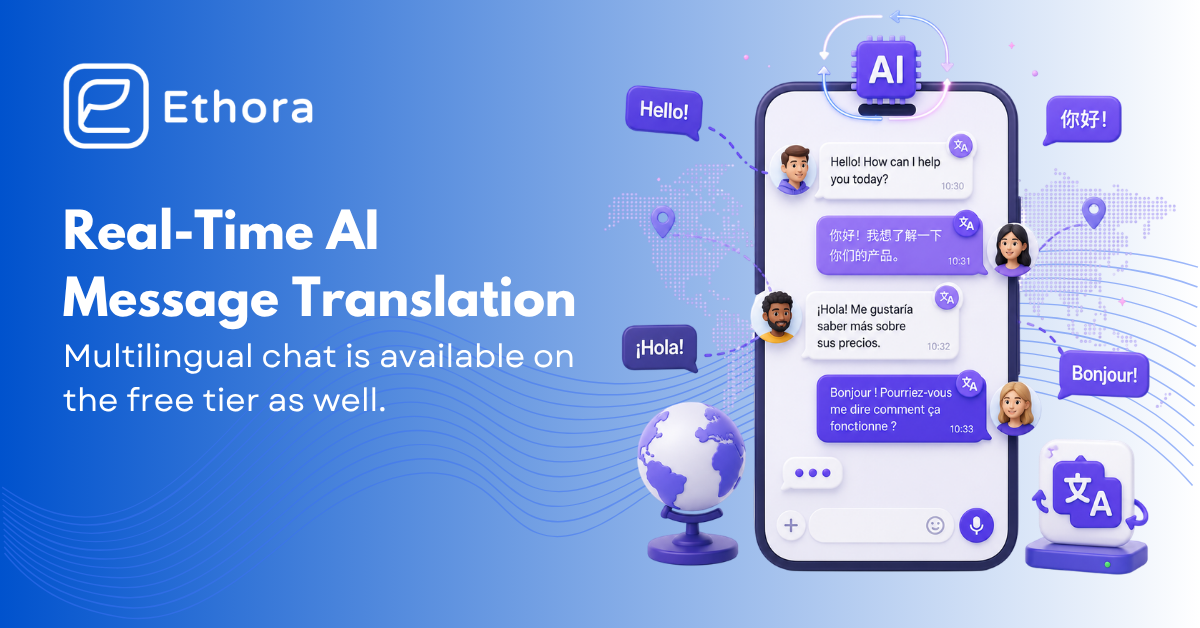
Your users can now chat across languages without leaving the conversation
With the 26.08 release, we shipped one of the most requested capabilities in the Ethora platform: real-time AI message translation, built directly into the chat experience. This post is a closer look at how it works and why we built it the way we did.
The idea is simple. A support agent types in English. A customer in Montreal reads the same message in French, in the Canadian variant. The customer replies in French, and the agent reads it in English. Nobody copies text into an external translator, and nobody waits.
How it works
Most chat products bolt translation on at read time: every reader triggers a separate translation call when a message arrives. That approach is slow, expensive, and hard to audit.
Ethora does it differently. The sender’s client pre-translates the message and ships the translations inside the message itself. Each reader’s app then resolves the right variant locally based on their full locale, for example fr-CA, falling back to the base language when a regional variant is not available. There is no extra network round-trip on read, which means translated chats feel as fast as native ones.
A few details we sweated:
- The original is never hidden. Translated messages show the translation prominently with the original quoted alongside, so there is no ambiguity about what was actually said.
- Readers stay in control. A language picker in the chat header lets each reader choose their language and switch between automatic translation and on-demand, per message. Hosts embedding the chat can pin either mode, hide the picker, or drive it from their own UI.
- Edits are handled. When a sender edits a message, it is re-translated automatically, so readers in other languages always see the latest text.
- No fake translations. If a translation comes back identical to the original, we show the original only.
Bring your own translation endpoint
Ethora is a self-hosted-first platform, and translation follows the same principle. The translation endpoint is configured at deployment level, so a self-hosted installation routes translation through infrastructure you control. Developers embedding the React chat component can also plug in their own translation function through a callback, which is useful if you already have a preferred provider or an internal glossary.
This matters most in regulated settings. A healthcare deployment can keep message content inside a compliant boundary while still serving patients and clinicians in different languages. The same release added server-side audit logging for chat-history access, so regulated operators can maintain a verifiable trail of who read which conversation history.
The full localization picture
Message translation is half the story. The chat UI itself is now fully localizable: menus, modals, profile screens, settings and authentication forms all follow the selected language, with English, French and Spanish string tables built in, including regional ids like en-CA, es-US and fr-CA. Hosts can extend the string tables through configuration.
What else shipped in this cycle
The translation work rode along with a broad quality pass on the Chat SDK:
- Audio calls received their own compact call interface, ring on any page of the app, and raise an OS notification when the tab is hidden.
- Chat loading on heavy accounts is significantly faster, and message sends stay fast even with translation enabled.
- Sessions now restore seamlessly on page refresh instead of flashing a login form.
- Self-hosted operators get bundled Grafana and Prometheus monitoring, a built-in load-testing tool, and TLS certificate-expiry warnings.
The full week-by-week changelog is on GitHub.
Try it now
Multilingual chat is available on the free tier. Create a free app, open the web chat, and pick a language from the globe icon in the chat header. If you are building your own product on Ethora, the AI SDK and Chat SDK docs cover the translation configuration options.
Questions about a multilingual or regulated deployment? Book a call and we will walk you through it.

Share with your community


More Articles
Healthcare
Aug 21, 2026
Is WhatsApp HIPAA Compliant? What Healthcare Teams Need to Know
You can use WhatsApp for general tasks like scheduling, sharing admin announcements, as long as no patient health data is shared.


Chat SDK
Aug 20, 2026
Chat vs Email for E-Commerce: When Each Wins, With Real Conversion Numbers
This article maps each channel to the lifecycle stage where it actually converts, puts real numbers behind the claims, and covers where SMS and WhatsApp fit into the picture

Try Out Ethora in Action
Experience Ethora's messaging with a dedicated demo from our CEO or start building your App right now!
