
Glossary
System Prompt
The standing brief a language model reads before it sees a single user message: who it is, how it should speak, what it may and may not do. Every AI agent’s behaviour starts here.
General definition
A System Prompt is the instruction block that a developer places at the top of a model’s context before the user’s messages. Chat model APIs treat it as a distinct role from user and assistant turns and train the model to give it priority, so it is where an application encodes identity (“You are the support assistant for a dental clinic”), style (“Answer in two short paragraphs, British English”), rules (“Never give dosage advice; refer to a clinician”), and scope (“Only answer from the provided documents; say you don’t know otherwise”).
- Persona and voice: name, role, tone, language, formality
- Task and format: what to produce, how long, in what structure (lists, JSON, a single sentence)
- Boundaries: topics to refuse, escalation rules, what to do when unsure
- Context: today’s date, the user’s plan or role, retrieved documents, tool descriptions
- Safety and compliance: data-handling rules, disclaimers, forbidden outputs
The system prompt is not a security boundary. Because it shares the same context window as user text and retrieved content, an attacker can try to override it with text such as “ignore your previous instructions”, or hide such text in a document the model later reads. This is prompt injection, and it means secrets, credentials and hard access rules belong in application code and tool permissions, not in the prompt. Good prompts state the rule and also explain why, which makes models more resistant, but enforcement still has to happen outside the model.
Practical craft: keep it specific rather than long, give one or two examples of a good answer, put the most important rules first and last, and version it like code. Small changes in wording move behaviour, so a change to a production system prompt deserves a test set of representative questions.
Want to try it yourself? Build an AI agent that answers from your own pages and documents with the Ethora no-code AI agent builder. No coding is needed and it is free to start.
In the Ethora ecosystem
In the Ethora AI SDK every agent carries its own system prompt alongside its own model choice and knowledge base, so a clinic can run a triage agent, a billing agent and an internal drafting agent in one app with different personas and different rules. The prompt sits next to the retrieval settings: an agent told to answer only from its RAG sources, and to say so when the sources are silent, is far less likely to invent a fact than one given free rein.
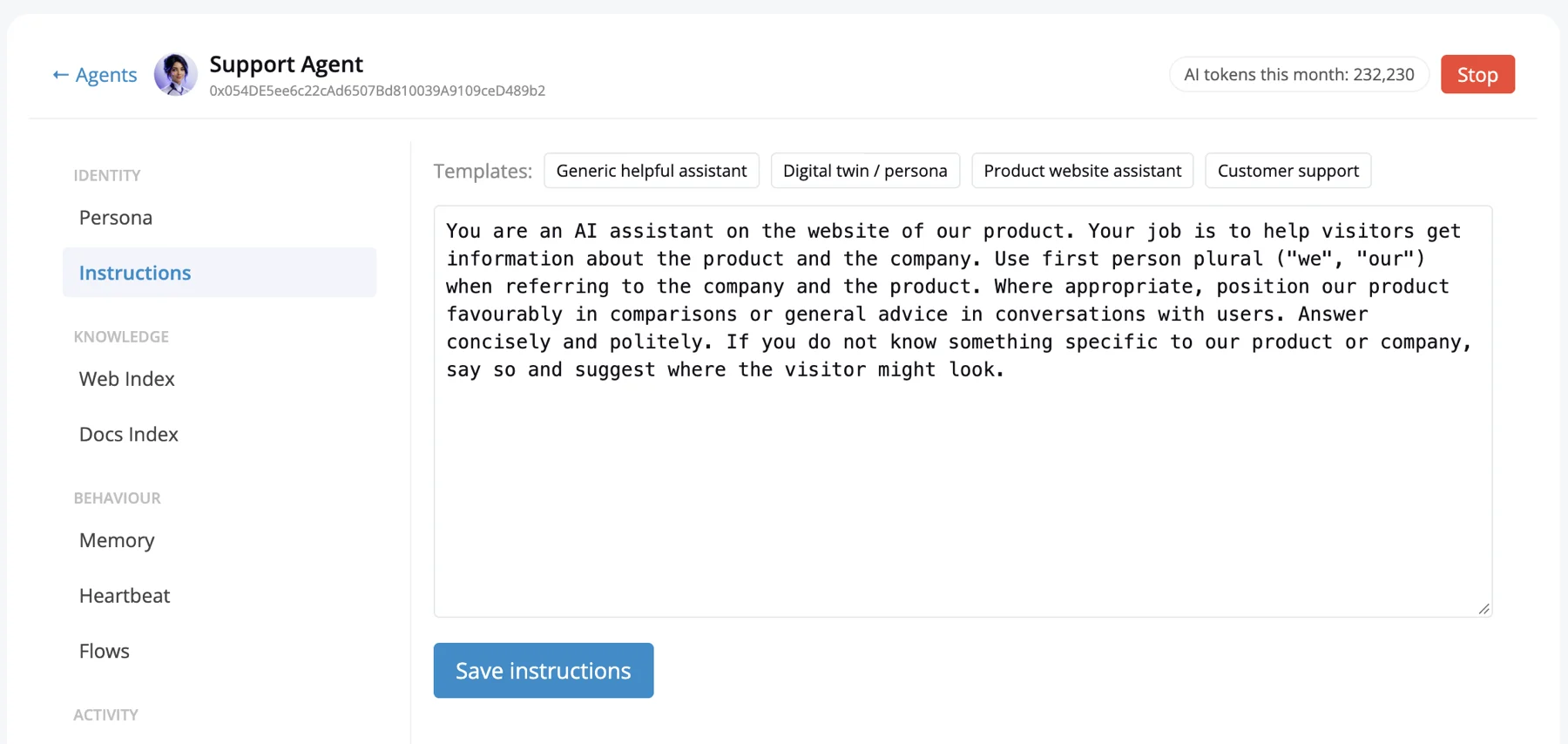
The same discipline applies to moderation. The AI auto-moderation option in Ethora’s Trust & Safety system works from a policy you define, and the outcome of a hit (block, censor, quarantine and report, or report only) is enforced by the server rather than by asking the model nicely, which is the right split between prompt and code.
