

Disclaimer: most “best chatbot” lists are written by one of the vendors on the list. This one is too: we make Ethora, an AI chatbot for websites that you can also self-host. Here is how we kept it useful. Every fact about another product comes from that vendor’s own pricing or product page as of 16 October 2026, linked in the Sources section at the end. Where a vendor’s page did not say something, we mark it “Not listed” or “Not stated” rather than guess. Ethora is the one product we tested hands-on, because it is ours.
This guide is for people who want an AI assistant on a business website that answers questions from their own content: a support or sales assistant for a small business, a clinic, a SaaS product, an online shop or an agency building sites for clients. It is not about general chat assistants like ChatGPT, and it is not about rule-based “press 1 for sales” bots.
What we compared
Seven things decide whether a website chatbot works for you:
- Trained on your own content. Can it read your website, help articles and documents, and answer from them (retrieval-augmented generation, or RAG)?
- Free plan. Is there a real free tier, and what is the catch (messages, conversations, branding)?
- Model choice. Can you pick the AI model, or does the vendor pick for you?
- Self-hosting and data ownership. Can it run on your own servers or cloud account?
- Human handoff. Can a person take over the conversation when the bot is out of its depth?
- Platforms. Does it work on WordPress, Shopify, Wix or a hand-built site?
- Entry price. What the cheapest paid plan costs, and what it is metered on.
The metering point matters more than the headline price. Vendors charge per message credit, per conversation, per “resolution” or “outcome”, per seat or per page view. A $40 plan and a $150 plan can cost the same at your volume, or very differently.
The 10 AI chatbots at a glance
The order below is not a ranking. Each tool is the right answer for a different buyer.
| Tool | Best for | Free plan | Paid from | Model choice | Self-hosting |
|---|---|---|---|---|---|
| Chatbase | Quick GPT-style bot trained on your content | No (7-day trial) | $40/mo ($32 billed yearly) | Yes, several providers | Not listed |
| Tidio (Lyro) | Small shops wanting live chat plus AI | Yes, 50 conversations/mo; first 50 Lyro AI conversations free (one-off) | $24.17/mo; Lyro from $32.50/mo | No (Claude plus in-house models) | Not listed |
| Intercom Fin | Support teams with volume and an existing helpdesk | No (14-day trial) | $0.99 per outcome, plus seats from $29 | Not stated | Not listed |
| Ethora | Data ownership, self-hosting, developers, regulated industries | Yes, 1,000 MAU, no credit card | $149/mo | Yes, cloud or self-hosted models | Yes |
| Botpress | Building multi-step agents in a visual builder | Yes, 100 conversations, 3 agents | $150/mo (billed yearly) | Not stated | Not listed |
| Crisp | Teams that want a flat price per workspace | Yes, but no AI on Free | $95/mo for the AI chatbot plan | No (not named) | Not listed |
| Elfsight AI Chatbot | Non-technical site owners on any site builder | Yes, 50 messages/mo, Elfsight branding | $5/mo (billed yearly) | Not stated | Not listed |
| Wonderchat | Answers that cite their source | Yes, about 10 resolutions/mo | $124/mo (billed yearly) | Not stated | Not listed |
| ChatBot.com | Low-volume support with a cheap per-user plan | No (14-day trial) | $19/user/mo yearly, $25 monthly | Not stated | Not listed |
| Zendesk | Teams already running Zendesk | No (14-day trial) | £45/agent/mo yearly (UK page), resolutions included | Not stated | Not listed |
“Not listed” means the vendor’s pricing and product pages we checked do not mention it; “Not stated” means the vendor does not say which model it uses or whether you can choose. All ten products can answer from your own content, and all ten let a human take over a conversation in some form.
The tools in detail
1. Chatbase
In one line: a hosted AI agent you train on your content and embed on your site, with the widest model menu of the group.
- Best for: teams that want a capable bot live in an afternoon and are happy on a vendor’s cloud.
- Free plan: none listed on the pricing page; every paid plan has a 7-day trial.
- Pricing from: Hobby at $40/mo ($32/mo billed yearly) with 700 message credits, 1 agent and 10 MB of training content. Standard is $150/mo with 4,000 credits.
- Strengths: models from OpenAI, Anthropic, Gemini, DeepSeek, Mistral and others; WordPress, Shopify, Slack, WhatsApp, Messenger and Instagram on every plan; helpdesk integrations (Zendesk, Intercom, HubSpot, Freshdesk and more) from Standard. Chatbase states it is SOC 2 Type II audited and that your data is not used to train models.
- Limitations: no free tier; message credits run out fast on a busy site (extra credits are $40 per 1,000); branding removal is a paid add-on below Enterprise.
If Chatbase is on your shortlist, our Chatbase alternative page compares it with Ethora point by point.
2. Tidio (Lyro)
In one line: a live chat and helpdesk tool for small online businesses, with Lyro as its AI agent.
- Best for: small shops that want one inbox for chat, email and social messages, with AI answering the easy questions.
- Free plan: yes, 50 billable conversations a month and 10 seats. Your first 50 Lyro AI conversations are free, once, not every month.
- Pricing from: Starter at $24.17/mo as shown on the pricing page. Lyro on its own starts at $32.50/mo for 50 AI conversations.
- Strengths: Lyro scrapes your support content and forwards questions it cannot answer to a human agent. It runs on Claude (Anthropic) and Tidio’s own models. The Premium tier advertises a guaranteed 50% resolution rate from 3,000 Lyro conversations.
- Limitations: the AI allowance on lower tiers is small and metered separately from the chat plan, so the real price depends on two meters. You cannot choose the model.
See our Tidio alternative page for a direct comparison.
3. Intercom Fin
In one line: an AI support agent priced per outcome, which works inside Intercom or on top of another helpdesk.
- Best for: support teams with real ticket volume that already run Intercom, Zendesk, Salesforce, HubSpot or Freshdesk.
- Free plan: no; there is a 14-day trial with no credit card.
- Pricing from: $0.99 per outcome. Intercom’s own helpdesk seats are $29, $85 or $132 per seat per month.
- Strengths: Fin says it can go live on any helpdesk in under an hour, speaks dozens of languages and hands off to your team with the full conversation context.
- Limitations: outcome pricing is great when volume is low and painful when it is high, so model your monthly cost before you commit. Fin is a support product, and Intercom’s pages do not mention self-hosting.
4. Ethora (our product)
In one line: an AI chat widget and agent platform with an open-source core, a free cloud plan and the option to run everything on your own infrastructure.
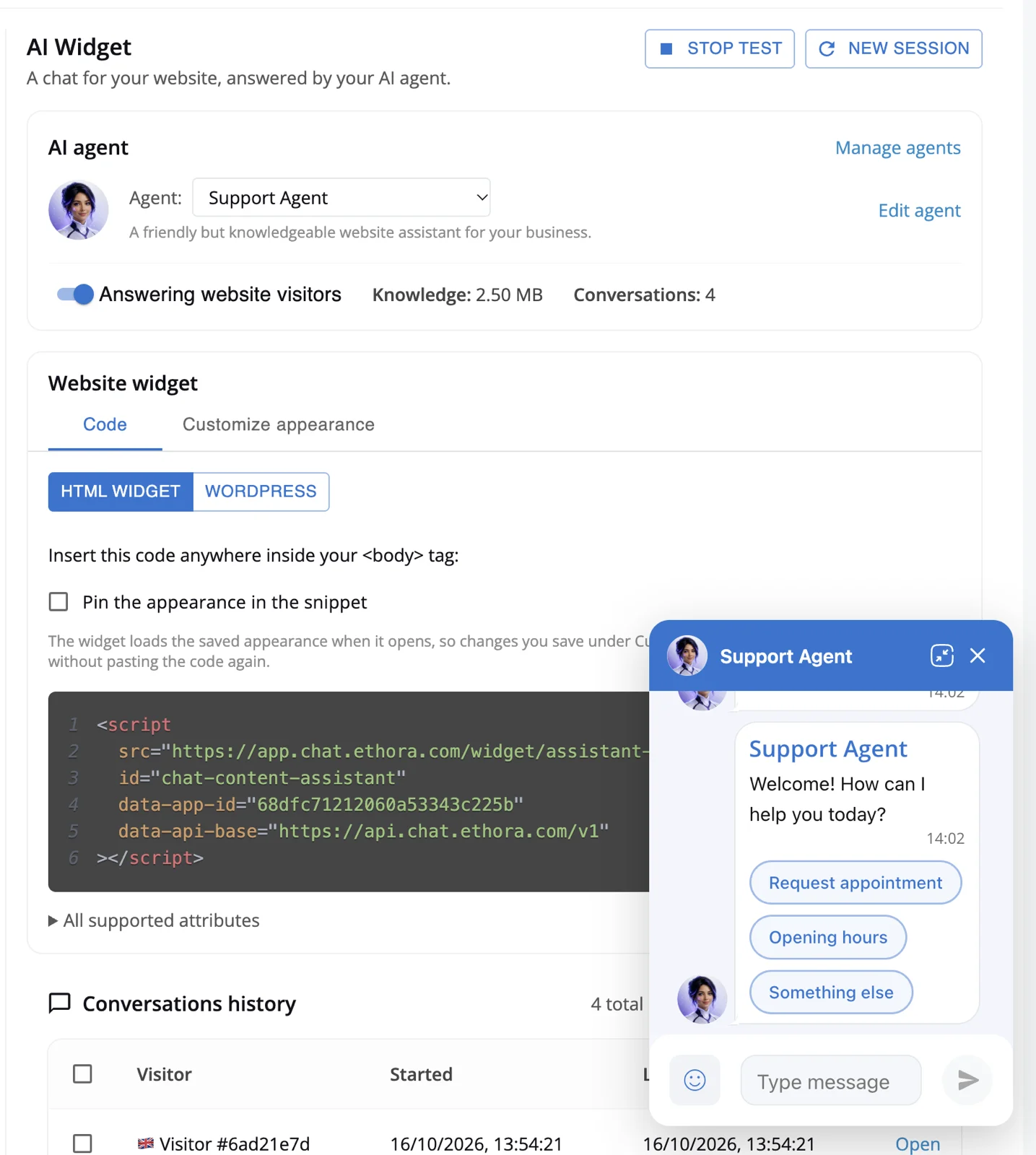
- Best for: teams that need to own their data, pick their model, self-host, or build chat into their own product. Also healthcare and other regulated businesses.
- Free plan: yes. Free forever with 1,000 monthly active users, 100 concurrent connections and all chat and AI features, community support, no credit card.
- Pricing from: Small Business at $149/mo (5,000 MAU, tech support, 99.9% SLA, an AI allowance, custom domain). Enterprise from $599/mo adds unlimited users, 24/7 phone support, self-hosted AI and dedicated or on-prem hosting. See pricing.
- Strengths:
- Trains on your site with a website crawler and on uploaded documents, with hybrid (keyword plus meaning) search and a “Try it” chat that shows which sources an answer used. More on the RAG chatbot page.
- Per-agent model choice: cloud APIs such as OpenAI, or your own models through OpenAI-compatible endpoints such as Ollama or vLLM.
- Runs on our cloud, on a dedicated server we operate in your cloud account, or self-hosted with Docker Compose, a Helm chart, or AWS and Azure Marketplace images.
- HIPAA and SOC 2 compatible. Compliance for each project depends on its configuration and hosting, and a BAA is available on Enterprise and dedicated plans. See the HIPAA compliant chatbot page.
- One script tag on any site, a WordPress plugin, a React package, and chat SDKs for web, React Native, iOS and Android if the chatbot needs to live inside your app.
- Scripted flows alongside AI answers: buttons for an opening menu, lead capture, intake questions or appointment requests.
- A person can join the same conversation, and the admin panel shows widget conversations with full history.
- Limitations: fewer ready-made helpdesk integrations than Chatbase or Intercom, and no native Shopify or Wix app (you paste the script into the theme). Self-hosting means you run the servers. If all you want is a FAQ bot on a brochure site, a simpler widget will do.
Real deployments are collected in AI agents on customer websites, including a US mental health provider that went live the day it signed up.
5. Botpress
In one line: a visual builder for AI agents with complex flows, billed per conversation with AI usage on top.
- Best for: teams building multi-step agents (bookings, lookups, branching logic) across web chat, WhatsApp and Slack.
- Free plan: yes, 100 conversations, 3 AI agents and 3 seats, with no top-ups.
- Pricing from: Plus at $150/mo billed yearly, with 250 conversations and $25 of AI usage included. Team is $750/mo.
- Strengths: Botpress Studio is a visual agent builder, and you can also describe an agent in natural language. Handoff to a human passes along the conversation history. AI spend credits are sold at cost.
- Limitations: two meters (conversations and AI usage) to watch, and more builder than a non-technical site owner needs.
6. Crisp
In one line: a shared inbox and website chat suite priced per workspace, with AI from the mid tier up.
- Best for: growing teams that want many seats without per-seat pricing.
- Free plan: yes, 2 seats, website chat widget, shared inbox and mobile apps, but no AI credits.
- Pricing from: Mini at $45/mo has $5 of AI credits but no chatbot. Essentials at $95/mo is the first plan with the “Omnichannel AI Chatbot”, about 450 automated conversations and 10 seats.
- Strengths: trains on a website crawl, help center articles, PDFs and CSVs, past conversations and written Q&A snippets; hands off to a human with full context.
- Limitations: the AI chatbot is not on the cheap plans, and Crisp does not name the model behind it.
7. Elfsight AI Chatbot
In one line: a no-code widget from a company that sells dozens of website widgets, built for site builders.
- Best for: owners of WordPress, Shopify, Wix, Webflow or Squarespace sites who want something running in minutes without a developer.
- Free plan: yes, 50 messages a month and 200 widget views, with Elfsight branding.
- Pricing from: $5/mo billed yearly for 5,000 views and no ads.
- Strengths: scans your website automatically, takes PDF, DOCX, PPTX, TXT, HTML, Markdown and JSON files, and transfers the conversation to a person by email, phone or WhatsApp when needed.
- Limitations: the pricing page does not show how many AI messages each paid plan includes, and Elfsight does not name the model. Fine for a small site; not a platform you build on.
8. Wonderchat
In one line: an AI support agent that cites the source of every answer.
- Best for: businesses with a large help center or documentation set where trust in each answer matters.
- Free plan: yes, 1 agent and 20 credits (about 10 resolutions a month), trained on up to 50 web pages.
- Pricing from: Basic at $124/mo billed yearly, with 2 agents, about 1,000 resolutions and 1,000 pages per agent.
- Strengths: “Every response cites its source”, trains on your help center, docs and past tickets, hands off to a human when unsure, and runs on your website, mobile app, WhatsApp and SMS. Enterprise (from $1,499) lists SOC 2, HIPAA and SSO.
- Limitations: the free plan is a demo rather than something to run a site on, and the jump to Basic is steep.
9. ChatBot.com
In one line: an AI agent product from the LiveChat family with simple per-user pricing.
- Best for: small teams with low AI volume who want human takeover and ticketing in the same tool.
- Free plan: no, a 14-day trial.
- Pricing from: Essential at $19 per user per month billed yearly ($25 monthly), with 1 AI agent and 10 AI resolutions a month.
- Strengths: trains on help articles, internal docs, URLs and PDFs; human takeover, inbox, ticketing and chat transfer on every plan.
- Limitations: 10 AI resolutions a month on the entry plan is very little; Growth ($79 per user yearly) raises it to 200.
10. Zendesk
In one line: AI agents built into the Zendesk customer service suite, priced on resolutions.
- Best for: support teams that already run Zendesk and want AI on the same tickets and help centre.
- Free plan: no; a 14-day trial of Suite Professional.
- Pricing from: Zendesk geo-redirected us to its UK page, which shows Suite Team at £45 per agent per month billed yearly (£59 monthly), with 5 automated resolutions per agent per month included. Committed resolutions are £1.30 each and pay-as-you-go resolutions US$2.00.
- Strengths: AI agents learn from your help centre and sources like Google Drive or PDFs, support 80 languages and route to the right human team when escalation is needed.
- Limitations: you are buying a helpdesk suite with per-agent seats; heavy if all you want is a chatbot on your website.
Also considered
- HubSpot: the chatbot builder is free with no credit card and can hand a conversation to a live agent. Its page describes lead qualification and CRM-based personalisation rather than training on your content. HubSpot also markets a separate AI customer agent; we did not find its pricing on the pages we checked.
- Voiceflow: a strong agent builder for chat and voice, but pricing is “request pricing” for businesses, so we could not compare it.
How to choose
Start from the constraint you cannot change, not the feature list.
- You need it free and simple: Tidio, Elfsight and Ethora have real free plans. Check what is metered: Tidio’s free AI conversations are a one-off 50, Elfsight’s are 50 messages a month, and Ethora’s free plan is measured in monthly active users.
- You run a support team with a helpdesk: Intercom Fin or Zendesk if you live in those tools; Chatbase or Wonderchat if you want a bot that plugs into one.
- Your data cannot leave your infrastructure, or you want to use your own model: Ethora is the one option here you can self-host. See the self-hosted LLM AI agent page and Get Ethora for install options.
- You handle health or other sensitive data: you need a BAA and a hosting setup you control. Read our HIPAA compliant chatbot guide before choosing anything.
- You are a small business on a budget: look at the cost at 3x your current traffic, not today’s. Our AI chatbot for small business page walks through it.
Then test with your own questions. Load your site, ask the ten things customers ask most, and check whether each answer is right and where it came from. That one hour tells you more than any comparison table, this one included.
How to add an AI chatbot to your website in 5 minutes (with Ethora)
- Sign up free at app.chat.ethora.com/register. No credit card.
- Create an app and an AI agent. Start from a template such as the support agent.
- Give it knowledge. Point the website crawler at your site and upload PDFs or other documents. Write its instructions, name, avatar and greeting, then check answers in the “Try it” chat, which shows the sources used.
- Style it. Set colours and position with a live preview.
- Put it on your site. Paste one script tag before
</body>:
<script src="https://widget.chat.ethora.com/assistant.js" data-app-id="YOUR_APP_ID"></script>It loads asynchronously, shows a floating launcher, and keeps its styles isolated in Shadow DOM so it does not clash with your theme. Visitors chat without signing in. On WordPress, install the Ethora Chat Assistant plugin instead. On Shopify, Wix or other builders, paste the tag into the site’s custom code or footer area. Full details on the AI chatbot for your website page.
FAQ
What is the best free AI chatbot for a website?
It depends on what the free plan meters. As of October 2026, Tidio’s free plan includes 50 conversations a month and a one-off 50 AI conversations, Elfsight’s includes 50 AI messages a month with its branding, Wonderchat’s about 10 resolutions a month, Botpress’s 100 conversations, and Ethora’s free plan covers 1,000 monthly active users with all chat and AI features. Chatbase, Intercom Fin and ChatBot.com offer trials, not free plans.
Can an AI chatbot be trained on my own website?
Yes. Every tool in this list can learn from your content. Most crawl your website and accept uploaded documents, then use retrieval-augmented generation to answer from them. Look for a test view that shows which source an answer used, so you can fix wrong answers at the source.
Can a website chatbot hand the conversation to a human?
Yes, all of the tools above support some form of human handoff. The difference is where the human works: in the vendor’s inbox (Tidio, Crisp, ChatBot.com), in a helpdesk suite or the one you already use (Intercom Fin, Zendesk, Chatbase on higher plans), or in the same conversation inside your own platform (Ethora).
Is there a HIPAA compliant AI chatbot for websites?
Ethora is HIPAA and SOC 2 compatible, with a BAA on Enterprise and dedicated plans; whether a given deployment is compliant depends on its configuration and hosting. Wonderchat lists HIPAA on its Enterprise plan. Ask any vendor for a BAA before patient information touches the chatbot.
Can I use my own AI model or self-host the chatbot?
Some tools let you choose between cloud models (Chatbase lists OpenAI, Anthropic, Gemini and others). Ethora also lets you point an agent at your own model through an OpenAI-compatible endpoint such as Ollama or vLLM, and self-host the whole platform. None of the other tools in this list mention self-hosting on the pages we checked.
Sources
Checked 16 October 2026. Prices change; billing basis (monthly or yearly) is as shown by each vendor.
- Chatbase: https://www.chatbase.co/pricing and https://www.chatbase.co/
- Tidio: https://www.tidio.com/pricing/ and https://www.tidio.com/lyro/
- Intercom Fin: https://www.intercom.com/pricing and https://fin.ai/
- Ethora: https://ethora.com/pricing/
- Botpress: https://botpress.com/pricing and https://botpress.com/
- Crisp: https://crisp.chat/en/pricing/ and https://crisp.chat/en/ai/
- Elfsight: https://elfsight.com/ai-chatbot-widget/ and https://elfsight.com/pricing/
- Wonderchat: https://wonderchat.io/pricing and https://wonderchat.io/
- ChatBot.com: https://www.chatbot.com/pricing/
- Zendesk: https://www.zendesk.co.uk/pricing/
- HubSpot: https://www.hubspot.com/products/crm/chatbot-builder
- Voiceflow: https://www.voiceflow.com/pricing

Share with your community


More Articles
AI SDK
Oct 19, 2026
I built a 3D world from a book on Ethora in a weekend
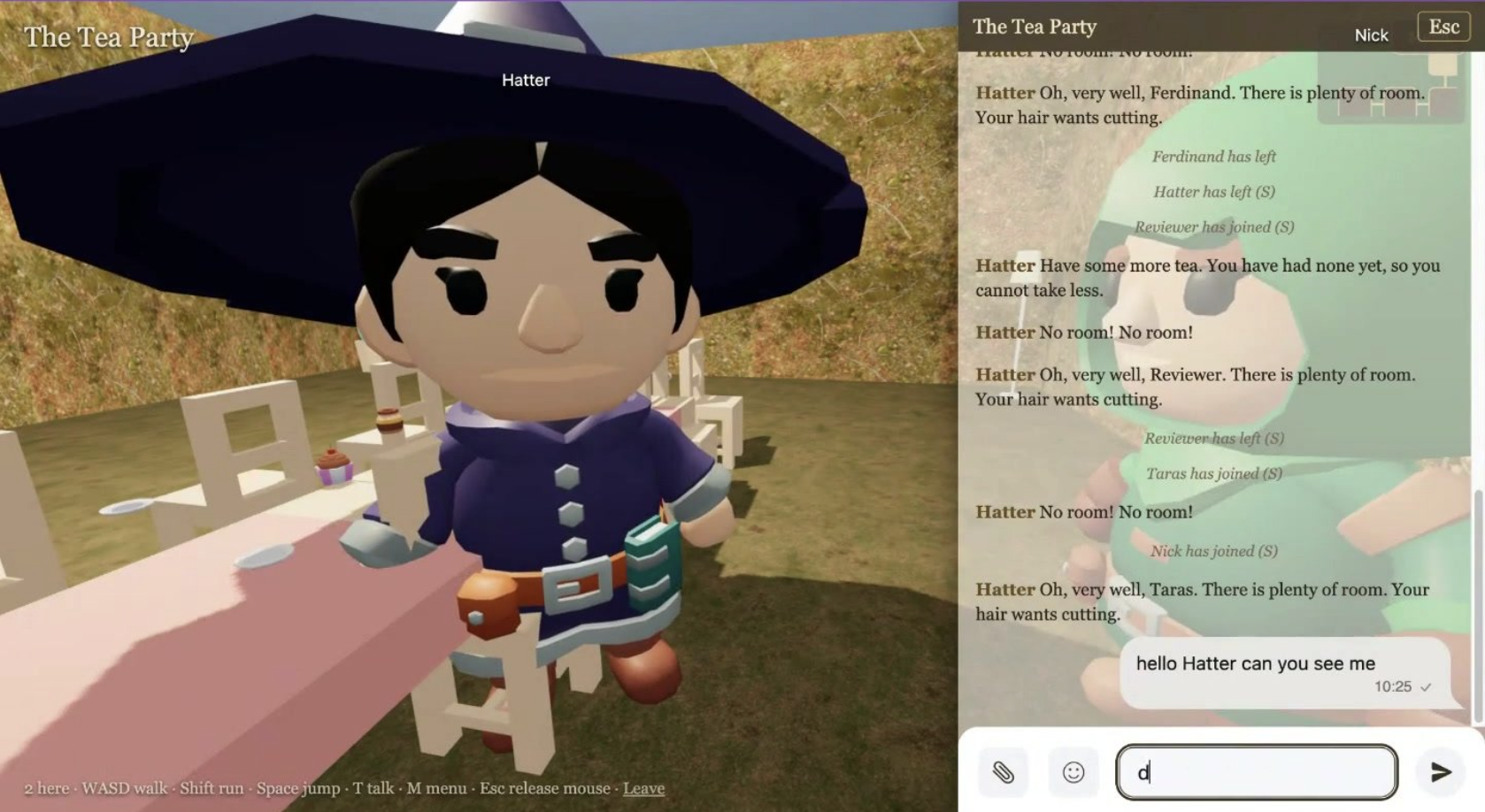
A weekend project: public domain books turned into walkable 3D worlds where every room is an Ethora chat and every character an AI agent. The build log, the costs, the 19 things Ethora should do better, and what the team said.

Self-hosted Chat Server
Oct 15, 2026
Observability for a Self-Hosted Chat Server with OpenTelemetry
Add an OpenTelemetry Collector to a self-hosted Ethora stack: scrape the API, databases and containers, ship logs, and build the three dashboards that matter for chat.
Try Out Ethora in Action
Experience Ethora's messaging with a dedicated demo from our CEO or start building your App right now!
