From one prompt to a working chat
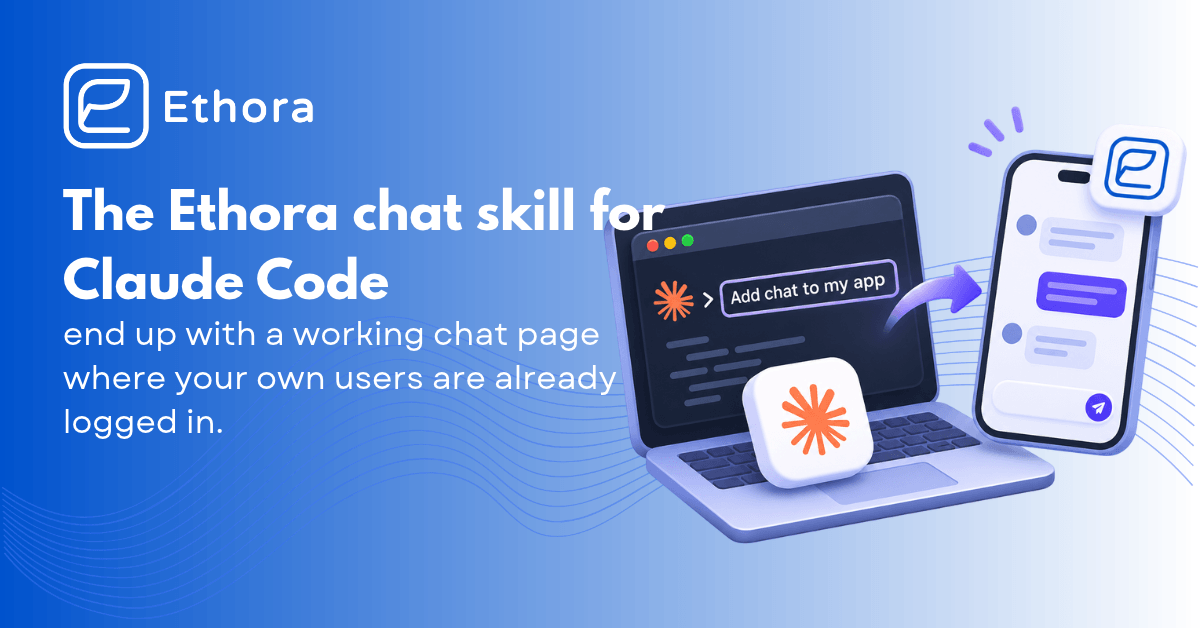
Adding chat to an app usually costs a day or two: reading SDK docs, wiring providers, creating credentials in an admin panel and working out how your users get signed in. The Ethora chat skill for Claude Code does that work for you. Open your project, type add chat to my app, answer a few questions, and you end up with a working chat page where your own users are already logged in.
The skill works with React web apps (Vite, Next.js, Create React App) and React Native apps (Expo or bare). If you don’t have a project yet, it scaffolds one first. It is open source, MIT licensed, and lives on GitHub at dappros/chat-ethora-skill.
Watch the 3-minute demo
Installing the skill, web vs React Native detection, Ethora account setup, auto sign-in through your backend and the first message, end to end:
What the skill does, step by step
One sentence in Claude Code, six steps done for you:
- Detect the project. Web or React Native, the framework, router, package manager and env-file convention, plus any backend nearby (Node, Python, PHP, Ruby, Go, Java/Kotlin or .NET).
- Install the latest SDK. @ethora/chat-component for web or @ethora/chat-component-rn for React Native, always the current stable release. If an older version is already installed, it shows you both versions and offers the upgrade instead of changing it silently.
- Place the chat. On a page or screen you already have, or on a new /chat route. It registers the route in your router and adds a link so the chat is reachable.
- Connect Ethora. You sign in to the Ethora admin (or register) from your terminal, pick an existing app or create a new one, and the credentials go into a local profile and your env files.
- Wire sign-in. Your users land in the chat already signed in, through a short-lived token from your backend (more on that below).
- Verify. A check script confirms the API is reachable, the app token matches the app, a signed token is accepted and the chat server answers, before you even start the dev server.
Claude stops to ask only about the decisions that are really yours: which page or screen, how users sign in, Ethora Cloud or self-hosted, which account and which app. Everything else, like the package manager, file names and where the templates go, it decides on its own.
Install the skill
Pick one of three ways. The plugin marketplace is the easiest to keep up to date.
Option A: plugin marketplace (recommended)
/plugin marketplace add dappros/chat-ethora-skill
/plugin install ethora-skill@ethora
Option B: clone into a project
# pinned to the repo, shared with your team
git clone https://github.com/dappros/chat-ethora-skill .claude/skills/ethora-skill
Option C: npx skills (Claude Code, Cursor, Codex and other agents)
npx skills add dappros/chat-ethora-skillThen open your project and ask Claude Code to add Ethora chat to this app, or run /ethora-skill.
Does it change my backend?
Only if you agree. For users to land in the chat already signed in, the chat needs a short-lived token signed with your Ethora app secret, and that secret can never live in a browser or a mobile app. So auto sign-in needs one server route, GET /api/ethora/token. The skill tells you this up front and then follows your situation:
| Your situation | What the skill does |
|---|---|
| You own the backend | Adds the token route behind your existing auth, in your backend’s language. Node templates are included; Python, PHP, Ruby, Go, Java/Kotlin and .NET are written from the same contract. |
| The backend belongs to another team | Leaves it alone, writes ETHORA_BACKEND.md with the contract and reference code for that team, and uses a temporary dev token so you can keep working. |
| There is no backend | Uses Ethora’s own login inside the chat (separate chat accounts) or a dev-only token. |
Anything dev-only is labelled as such, both in the code and in the summary Claude gives you at the end, so nothing temporary slips into production unnoticed.
Web and React Native
Web (React)
On the web the skill installs the chat component, imports its stylesheet, wraps the chat in XmppProvider (on the page, or at the app root if you want unread badges elsewhere) and passes one shared config to both. It knows the router and env conventions of Vite, Next.js and Create React App. See the React chat SDK and the npm chat component for what the component can do once it’s in.
React Native (Expo or bare)
The React Native SDK has native modules, so it doesn’t run in Expo Go. The skill installs the native dependencies with expo install first (a plain npm install hits peer conflicts on fresh Expo apps), then the SDK, runs expo-doctor and tells you right away to use a development build: npx expo run:ios or npx expo run:android. More on the React Native chat SDK.
Your credentials stay on your machine
- Your Ethora password and MFA code are typed only by you, at a hidden prompt in your own terminal. They are never stored and never pass through Claude.
- The selected app’s credentials are saved in
~/.ethora/profiles.jsonon your machine, the same filenpx @ethora/setupuses. - The app secret goes only into server-side env files, never into a public variable, and the env files are added to
.gitignore. - The scripts talk only to the Ethora API you chose. No telemetry.
Ethora Cloud or self-hosted
By default the skill uses Ethora Cloud. If you run your own Ethora server, point the skill at your API address and the same flow works with your hostnames. See self-hosted chat server for running Ethora on your own infrastructure.
One thing to know: a custom API only works if it is an Ethora deployment, with the same API endpoints and an Ethora-compatible XMPP server. Your own unrelated backend or another chat vendor won’t work as the chat server.
Skill or MCP server?
Ethora also has an MCP server for Claude Code. The two solve different problems and work well together. The skill writes the integration into your app: the SDK, the chat page, config and the sign-in route. The MCP server lets Claude manage your Ethora backend while it codes: apps, rooms, agents and knowledge bases.
FAQ
Yes. The skill is open source under the MIT license. Ethora itself has a free tier to get started; see pricing for production plans.
React web apps (Vite, Next.js, Create React App) and React Native apps (Expo or bare). With no project at all it scaffolds a new one first. In a backend-only repo it adds just the token route.
Yes. Installed with npx skills, it also works in Cursor, Codex and other agents. It works best in Claude Code: elsewhere the scripts run the same, but the step-by-step questions may look different.
Yes, but you don’t have to leave the terminal for it: the skill lets you sign in or register during setup. You can also create a free account in advance.