

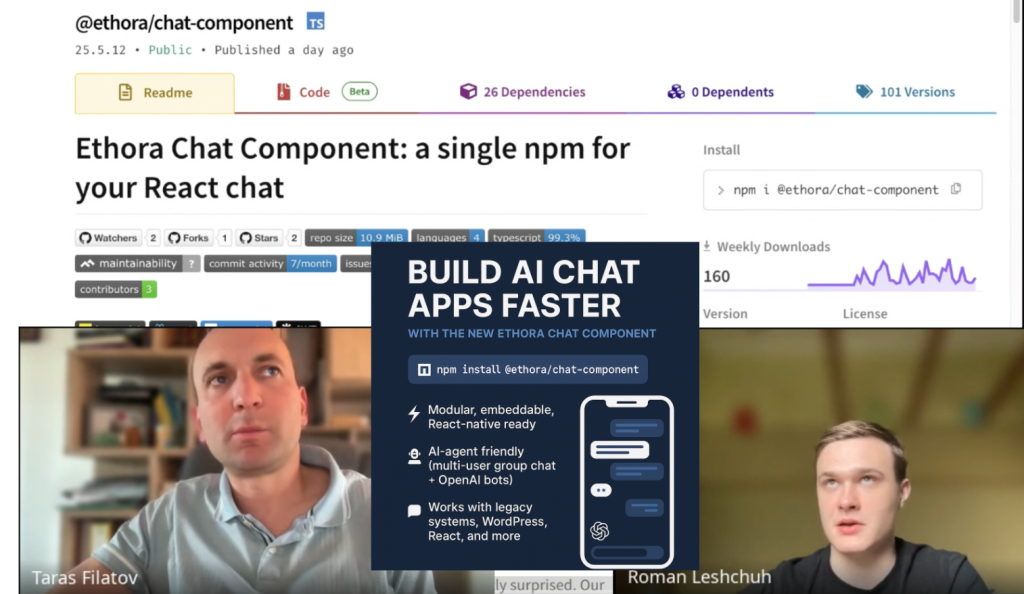
Taras Filatov (Ethora founder & CEO) interviews Roman Leshchuh, our Lead Frontend Engineer, regarding Ethora Chat Component NPM and what it means for integrating chat / messaging or building your own AI agent app.
Interview summary: Ethora Chat Component: Your Fast-Track to Messaging & AI Agent Apps
By Taras Filatov, Founder & CEO of Ethora
Featuring Roman Leshchuh, Lead Frontend Engineer
On Friday, June 13th, 2025, I sat down with Roman Leshchuh, our Lead Frontend Engineer at Ethora, to discuss a major milestone in our journey: the release of the Ethora Chat Component as a standalone NPM package, as part of Ethora’s Chat SDK.
In this post, I’d like to share what this means for developers, startups, enterprises, and AI builders looking to quickly embed modern chat functionality or deploy their own AI agents into apps.
What Is the Ethora Chat Component?
The Ethora Chat Component is a pre-packaged, plug-and-play React.js-based module published on npmjs.com, allowing developers to integrate a powerful messaging interface into any web app with just a few lines of code.
“It’s a simplified, streamlined version of the Ethora engine. It connects to our backend and XMPP-based chat server via an XMPP provider, enabling real-time messaging with ease.”
— Roman Leshchuh
It’s the core chat UI and messaging logic that powers our entire platform—now decoupled and made available as a flexible building block for your own apps.
Why Use an NPM Package Instead of Just GitHub?
Unlike a GitHub repo, which requires manual setup and dependency handling, the NPM package can be added to your project instantly with:
npm install @ethora/chat-component
It takes care of dependencies, versioning, and structure, letting you focus on what matters: your app.
“It significantly reduces setup time and makes updates far easier to manage.”
— Roman Leshchuh
Under the Hood: Architecture & Modularity
While the package installs as a single module, it’s composed of well-structured parts:
- 🔧 UI Components
- 🧠 Global State Store (Redux)
- 🌐 XMPP Protocol Integration
- ⚙️ Networking Logic & Configuration
We’re already exploring nested NPM packages — so in the future, developers will be able to install just the parts they need, such as only the UI or only the XMPP logic.
Frameworks & Compatibility
The chat component is built natively for React.js and works seamlessly with:
- React + TypeScript (recommended)
- React + JavaScript
- Next.js
It’s also embeddable into other frameworks (like Angular, Vue, or plain JavaScript) using iframes or by injecting build files into the DOM—making it great for legacy system integration.
“We’ve even tested it on WordPress—developers can inject it into a template using a simple
<div>and some script logic.”
— Roman Leshchuh
Real-World Use Cases
Here’s where things get exciting. You can use the Ethora Chat Component to:
✅ Add modern group chat to any website
✅ Build your own AI agent app (with login, chat, and real-time interaction)
✅ Integrate messaging into legacy systems
✅ Style it for niche communities (e.g., chat for a dog lovers’ site!)
✅ Deliver audio/video messages or bot responses
✅ Launch secure iOS/Android chat apps using React Native
We’ve designed it for maximum flexibility—you can use it as a whole or extract and customize parts like message bubbles, input boxes, and chat headers.
AI Agent Integration: Ready for the Future
Modern AI-assisted coding tools like V0, Vercel AI, and Cursor are great for UI prototyping. But they don’t yet handle complex backends or real-time infrastructure.
That’s where we come in.
The Ethora Chat Component already connects to:
- ✅ A scalable backend (via the Ethora API)
- ✅ An industrial-grade XMPP server (Ejabberd, same as WhatsApp)
This means you can build apps powered by OpenAI, Claude, or custom models with full real-time messaging, authentication, and chat context history out of the box.
“Unlike ChatGPT where only one person interacts with the bot, our infrastructure lets your whole team or user base interact with AI in a shared group chat.”
— Roman Leshchuh
Developer-Friendly, AI-Ready
Whether you’re a solo builder or part of a large team, this package:
- 💬 Enables real-time collaboration via chat
- 🤖 Supports AI agent integration and multi-user interaction
- 🧱 Offers easy back-end to back-end integration via API
- 🪄 Works with AI tools to generate custom UI (e.g. styling chat bubbles)
What’s Next?
We’re building toward a Bot Marketplace where developers can deploy and share their AI agents easily.
Also, stay tuned for:
- 🎯 React Native version (already in progress)
- 📦 Nested npm modules for smaller builds
- 🔌 WordPress plugin (planned)
- 🧠 Built-in SDK for bot creation and interaction
- 🔊 Audio/Video bot messaging use cases (e.g. text-to-speech bots)
Try It Yourself
- Visit ethora.com and create your free account
- Generate an app from your dashboard
- Retrieve your API keys and config
- Install the component:
npm install @ethora/chat-component
- Add it to your React app (or integrate via iframe / vanilla Javascript options for other platforms)
- Style it. Extend it. Launch your own AI-powered chat app 🚀
Final Thoughts
We believe communication infrastructure shouldn’t be a bottleneck for AI innovation. That’s why we’ve made our core tech accessible and developer-friendly.
So whether you’re building a niche app for your community, an internal chatbot for your team, or the next AI-powered SaaS—Ethora Chat Component has your back.
For more information on ways to integrate chat / messaging into your projects, check out Ethora Chat SDK section.
Resources
- Video recording of the interview: https://www.youtube.com/watch?v=syn7zRrt_Ps
- Full transcript of the interview: see below
- Ethora Chat Component NPM package download page: https://www.npmjs.com/package/@ethora/chat-component
- Github page (source codes): https://github.com/dappros/ethora-chat-component
- DXHub Playground: see an example of AI Chat implemented with Ethora Chat Component: https://playground.deepxhub.com/
Full transcript
Read below for the detailed and unabridged transcript of the interview.
00:00:00
Taras Filatov: Okay. So let’s start. Today is Friday 13th of June 2025 and today we are talking with Roman Leshchuh who is a lead engineer of front-end development within the Ethora team. Hello Roman, how are you doing?
Roman Leshchuh: Hello. Everything is okay
Taras Filatov: Perfect. So today we would like to talk about the Ethora React NPM Chat Component and what this means for building your own AI agent apps. So let’s start like because you are the the father we can say you’re the author of the Tora npm chat component you created it you packaged the npm so can you tell a little bit more about what it is what is this npm chat component
Roman Leshchuh: Yep. So as you said the Ethora Chat Component is prepackaged ready to use React component which is published on npm. So this component lets developers integrate a full chat experience into web apps quickly and easily. So, it was extracted from our larger super app engine.
00:01:32
Roman Leshchuh: It was [done] so it’s simplified and I guess a more speeded version of Ethora. So it uses XMPP chat protocol and connects to Ejabberd chat server for robust instant messaging and I guess real power of the chat component comes from XMPP provider which manage manage the realtime connection and makes chat functionality available anywhere in your app and also you can use the chat component anywhere in your app. So yeah, that’s it.
Taras Filatov: Sounds great. Thank you. And just for those who don’t maybe understand the specifics of npm packages, how is it different like so we published this as an npm package. It’s available on npmjs.com. How is this different from publishing our code just on GitHub as an open source repository for example?
Roman Leshchuh: so basically npm package transforms source code into direct installable dependency.
Taras Filatov: Mhm.
Roman Leshchuh: So it doesn’t require cloning manual dependency managing precise integration as needed in GitHub [scenario].
00:03:08
Roman Leshchuh: So single command npm install and Ethora chat component handles all dependencies and versioning and also so it significantly reduces setup time allowing user to create cleaner project structure and simplifies the updates of Ethora component.
Taras Filatov: So basically it’s a ready package and making it easier for developers to build something with this component.. And npm is particularly popular across which technical stack, like JavaScript, TypeScript, Node?
Roman Leshchuh: Yeah. So basically it is popular within the I guess JavaScript frameworks and variants. So basically React, Next.js, React Native, Angular, Vue.js. They all use npm. So npm is node package manager. So it’s basically for packages for JavaScript.
Taras Filatov: Okay. So, yeah, makes sense mainly for JavaScript developers, but obviously because within Ethora we use React.js for web version of the front end, we use React Native for iOS and Android mobile version. So, this makes sense totally for us to release the modular bit, the most important modular bit, as an npm package.
00:04:52
Taras Filatov: So in terms of like structure, architecture is there like some internal structure, architecture to npm packages normally or to our specific package or is it like coming as one, you know, one piece and it just includes everything?
Roman Leshchuh: So at the very end we have one piece one package but
Taras Filatov: Mhm.
Roman Leshchuh: inside we have I guess some, many many structures. So we have the structure as a folder for our UI components. Then we have the structure for our global store which is written in Redux and also we have the XMPP structure where we have done all the functionality for XMPP and the jabber connection. So..
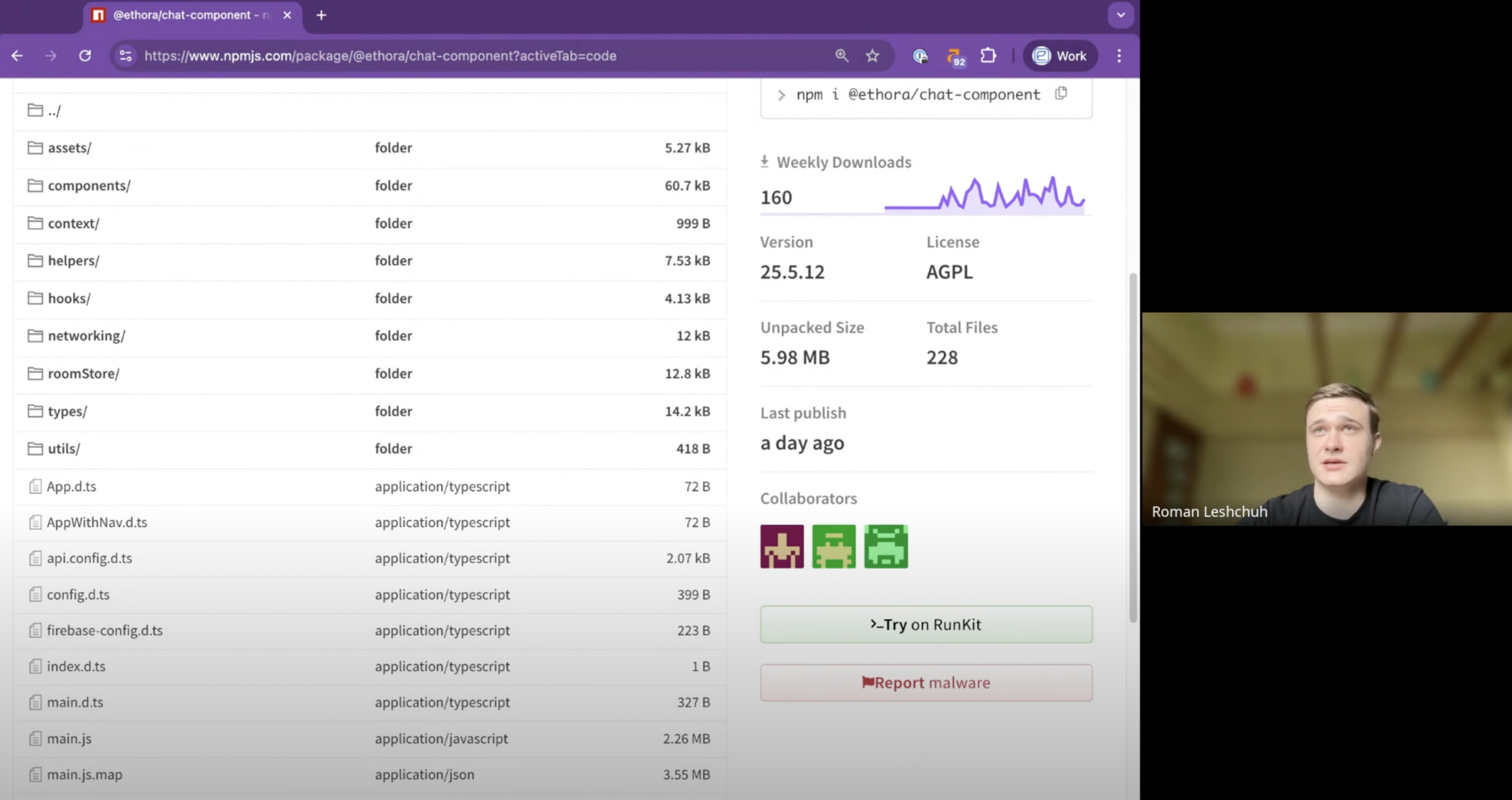
Taras Filatov: Okay. And then I’m just looking at the code which is, so npm is showing us the code structure. So there is a networking folder. There are components and assets folders. So that’s what you’re talking about, right?
Roman Leshchuh: yeah,
Taras Filatov: Different kind of submodules, but it’s all packaged into one component,
00:06:05
Roman Leshchuh: yeah. So we have at the very end we have just a few files. So it’s bundled JavaScript file bundled CSS file and that’s all
Taras Filatov: right? And how could this develop? So like if we, like you and I, discuss as members of our team, our R&D team. So is this going to remain as one npm package or do we have like is it possible depending on feedback from developers and requirements that we should break it down into multiple packages or create some nested structure? I think we discussed that briefly, right? So what’s your opinion today about those kinds of things?
Roman Leshchuh: Yes. So we will possibly move towards nested npm packages where we can split the main package with from Ethora component to the XMPP, for the store, and for UI components. So whenever some developer or user wants to install some package independently it will be available for him.
Taras Filatov: Okay, perfect.
00:07:26
Taras Filatov: So that will help in situations where you probably some like a developer or organization they don’t need everything that we have in the current npm package and they only need like potentially just like simpler UI or just networking bit or maybe just like one of the screens like or right something like that so they can choose. So do you understand it correctly that when it’s nested there will be like one parent or something like that like component which might include other components or is it not the case
Roman Leshchuh: Yep. So basically our goal is to balance simplicity with advanced customization.
Taras Filatov: Right.
Roman Leshchuh: So yep. So we will have one parent package. so it is now called chat component at chat component and then whenever user wants to install the XMPP independently he will have the opportunity to do this.
Taras Filatov: Okay, understood. Thank you. And now like so if we go so I mean this this has the realme it has documentation in terms of how to install and and by the way so one thing yeah I just forgot to ask so the size right so right now the size unpacked size is like around 6 megabytes does it mean that the app so what what would be the size added to the app when they Someone uses the
00:09:01
Taras Filatov: Ethora Chat Component.
Roman Leshchuh: So, it depends on cache and everything else, but I guess it will be up to 20 megabytes. But
Taras Filatov: Mhm.
Roman Leshchuh: I guess that’s all right for the whole messaging app in npm.
Taras Filatov: Mhm. Right. And once we create this like nested structure, we will potentially allow developers to make it easier for them to only include the bits which are required for their project. So that means it will be less of a size addition. I mean 20 megabytes is not a huge size but we will make further improvements there. Right?
Roman Leshchuh: Yeah. And also we will make some refactoring to reduce the size by for the chat component itself and also creating some interdependable structures inside the chat component allows us to create chat component for React Native. So it is basically done but we will improve it in next versions.
Taras Filatov: Perfect. Thank you. So that’s clear and for me and I hope clear for those who will listen to this or read our discussion.
00:10:18
Taras Filatov: so next question is could you shed more light into frameworks and variants? So when I was testing this, so this uses vite package for installation. So when you type npm create vite and then, so I mean before we deploy chat component we.. is there like recommendation to which framework or which variation to use with like a template or boilerplate vite project because we can see options for vanilla I assume JavaScript vanilla for view I assume Vue.js, JS, React, Pact which I don’t know much about, Quick, and others and then so can you tell more about which is the recommended option here
Roman Leshchuh: Okay. So so chat component integrates seamlessly into a react project. So next.js create react app with it will all work with chat component seamlessly. But if you talk about angular view or swelte, it depends how you install it because you can just create a react app and host it somewhere and use our chat component inside your angular app via iframe.
00:11:51
Roman Leshchuh: But for now we don’t have the opportunity to direct support for angular or..
Taras Filatov: So, to summarize do I understand it correctly that if someone builds a project like from scratch then we recommend using React because that’s our native code used for chat component. That’s like the our the native framework for us. However, we also support vanilla JavaScript, for example, or other frameworks potentially. It just might need like some like further debugging or you know specific type of configuration or integration. So basically the choice here is if you build a new app from scratch then just go for React. But if you have some existing code like written in vanilla JavaScript or for example in Vue then you might want to choose that option to make it easier to integrate Chat Component into your existing project. Right?
Roman Leshchuh: Yeah. So basically in these screenshots we can see how to create a React app. So just. Yeah. So our option and we recommend using React with TypeScript; but also React with vanilla JavaScript will also work as well as NextJS with TypeScript.
00:13:25
Taras Filatov: Okay, understood. So, same applies to framework. So, this will be basically up to developers depending on whether they have existing project code and they have some preference for the framework there. If they don’t then we recommend going for React and Typescript. Right?
Roman Leshchuh: Yeah.
Taras Filatov: Okay. Thank you. So we talked a little bit about possible way to deploy so there is like full instruction here.
Taras Filatov: then you deploy the “npm install chat component”, replace the code in the main application file, and then you run and then you see the chat window. So let’s briefly talk about possible use cases because when we obviously released this as a chat component and I’ll just like explain that quickly to everybody that before we released it as a chat component we and at the moment we also have the whole app. So there is a code base for the whole Ethora engine for web app for ReactJS app and for react native app for iOS and Android.
00:14:45
Taras Filatov: So before we had like the whole engine, and we still have it published on GitHub as an open source. So now we have released the chat component as like a lower level, a smaller piece but which is highly reusable and we have updated our engine for our mobile app and our front web app. So the chat component is like an important core bit inside it. So this means that we can support more of different use cases because previously when we release the whole app it could be too complex for or too advanced or too broad for some of the use cases that potentially our customers or developers would have. So if you don’t need the whole app, you only have like some existing project and you want to integrate it there or you want something simpler just like the chat screen, our previous approach was not ideal for you because you would need to work through a lot of code and extract bits that remove bits like lots of dependencies. So that would be difficult.
00:16:01
Taras Filatov: Now as I understand it, with chat component it’s much easier to build something simpler or integrate into existing project or some legacy software if needed. So let’s briefly discuss the use cases. So my understanding that one of the use cases could be that integration.. So we talked about a new app. So we can build a new app for group chat, AI agent capabilities using chat component, and it works. And the chat component includes a login section as well, right? So the login screen. So we can [implement] the whole thing starting from the login screen to list of chats to the chat experience itself. But it’s also customizable. So if needed the developer can just use just a part of it, right?
Roman Leshchuh: Yeah. So I guess our use cases were just like as you said embedding into legacy software. So when some client has some software or website we can integrate our Chat Component inside it seamlessly even if it is vanilla JavaScript because
00:17:19
Taras Filatov: So..
Roman Leshchuh: we just
Taras Filatov: Yeah, sorry – quick question about that immediately. So you mentioned vanilla JavaScript. So does it mean so when you want to add a chat widget so you say you have some legacy web portal you want to add like chat window there. So what options do you have? Do you have it like as a chat widget? Do you integrate it as part of your web app / web page or do you do like iframe, and do you have to choose the same framework as you have? So if you have JavaScript then you then you choose vanilla JavaScript to build our chat component
Roman Leshchuh: Yeah. Okay. So basically as you said there are two ways:
1. So user can host somewhere the app with chat component itself and use it in iframe inside his legacy app and
2. if user wants he can integrate the chat component inside vanilla JavaScript using the build files.
00:18:22
Roman Leshchuh: Yeah.
Taras Filatov: Mhm.
Roman Leshchuh: So both ways works
Taras Filatov: Right. Okay.
Roman Leshchuh: also. I guess other use cases are building something like a web app for group chat or AI agent capabilities or building iOS or Android apps with React Native and also you created some WordPress build. So for WordPress it it is also easy to integrate
Taras Filatov: Okay. So, WordPress – lots of people have WordPress powered websites. I mean visitors don’t always know that but like most of us will appreciate that a lot of websites on the internet are powered by WordPress CMS engine. So how can someone who has a WordPress website use our chat component to add a chat to their website? would they need to do some – I mean right at the moment we’ve done some experimental things as you mentioned we didn’t release the WordPress plug-in yet so they cannot go to some plug-in section and enable it automatically so before we have that option can they still benefit from the chat component if they have the WordPress website or maybe some other CMS system website?
00:19:56
Roman Leshchuh: yeah, I guess so the the main so users can add the chat component into WordPress as alike to vanilla JavaScript. So they basically add some element from HTML like div and give it an id or class name and using this class name they select this element and integrate chat component inside it using our javascript script.
Taras Filatov: Right. So it’s like a div element and then you can pretty much insert it into your WordPress template or footer or somewhere depending where you insert it and depending on your theme it will be showing the group web chat somewhere in your layout. And as I understand it, unless the website owner has done some further integration with the like back end like existing like users management system or WordPress system then it will just show our standard login screen for the user to authenticate and then once user the end user or visitor authenticates using for example email and password or Google Single Sign On then they will be able to participate in a group chat in that specific website.
00:21:29
Taras Filatov: but also potentially, again – correct me if I’m wrong, but the developer, the owner of the website can enable / disable some things or change the behavior of our login or user authentication. For example, if they want just one user to be there like hardcoded so anybody can just write messages without having to log in or having some random, you know, gravatars or something like that generated just for visitors just to talk just right now but without having to login and to remember their accounts for future. So there are options and choices there to choose from, right?
Roman Leshchuh: Yeah. So also I can add that we have added the back end support
Taras Filatov: Mhm.
Roman Leshchuh: where user can create some app calls for our Ethora back end and it helps with creating chat rooms. So you just send the data into the chat component via config and it helps to authenticate users as well.
00:22:51
Taras Filatov: Mhm.
Roman Leshchuh: So guess
Taras Filatov: Right. so and I’m just looking at Firebase here. So Firebase so to allow the owners of the website of or the app to onboard end users with Google single sign on, they have to set up the Firebase ID, right?
Roman Leshchuh: Yep. For now we use Firebase from Ethora to authenticate users.
Taras Filatov: Mhm.
Roman Leshchuh: So if someone needs our sign on he should ask us for adding their website to the allowed domains on Firebase. But if a user wants to use his own Firebase app, he can change it via config and it will still work.
Taras Filatov: Okay, perfect. So that totally makes sense. Let’s see. So, we just talked about the back end and I’m just looking at what would be the experience. So, because obviously the chat component comes connected to like two at least two of networking or communication channels. One is the API of Ethora platform and another one is the XMPPP protocol for the chat server.
00:24:35
Taras Filatov: So immediately like I mean out of the box is it connected to a specific app, or do we expect the user or the customer to to set up their own application ID from the back end?
Roman Leshchuh: Yep. so it is immediately connected to beta website back end
Taras Filatov: Mhm.
Roman Leshchuh: but also you using config you can use your own app. So you basically go to Ethora.com then you create an app there and you can find your config data in the API tab in your app on beta. Yep.
Taras Filatov: Mhm.
Roman Leshchuh: So just go to API. So this is a key used for your app and it helps to get your full information to get an app token. So you can communicate with your API. So you basically also can set the config for XMPP. So there will be XMPP provider, XMPP domain and for now XMPP is used mostly on Ethora.
Taras Filatov: Right.
00:26:06
Taras Filatov: Thank you. So just to summarize and clarify this for for developers there is like a standard setting but you are expected if you want your chat component to to use your your own context, your own backend application, just go to Ethora.com, sign up here for the free plan and once you create your app it will look like this. So you will be able to see your application. You can change your appearance like other things. Here you see the web address URL for your web application. You can create a mobile app build and in the API section you can retrieve your key and secret for your API and then you can add it into your chat component [config file]. So your end users will be chatting within your own backend context. So okay, I think we clarified that.
Roman Leshchuh: Yeah,
Taras Filatov: uh
Roman Leshchuh: I just
Taras Filatov: so
Roman Leshchuh: want to add one point. So in Ethora [admin panel] the secret and key you use for back end to back end connection.
00:27:22
Roman Leshchuh: But when you have a backend to backend connection in your app, you use your API to connect with the beta API. So you can retrieve the data for authenticating the user in
Taras Filatov: All right.
Roman Leshchuh: that component.
Taras Filatov: Good. Thank you. Um, yeah. So that’s another thing. So you previously mentioned that obviously we have this option for back end to back end connection. So that means better options for advanced integration of the chat component into existing legacy software. So for example someone as a developer as a tech manager you have a legacy software, some certain enterprise application which has a web portal for example and you need to add messaging in there you would want to somehow resolve the replication of users. So you can use it for a chat component for all new users, it will be working fine but to tie together the registrations of your users and to make sure that all the accounts are created.
00:28:43
Taras Filatov: there is this back end to back end option and there is this option to use the API and to create end users and to replicate their creation with your existing legacy software. Also, Ethora API supports external ID. So that means that you could leverage your existing system of identification for your users in your system and you don’t have in your system to remember how the users identified on the Ethora backend side. So we clarified that. So that’s great. But now like this like this whole discussion about back end brings me to the point of what I mean like now nowadays as we discussed with Euromman we’re like experimenting you’re experimenting with a lot of new AI assisted tools like you know v Vzero Versel Lavable and I I spent quite a lot of time with Corsor and things like that so u obviously these sort of AI assisted coding platforms help developers or even non-developers in some cases to build applications or at least prototypes faster.
00:30:10
Taras Filatov: So where does this position us [vis a vis] the current state of the things and where the things are going? Where does the Ethora chat component sit there and what does it mean for the future, could it be used together or like when somebody can ask [AI assisted IDE systems] like v0, Vercel, Loveable to create a front- end application for yourself. So does it mean that our chat component is still useful or will it be used as part of that or is it, like, becoming obsolete, like what’s your thoughts about this?
Roman Leshchuh: So I think these AI tools help you to create your app to show your vision. But if you want to add the chat to your app, Ethora chat component is I guess one of the best options because it is added very easily. So you just, as you mentioned, you just npm install it and every AI tool can help with it and also every AI tool can help with creating the config file, the styling for chat component because chat component is easily styled.
00:31:35
Roman Leshchuh: So you can change message bubble, inputs, you can change background. So if you have an app about some cats or dogs, you can style the chat component as you want. So I guess we try to keep up with every AI tool and we can also integrate the bot who is an AI agent inside our chat component. So you can create an app using the child component itself.
Taras Filatov: That’s perfect. I actually want to come back to this point. I just come back to this a bit later just to clarify and summarize; and the reason that I brought up this question was that I just got reminded through our backend discussion. So in my experience, I don’t know – maybe you have more understanding there, but currently so systems like vercel, loveable and others they help you create mainly like a front end application from scratch so you can [get] like a prototype of your interface so they’re not so strong with the backend side of the things. So currently at least that’s the state of the AI assisted coding as I understand. I mean it’s going through phases so it started with the first phase where it does just auto completion of the line line of the code, second phase is where it does agentic implementation of a small
00:33:15
Taras Filatov: application or like at least some lines of the code and it’s aware of your code base and now we are going to like through a beginning of the third phase where potentially you can leave it working at night or in the background, like we have already experimented with Cursor and others where it does implement potentially a whole project without asking you any questions but still it’s a bit tricky and it’s not strong in the backend kind of thing. So I guess the point I wanted to make here, but, you know, correct me if I’m wrong, or maybe make counter points, is – am I correct in understanding that so when you build like an AI generated prototype currently you will not have the back end implemented. So what’s the advantage of the chat component as we have it right now it’s already plugged into the API, into XMPP, into the protocols, into the chat server and obviously into this whole infrastructure which has been developed and implemented using like many years of, and using a lot of experience specifically in this infrastructure, for example things like Ejabberd chat server which we use same technology which has been used by WhatsApp, and things like that.
00:34:40
Taras Filatov: So my understanding is that AI development tools are not able at the moment to build those kinds of complex backend items. However, with the front end and with prototyping of some UI and of the front end interface, they’re super helpful. And then that’s probably like coming to like the next question then maybe if you have any comments on this or like answer to this like next question that I have is if somebody wants their own type of style or UI and they love what you know Vercel or Loveable built for them in terms of front end, but they want to use our chat component as part of that development and they want to somehow connect it together. Is it possible or is it like that would be like completely different things? So they can just use the AI generated stuff just to show it to some developers and say – this is how I want it. Can you now style the chat component according to my prototype.. Or is it possible actually to combine and bring these things together somehow?
00:35:59
Roman Leshchuh: Yeah. Yeah. So you can just create some parts of the chat component using v0 or loveable. So you just say to them: create me some edited message bubble for chat component. So the AI will know which types we need, which props we need to pass to this component and it will create the working UI component, for example a chat bubble. So for now we have some view where you can right click on it and it will show us some reply or copy message so some actions and if you don’t want it, you just ask the AI agent to create some custom message bubble for you with a custom color, with custom borders and other styling, maybe with some animation. So and you just pass it as a custom message bubble and it will work. So it will work for other components as well.
Taras Filatov: Interesting. So you can actually use those AI assisted [coding] tools to help customize the chat component.
00:37:20
Roman Leshchuh: Yeah. Yeah. Correct.
Taras Filatov: Perfect. Cool. So the next question then I mean we can briefly attach the point that you made for the AI agents. So somebody wants to release their own chat AI agent app, will they be able to use our chat component for that?
Roman Leshchuh: Yeah. So basically we are working to create some SDK for XMPP and after we made this you can use it for adding your bot. Basically you just register an account then you use our API for creating this account then using the XMPP SDK you can add this bot to any chat if you want to and also – which is really good benefit – the chat will work for multiple people so when you use ChatGPT for example OpenAI or Gemini you speak to it by yourself only. But in our chat component and your bot integration, you can make [an AI] chatbot connect with your team or with your whole team, not just one person.
00:38:37
Roman Leshchuh:. Yeah. And it will also handle all the context [such as chat history] for you. No. So you just need to properly setting your AI bot so it can have 10 messages in context or more and you just config it and it will work. So I
Taras Filatov: That’s a great point you just made. So with our chat component infrastructure, when you create your own agent or put existing AI agent like open AI on top of it, you can actually have all of your team in the group chat or maybe your customers or some specific group interacting with this AI agent with this chatbot, which unlocks new possibilities and new potential there, new collaboration and some game mechanics, or like collaborative mechanics which is really interesting. So yeah and again this is an important point I’d also like to underscore. So I think nowadays there is a lot of popularity around AI projects and that’s like that’s fantastic because more developers organizations, startups, enterprise employees, like any enthusiasts who are willing to experiment with these things in many cases find that it’s actually easy to experiment and to build something or to interact with AI agents at the same time.
00:40:20
Taras Filatov: So you can use it for your own, like you can use through an interface like ChatGPT for example, or claude, do some Perplexity search and things like that. At the same time, there are no easy options to take.. You cannot take ChatGPT, put it into your app easily and release it to your clients, to your customers, to your user base or to your employees to be a part of your business process. To do that, you need that infrastructure for your app and you need not just the front end, you need the back end and you need the chat messaging infrastructure. You need some other bits like push notifications. You need file attachments. You need all these things that modern messaging is bringing to us like – somebody’s typing – you can see they’re typing. It could take years, at least like several months to implement those kinds of things properly. So in order to unlock and enable people to create their own AI agent apps that’s what makes us excited and that’s like one of the benefits of the Ethora chat component and of the whole infrastructure that we built.
00:41:41
Taras Filatov: So people can actually focus on building some really interesting AI agent and we take care of all the heavy lifting and all this, like, I call it an iceberg. So those like lower levels of the infrastructure under it that support it all together. So I guess that’s the whole point, right? So I mean yeah and thank you Roman for your fantastic contribution and for your work on making this happen this the whole our front end engine and the chat component. I’m personally super excited and looking forward to see more applications that will use chat component just simply for messaging but also for building and delivering their own AI agents on top of the messaging layer. I think that the future is bright and I’m super happy that we are enabling all of those projects.
Roman Leshchuh: Yeah, I guess I also want to admit that we are, I guess moving to something like a bot marketplace on Ethora. So now if you create some bot you will be able to share it with other people and also I just want to mention that our chat component is compatible with video and audio messages. So you can even use AI to generate some audio video messages for you. Just for example, you can create a bot which will get the text from you and in return he will give you the MP3 file which is just transcribed text to audio. I guess that’s one of the use cases.
Taras Filatov: Wow, that’s really exciting. Yeah, I mean that sounds like a great topic for the next conversation. So, let’s let’s keep it uh
Roman Leshchuh: Yeah.
Taras Filatov: in the notes like the bots marketplace, the further intricacies and specifics of building or delivering your own AI agent on top of it and all the exciting things you can do there. So, let’s plan to talk about that.
Roman Leshchuh: Yeah. Yeah. Thank you as well. Yeah. Have a great day, too. Bye. Peace.
Transcription ended after 00:44:29.
Keep Reading
- Build your first app with React Native
- TypeScript vs JavaScript — choosing the right language
- Build your own self-hosted LLM chatbot with Ethora
Integrate chat and AI into your app — explore the Ethora chat SDK, try the React chat UI kits, or start building for free.
More from Ethora: self-hosted chat server on AWS, Ethora AI SDK.

Share with your community


More Articles

Development
Oct 5, 2026
Cross-Platform App Development Frameworks in 2026: 10 Options Compared, Real Trade-offs, and Chat + AI SDK Fit
In 2026, evaluating cross-platform frameworks is a complex matter. There are many practical questions: Which ones have solid chat and AI SDK support today? Which ones won’t force a painful migration when the next major OS version drops? And what are the real engineering trade-offs once you move past the marketing claims? We’ll look at […]


Healthcare
Oct 1, 2026
HIPAA-Compliant Video API in 2026: What Actually Makes One, Vendor Comparison, and Twilio Video Migration
Consultations, psychiatry meetings, medication management, triage, and other medical encounters often do not require physical presence. Adding video to your healthcare app or platform can be a great idea, as it allows you to hold sessions online without losing the human touch. Using a messaging API to incorporate video into your application makes the whole […]

Try Out Ethora in Action
Experience Ethora's messaging with a dedicated demo from our CEO or start building your App right now!
