Migrating existing server / app
If your server or app have migrated from another server, your Firebase settings would normally have migrated already and there is no need to do anything.
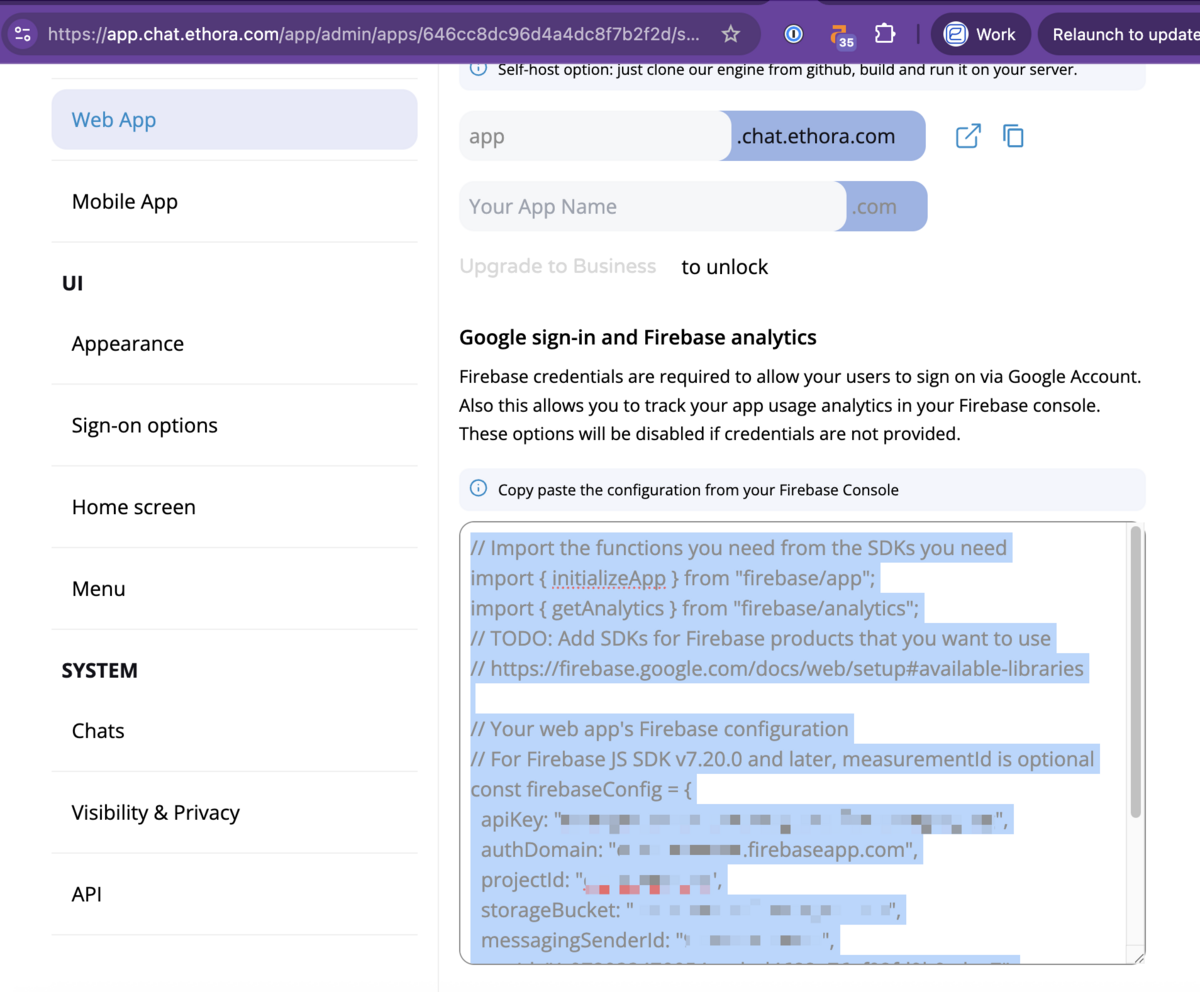
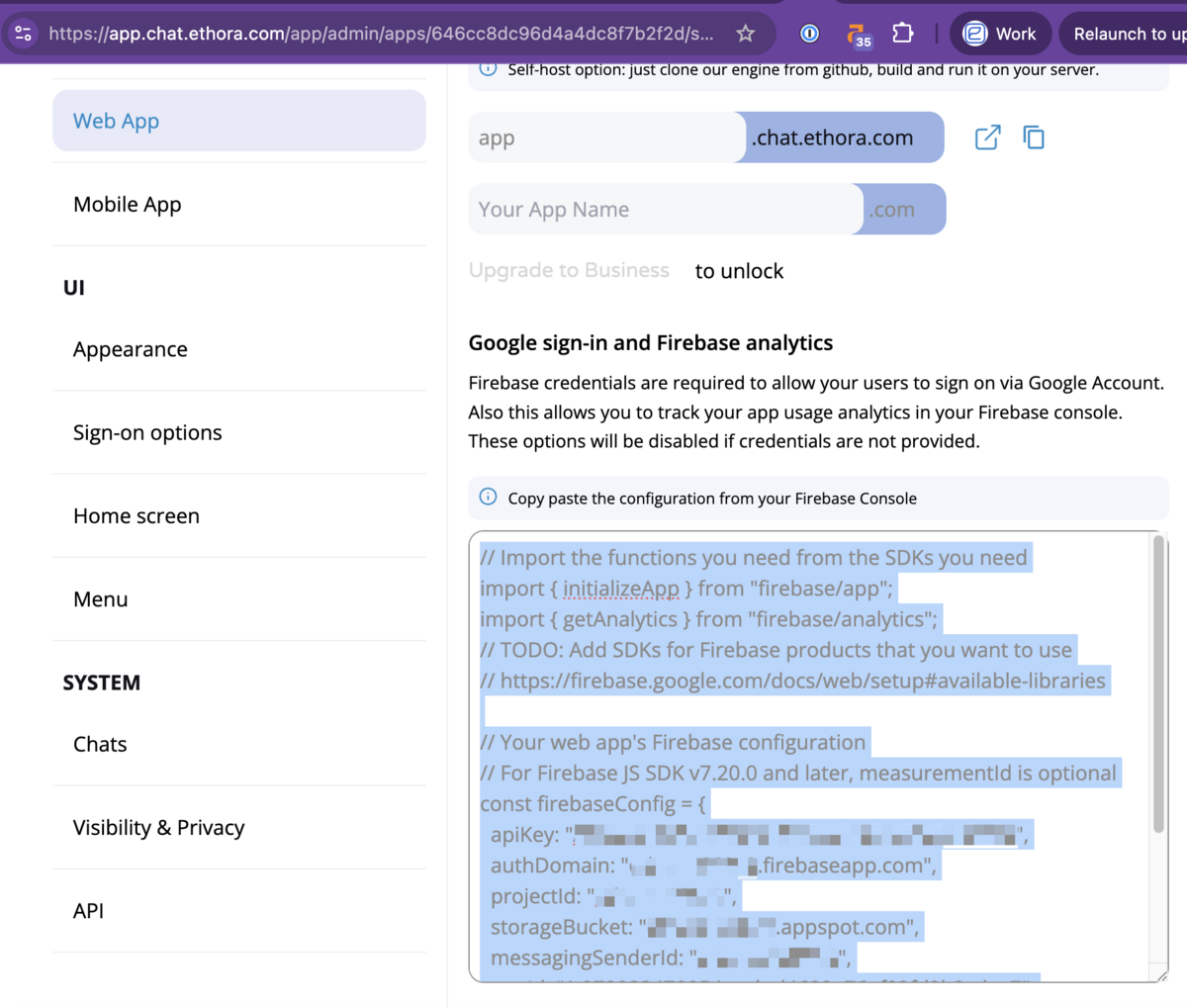
Verify in your admin dashboard -> Web App -> Google sign-in and Firebase analytics section:
Creating a new JSON configuration
If you don't have a Firebase configuration saved for your app yet, follow the instructions below.
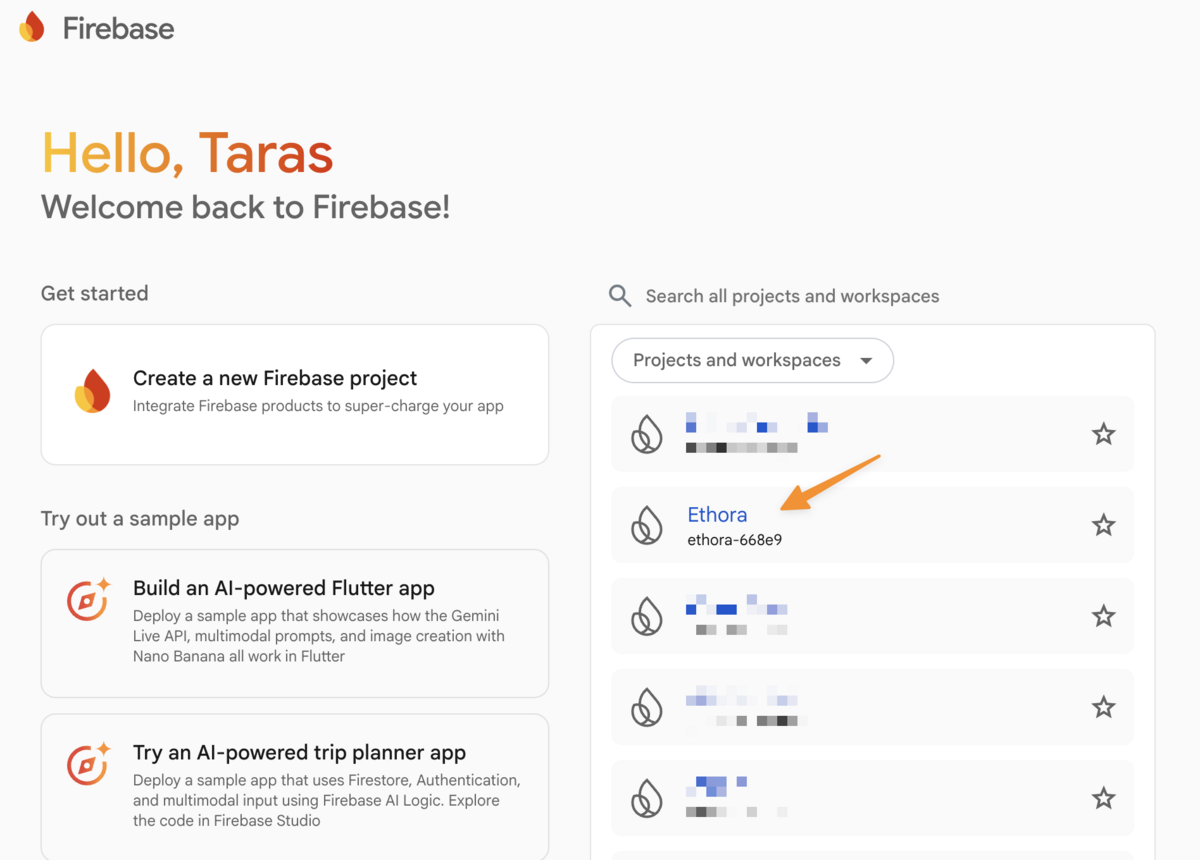
Go to firebase console: https://console.firebase.google.com/u/0/
Select your relevant application. (If it doesn't exist, create a new one)
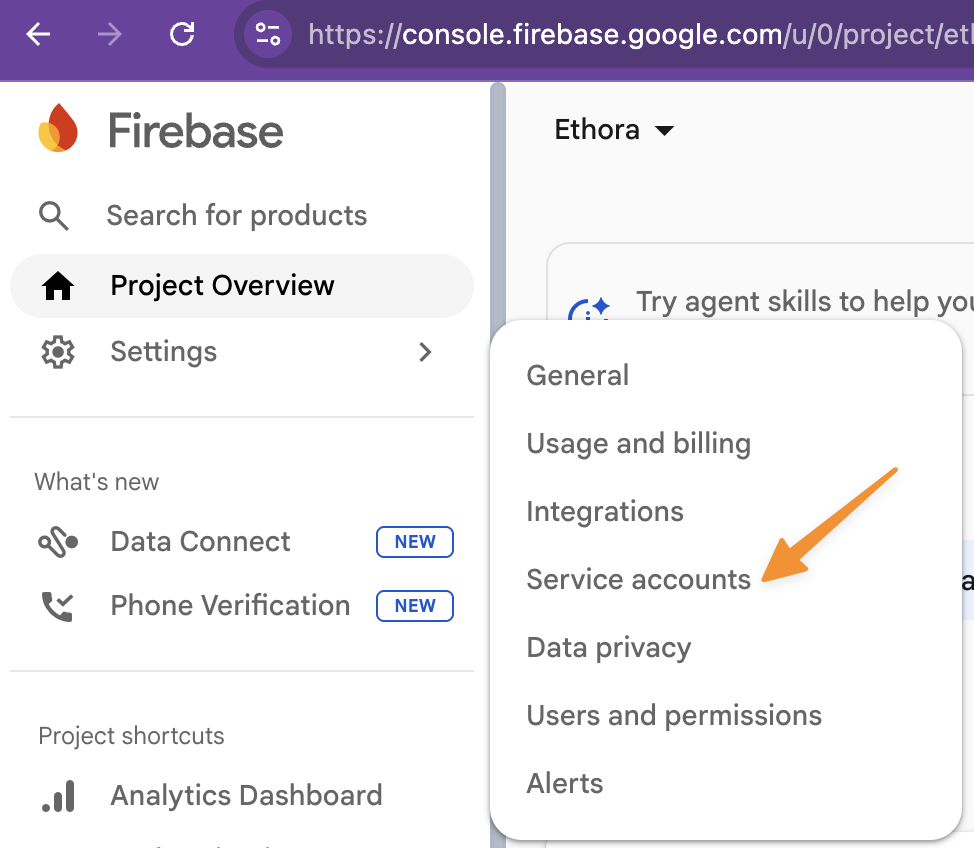
Go to Settings -> Service accounts:
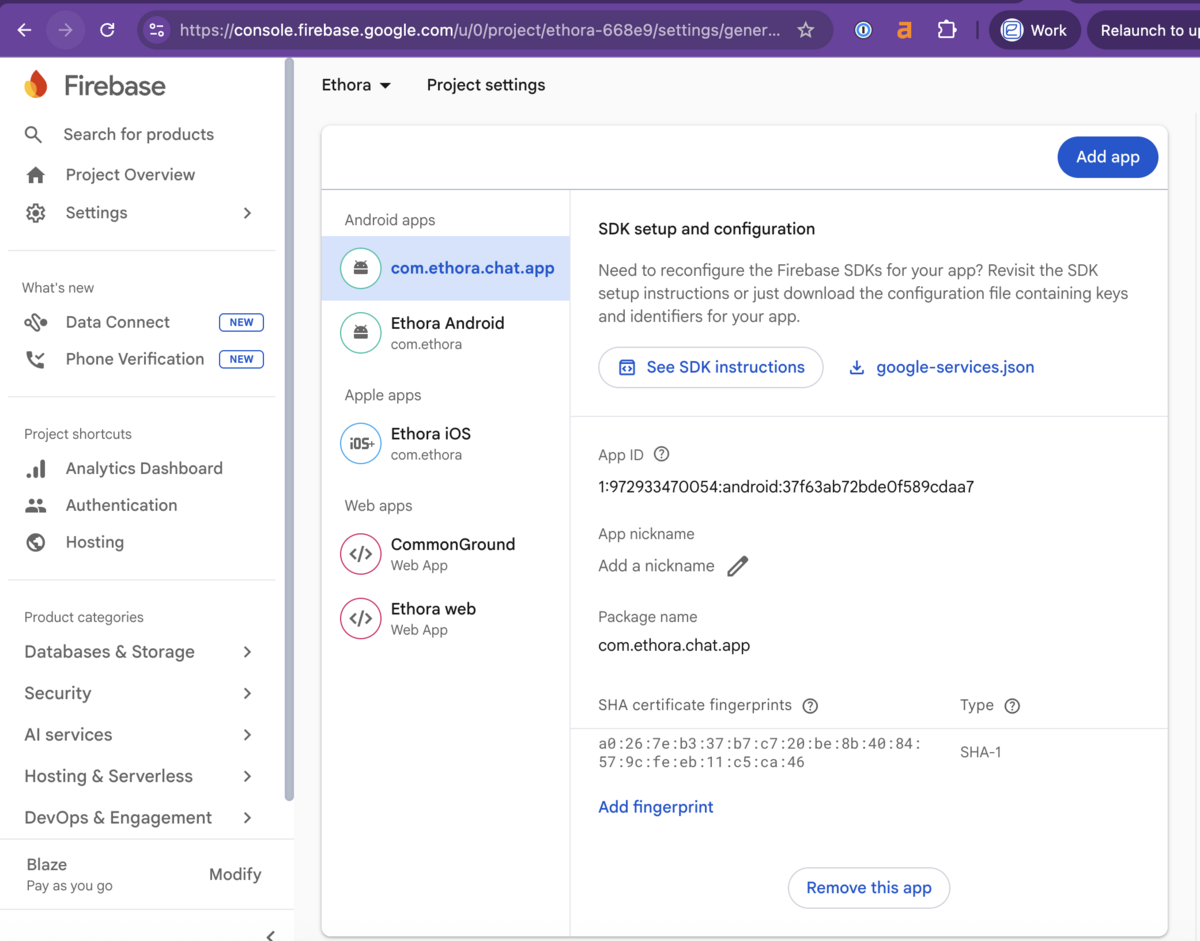
Download JSON here:
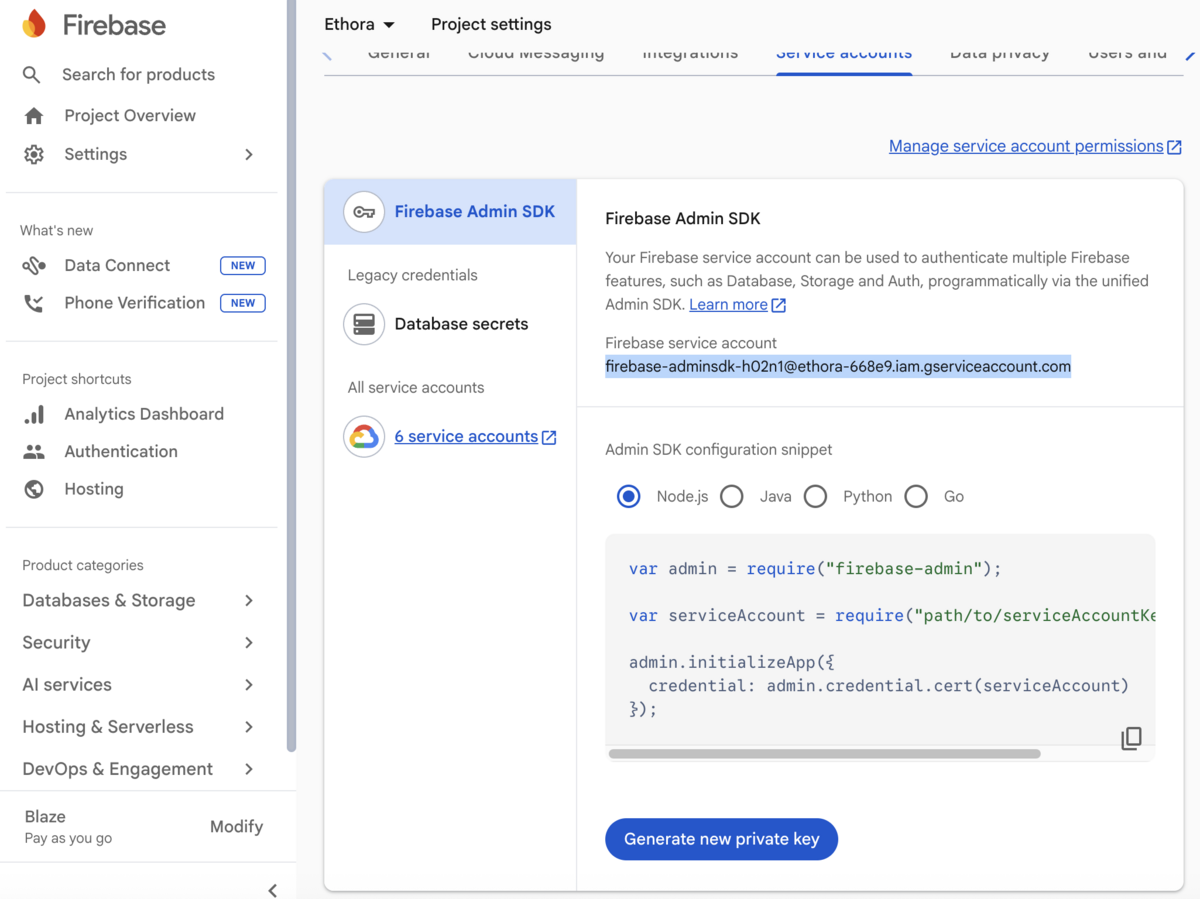
(Optional) You may generate a new private key here which will download a .json file:
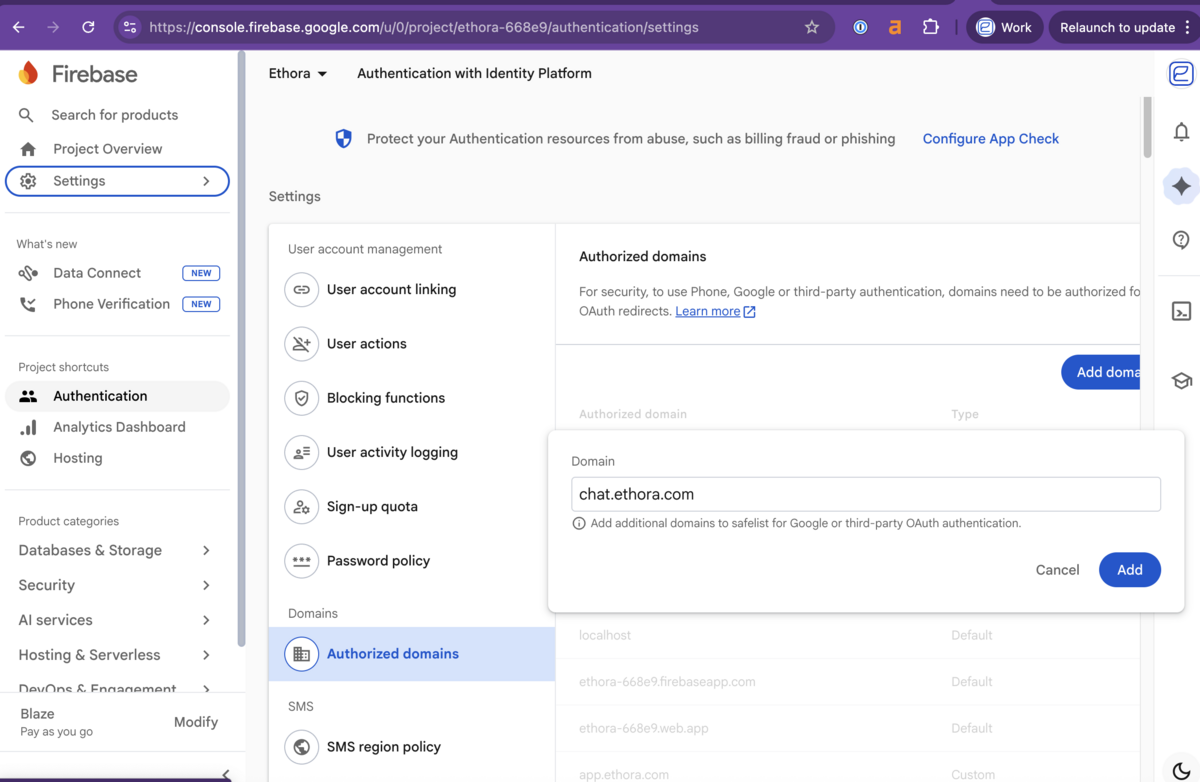
Ensure your new domain is added in Firebase
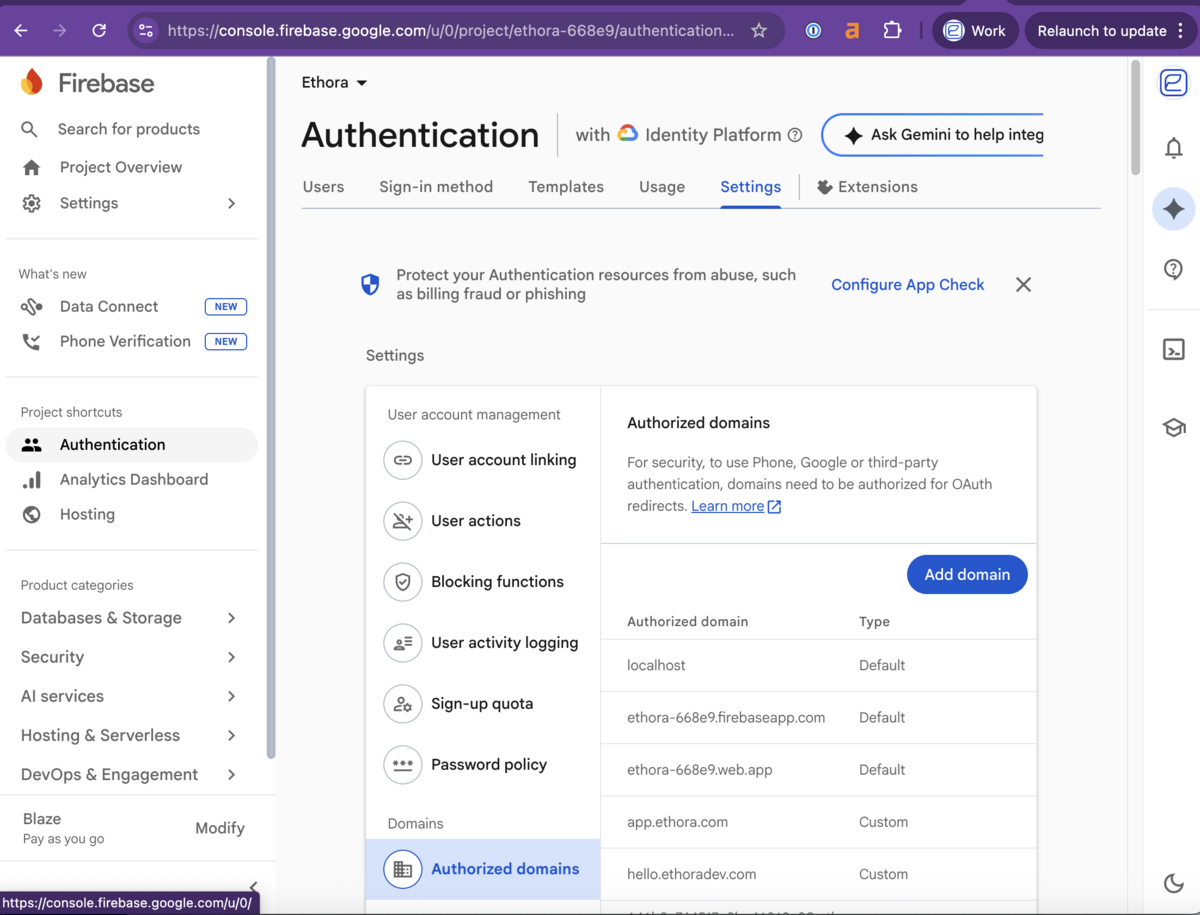
If you migrated to a new domain, ensure it is added in your Firebase settings in Settings -> Authorized Domains section:
Uploading Attachment...Unavailable