Ethora Community

Community › Developers (platform specific questions) › Backend, API, Admin Dashboard

Hosted Tenant Apps support added for dedicated enterprise deployment option

Archived from the Ethora community forum. First posted on 2 April 2026; product details may have changed since. For current setup see Get Ethora and GitHub.

Hosted Tenant Apps feature allows to automatically publish a web app for any of Apps you created in the admin panel, in no-code mode.

Previously this was not supported for dedicated server option and 4th level domains. This support has been added now.

For this, a separate wildcard certificate should be provisioned for your tenant apps subdomain, example (replace your e-mail and chat-qa.ethora.com with your inputs):

sudo certbot certonly \
  --manual \
  --preferred-challenges dns \
  --agree-tos \
  --email [ your e-mail ] \
  --cert-name chat-qa.ethora.com \
  --force-renewal \
  -d chat-qa.ethora.com \
  -d '*.chat-qa.ethora.com'

You will be required to add a DNS TXT record to your domain name DNS:
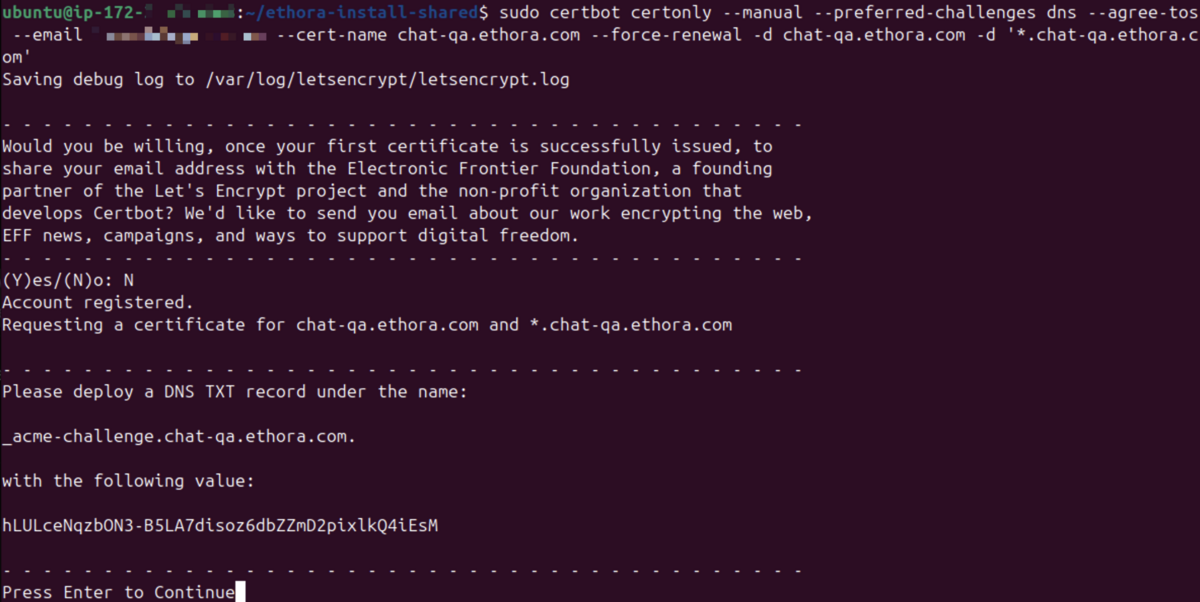
CleanShot 2026-04-07 at 19.37.14@2x.png

Which you'll need to add in your domain DNS records, for example in Cloudflare:
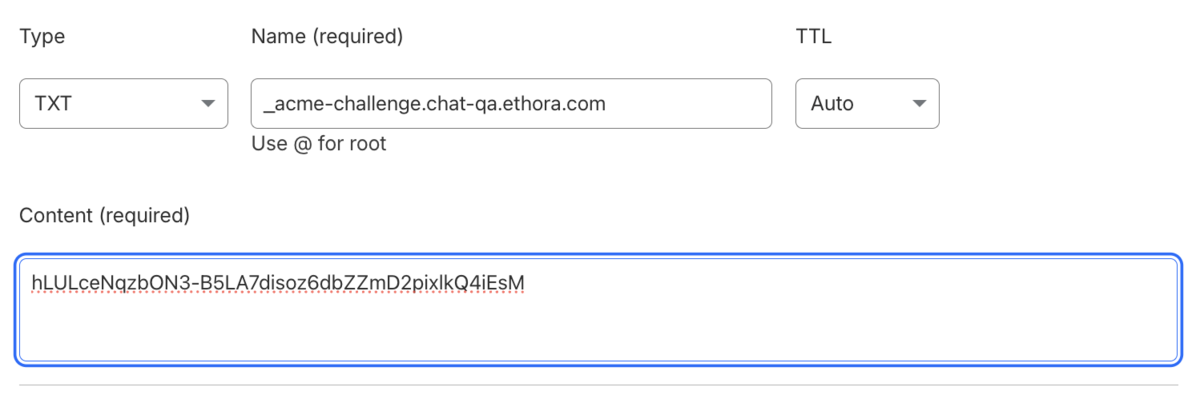
CleanShot 2026-04-07 at 19.40.28@2x.png

If all is done correctly, when you press Enter in your console, the certificate will be issued:
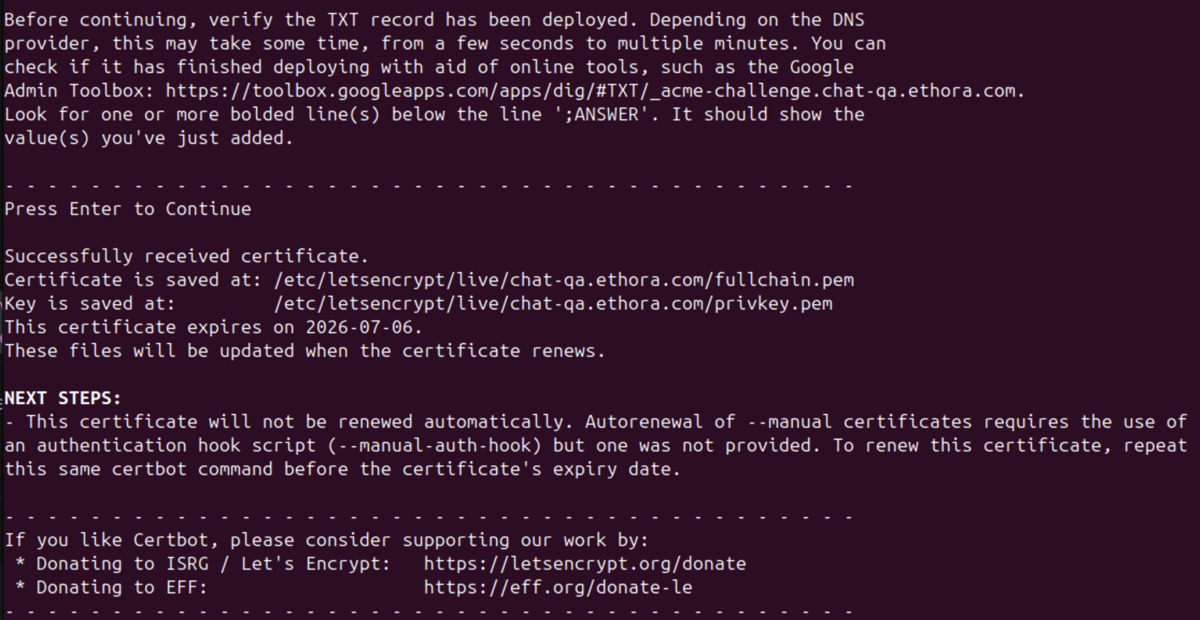
CleanShot 2026-04-07 at 19.44.31@2x.png

And the path to this certificate should be specified in deploy.yml separately in addition to certbot used for other services:

ssl:
  method: certbot
  email: [your e-mail address]
  hosted_apps_cert_path: /etc/letsencrypt/live/chat-qa.ethora.com/fullchain.pem
  hosted_apps_key_path: /etc/letsencrypt/live/chat-qa.ethora.com/privkey.pem

Make sure to replace "chat-qa.ethora.com" with your path!

As results, your admin users can run standard web apps in no code mode:
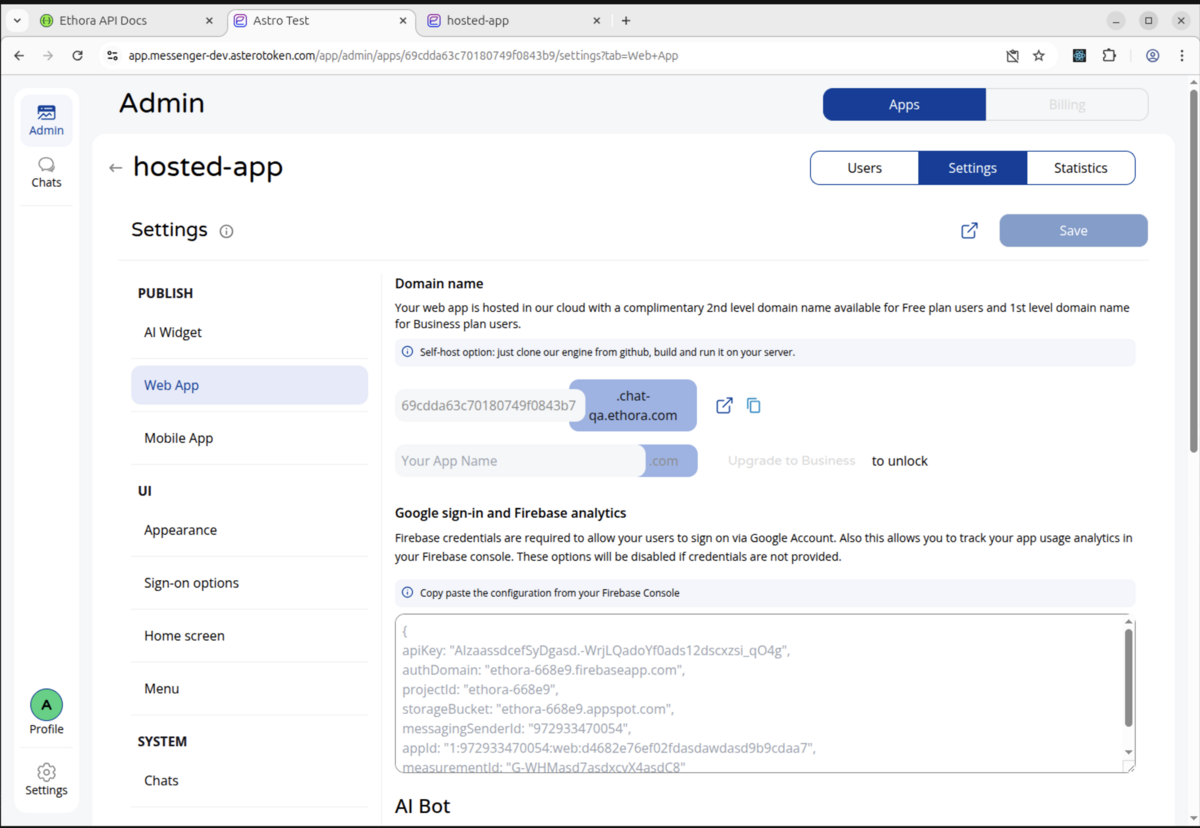
CleanShot 2026-04-02 at 04.18.13@2x.png

CleanShot 2026-04-02 at 03.55.42@2x.png

Setting up hosted tenant apps certificate auto-renewal with Cloudflare

1. Create a Cloudflare API token

In Cloudflare for [your domain e.g. ethora.com] zone, create a token with:

  • Zone -> DNS -> Edit

  • Zone -> Zone -> Read

Scope it to:

  • Include -> Specific zone -> [your domain e.g. ethora.com]

2. Install the Certbot Cloudflare plugin

On Ubuntu:

sudo apt-get update

sudo apt-get install -y certbot python3-certbot-dns-cloudflare

3. Store the token securely

Replace YOUR_CLOUDFLARE_API_TOKEN below:

sudo mkdir -p /root/.secrets/certbot

sudo bash -lc 'cat > /root/.secrets/certbot/cloudflare.ini <<EOF

dns_cloudflare_api_token = YOUR_CLOUDFLARE_API_TOKEN

EOF'

sudo chmod 600 /root/.secrets/certbot/cloudflare.ini

4. Request the wildcard cert

Example for production hosted apps under chat.ethora.com:

sudo certbot certonly \

--dns-cloudflare \

--dns-cloudflare-credentials /root/.secrets/certbot/cloudflare.ini \

--dns-cloudflare-propagation-seconds 60 \

--agree-tos \

--non-interactive \

--email [your e-mail] \

--cert-name chat.ethora.com \

-d chat.ethora.com \

-d '*.chat.ethora.com'

For your deployment, replace chat.ethora.com with your hosted-app root, e.g. chat.yourdomain.com.

5. Verify the cert

sudo certbot certificates

sudo openssl x509 -in /etc/letsencrypt/live/chat.ethora.com/fullchain.pem -noout -text | rg 'DNS:'

You should see, e.g.:

  • DNS:chat.ethora.com

  • DNS:*.chat.ethora.com

6. Point deploy config to it

In deploy/config/deploy.yml:

domains:
hosted_apps_root: chat.ethora.com

services:
hosted_apps:
enabled: true

ssl:
method: certbot
email: [your e-mail]
hosted_apps_cert_path: /etc/letsencrypt/live/chat.ethora.com/fullchain.pem
hosted_apps_key_path: /etc/letsencrypt/live/chat.ethora.com/privkey.pem

Substitute with your e-mail and certificate paths.

7. Run deploy/update

sudo -E GIT_SSH_COMMAND="ssh -i /home/ubuntu/.ssh/id_ed25519 -o IdentitiesOnly=yes" \

ROOT_DIR=/home/ubuntu/ethora \

SRC_ROOT=/home/ubuntu/ethora-monoserver \

./deploy/scripts/update.sh

8. Test auto-renewal

sudo certbot renew --dry-run

systemctl list-timers | rg certbot
Have a question about this? Ask the Ethora team.