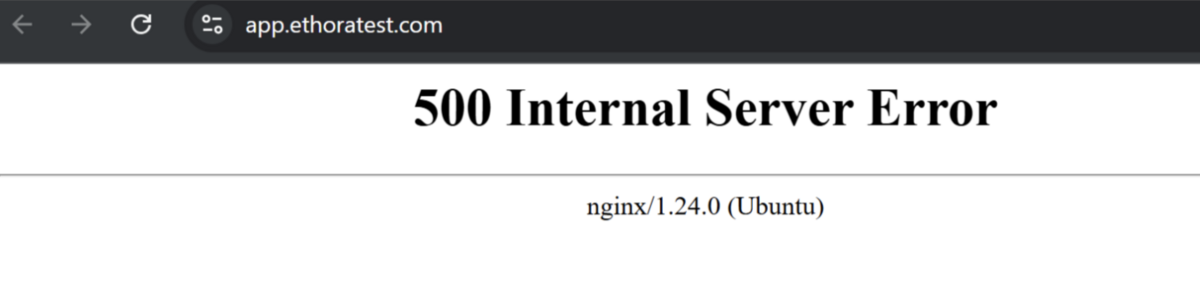
Q: I installed Ethora server, no errors during installation and my uptime service shows green. However when I access app.ethoratest.com I see "500 Internal Server Error" message from Nginx:
A:
1) Confirm where the 500 comes from
From the server:
curl -I https://app.ethoratest.com
If it’s a 500 from nginx (not the app), go to step 2. If it returns HTML from your app, go to step 3.
2) Nginx layer (most common with 500 on web domain)
Check nginx error log first:
sudo tail -n 200 /var/log/nginx/error.log
Look for:
upstream connection errors to the frontend (port or path mismatch)
connect() failed (111: Connection refused)
no live upstreams
If you see those, the frontend process is not running or nginx points to wrong upstream.
3) Frontend process health (PM2)
Check PM2:
pm2 ls
pm2 logs --lines 200
If frontend is missing or crashing, restart it from the deploy folder:
cd /home/ubuntu/ethora/deploy
sudo bash ./scripts/setup-node-services.sh
Then retry:
curl -I https://app.ethoratest.com
4) Verify frontend build + env
The app can 500 if the frontend dist/ or runtime env is missing.
Check:
ls -la /home/ubuntu/ethora/ethora-app-reactjs/dist
ls -la /home/ubuntu/ethora/deploy/generated/frontend.env
If dist/ is missing, rebuild:
cd /home/ubuntu/ethora/ethora-app-reactjs
npm ci
npm run build
sudo bash /home/ubuntu/ethora/deploy/scripts/setup-node-services.sh
5) Confirm the deployed paths are consistent
Make sure the target base is used, not the source repo:
cat /home/ubuntu/ethora/deploy/.deploy.env | grep -E "ROOT_DIR|FRONTEND_DIR|BACKEND_DIR"
Expected:
ROOT_DIR=/home/ubuntu/ethora
FRONTEND_DIR=/home/ubuntu/ethora/ethora-app-reactjs
If not, re-run:
cd /home/ubuntu/ethora-monoserver/deploy
sudo bash ./scripts/install.sh (with paths.base: /home/ubuntu/ethora)
or
sudo bash ./scripts/update.sh
6) Backend sanity check (if frontend calls backend on load)
Open the web domain in browser devtools → Network tab → see if API calls return 500/502.
Also check backend health directly:
If backend is unhealthy:
pm2 logs backend --lines 200
docker ps and check mongo/mysql/redis containers
docker logs deploy_mongo_1 --tail 200 (and mysql/redis if needed)