All you need to do is set up DNS records for subdomains to point to your IP address.
The routing will be taken care of automatically by Ethora server (assuming a standard "monoserver" setup).
This can be achieved using your domain name DNS management system, for example Cloudflare or Route53.
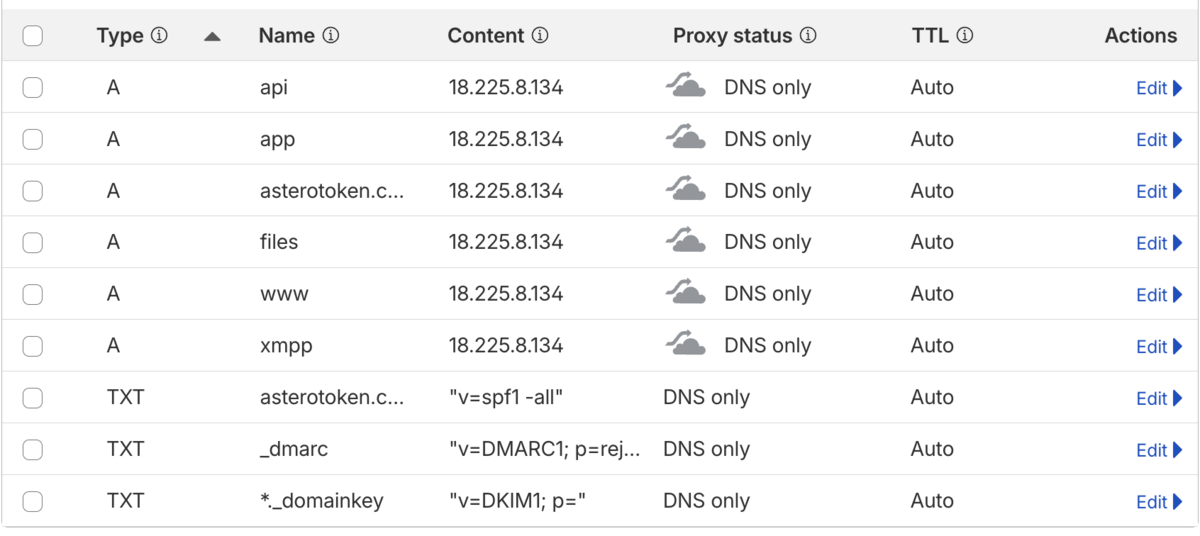
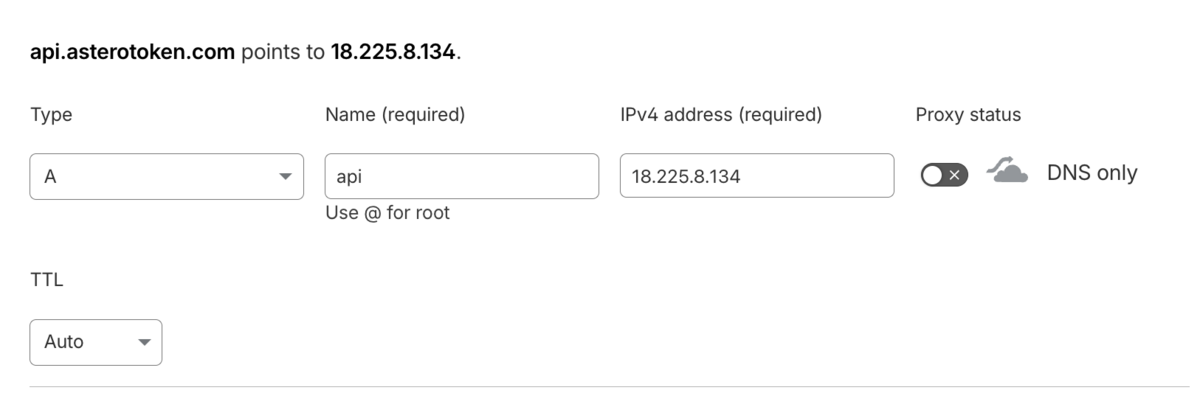
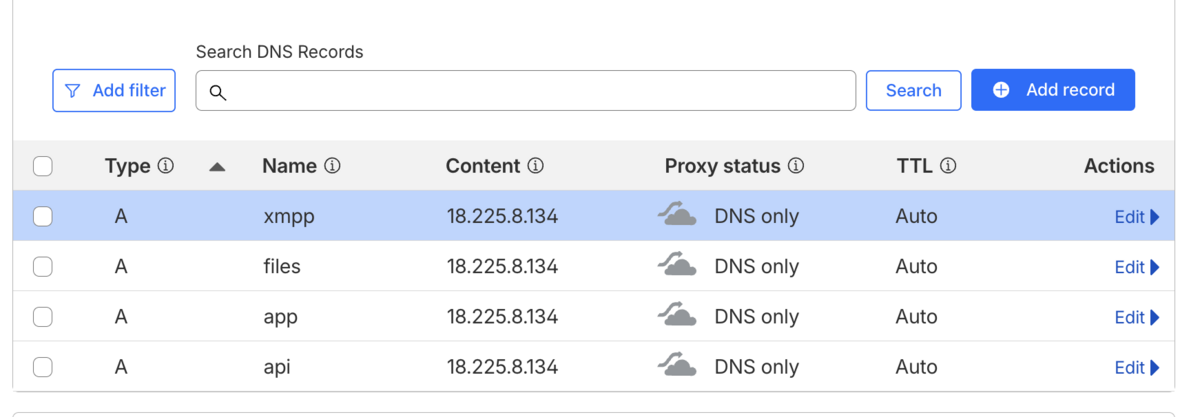
The A records you need to set up are:
app
api
xmpp
files
Description:
app. - frontend application for admin panel of your Ethora platform instance. Alternatives: admin., ethora., dashboard. etc
api - API endpoint for your Ethora API. Alternatives: ethora-api, chat-api etc.
xmpp - XMPP messaging server endpoint for chat server XMPP websocket connections. Alternatives: chat, messaging etc.
files - endpoint for Minio services (used for files attachments etc)
These subdomain names can be modified if you prefer. In such case these modifications should be reflected in your installation deploy.yml configuration.
Cloudflare:
As result you should have A-records for all Ethora services pointing to your IP address, for example:
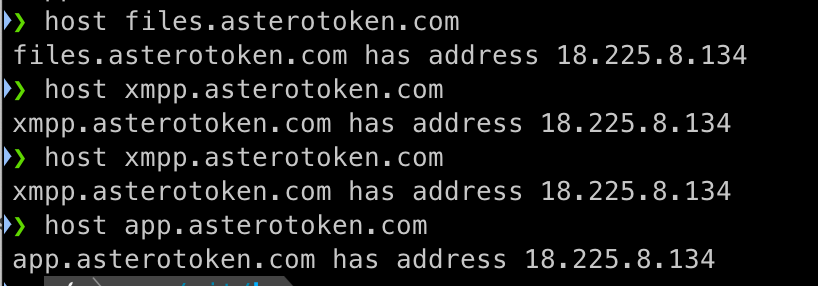
You can verify whether subdomains resolve to your IP address using 'host' command from your terminal: